59ECL-PTU-207 Preloaded Applications
Configuring the Preloaded Applications
The PTU’s preloaded applications can easily be configured from within EC-
gfx
Program. The configu-
ration parameters related to a PTU as well as its input and output settings are accessible through the
Configuration Assistant
.
To access the
Configuration Assistant
page:
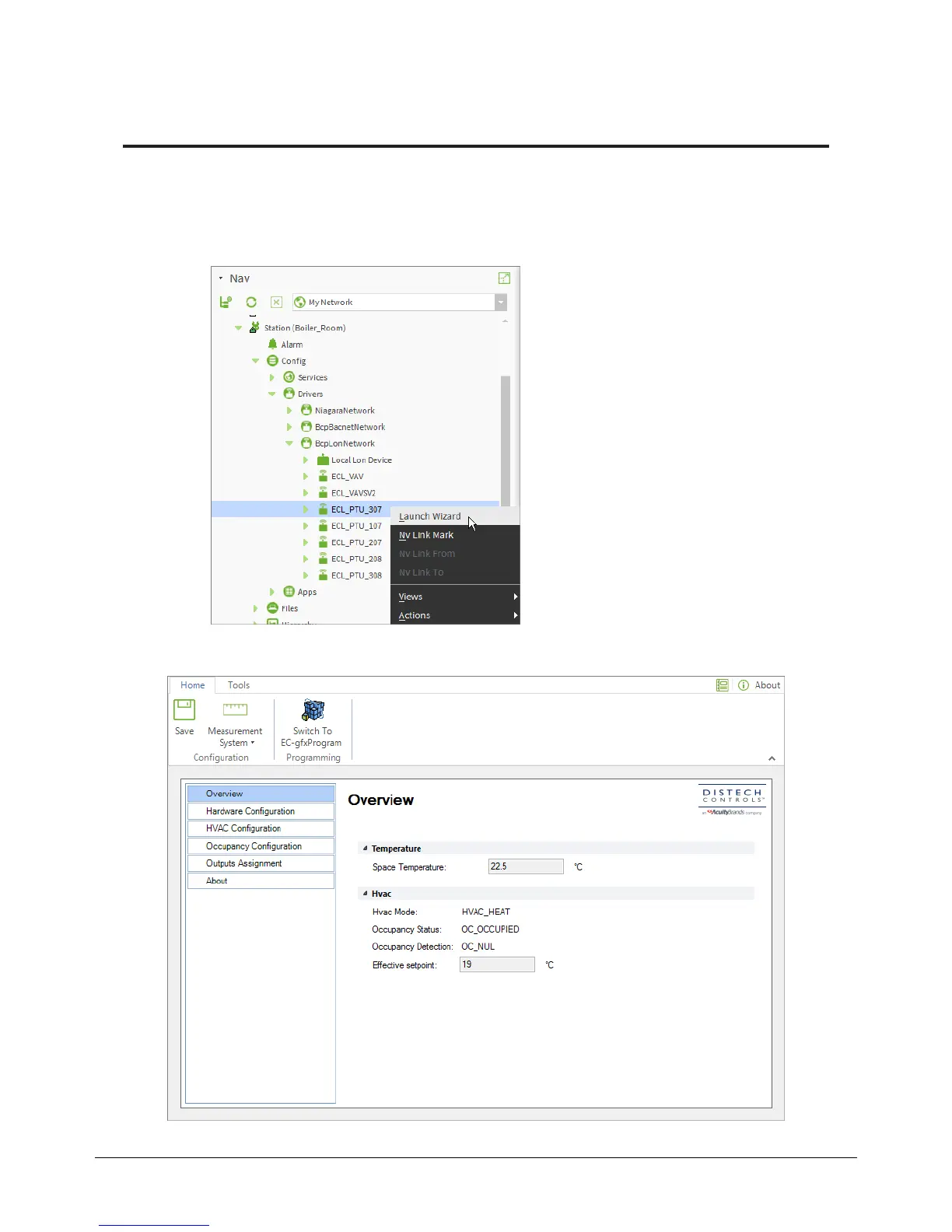
In the Nav sidebar, right click the device you wish to configure and click
Launch Wizard
.
Figure29: Launching the Wizard from the Nav sidebar
The
Configuration Assistant
page appears.
Figure30: Configuration Assistant page in EC-gfxProgram
Configuring the Preloaded Applications











 To Next Page