1820 - CONTROLS 13
CONSOLE
1820 - CONTROLS 13
CONSOLE
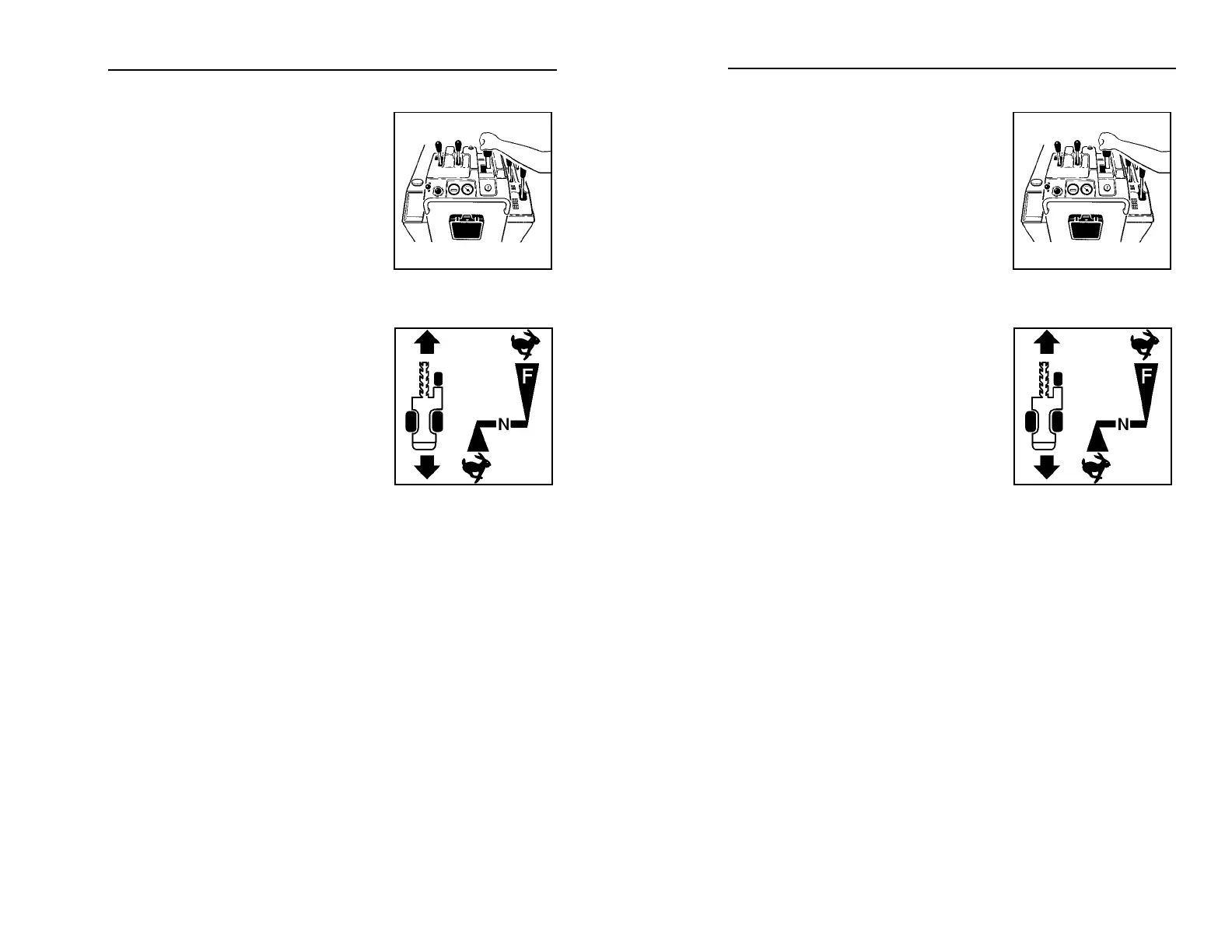
Operator Presence Switch
(red)
This button prevents machine from
running when digging or driving unless
operator is pressing switch. Operator
presence switch is on top of speed/
direction control.
Speed/Direction Control
(orange)
This lever controls unit speed and
direction.
• Push to move toward digging
boom.
• Pull to move toward operator
position.
• To go faster in either direction,
move control farther from center (neutral) position.
• To stop, return to neutral position.
• To turn, move control to left or right while it is in forward,
neutral, or reverse position.
om1014.pcx
ic0029h
Operator Presence Switch
(red)
This button prevents machine from
running when digging or driving unless
operator is pressing switch. Operator
presence switch is on top of speed/
direction control.
Speed/Direction Control
(orange)
This lever controls unit speed and
direction.
• Push to move toward digging
boom.
• Pull to move toward operator
position.
• To go faster in either direction,
move control farther from center (neutral) position.
• To stop, return to neutral position.
• To turn, move control to left or right while it is in forward,
neutral, or reverse position.
om1014.pcx
ic0029h



 To Next Page