
 Need help?
Do you have a question about the Ditel DT-203 Series and is the answer not in the manual?
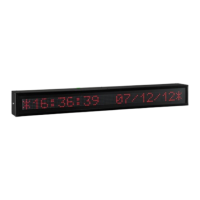
Provides an overview of the PROFINET Display Series, highlighting character height and installation possibilities.
Details electrical specifications for DT-203, DT-105, and DT-110 displays, including voltage, consumption, and environmental conditions.
Lists weight and power consumption (VA and h(VA)) for various DT display models in a tabular format.
Presents dimensional data (A-G, P1-P3) in millimeters for DT-203, DT-105, and DT-110 display models.
Identifies and illustrates display connectors and push buttons for various functions.
Explains power supply requirements, connector types (230V, 24V), and conductor section recommendations.
Details wiring for transferring messages via RS-232 using the TDLWin application.
Lists resolution and accuracy for temperature and humidity measurements when the probe option is used.
Provides a wiring diagram for connecting the optional temperature and humidity probe via a DB9 connector.
Explains the function of the reset button and when it might be necessary to use it.
Guides the installation of IP65 Profinet connectors and cable glands for environmental protection.
Describes the display's startup sequence, initialization, and readiness for network messages.
Details how to enter and modify display parameters like language, configuration modes, protocol, date, time, and display speed.
Explains configuration and commissioning of Profinet Display using TIA Portal and SW67602.
Details 'Selection by code' and 'Control by direct message' modes, including configuration and message sending.
 General
| Resolution | 1600 x 900 |
|---|---|
| Aspect Ratio | 16:9 |
| Contrast Ratio | 1000:1 |
| Response Time | 5ms |
| Connectivity | VGA, DVI |
| Panel Type | TN |
| Brightness | 250 cd/m² |
| Viewing Angle | 170°/160° |
| Input Connectors | VGA, DVI |
| Screen Size | 20 inches |
| Power Consumption | 25W |
| Weight | 3.5 kg |

 To Next Page