16 17
Motion recording
and playback
Overview
DitoGear™ OmniSlider is capable of recording and
playing back up to about 80 seconds of continuous
motion. Recorded motion can be played back either
in real time or with the time stretch applied.
Time stretch may be used for more demanding
timelapse, stop motion, or real time filming shots.
There is one persistent memory bank for recording, so
it does not reset after power cuto.
Please note that the recorded motion might dier
slightly from your real time performance due to the
data reduction and interpolation methods. However,
each time you play back the recorded program, it will
play in fully repeatable manner allowing for sophis-
ticated shots and special eects.
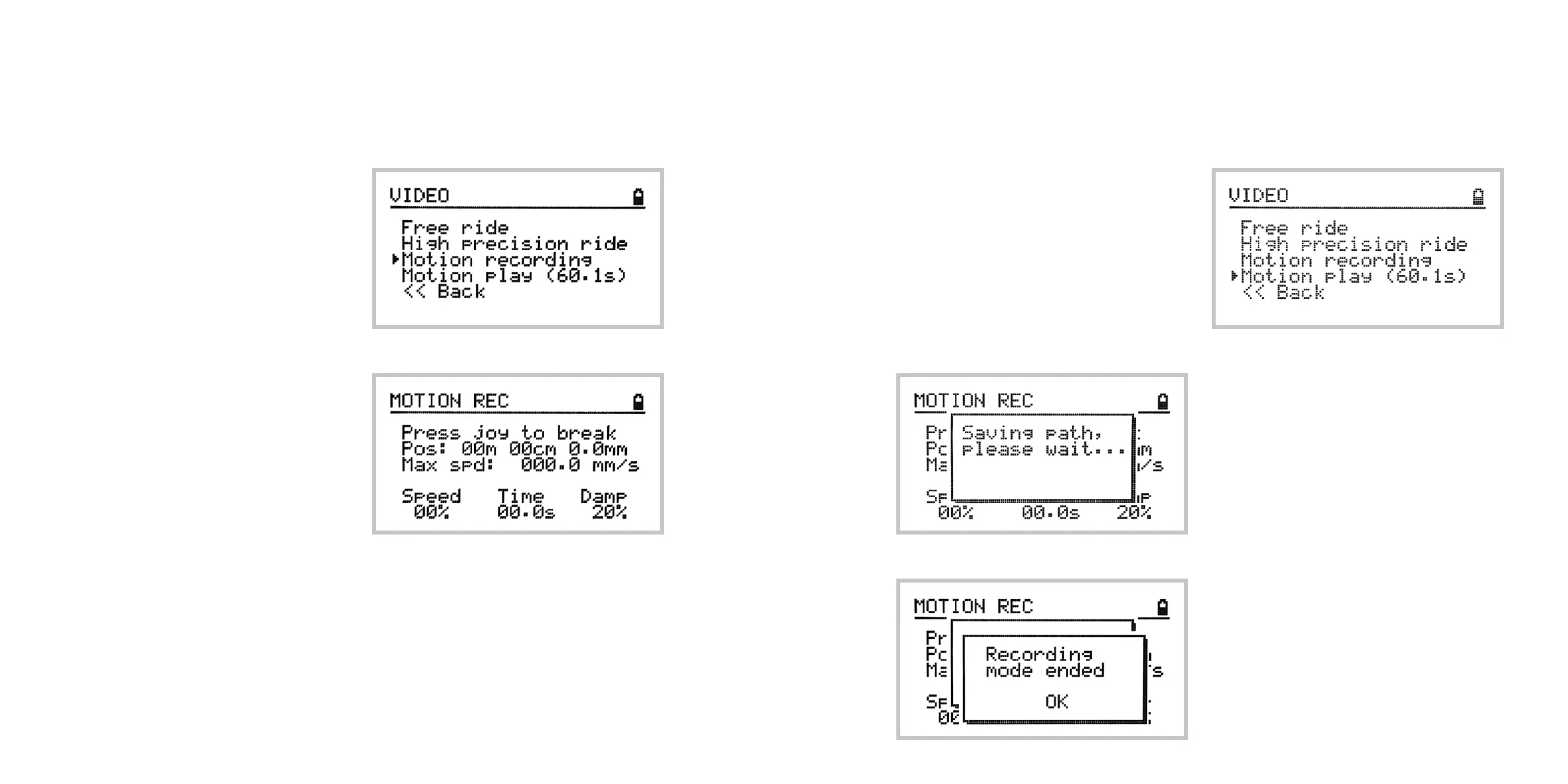
Accessing Motion recording mode
To access motion recording features select
Home » Video » Motion Recording
Recording motion
After selecting the Motion recording mode the current
position of the trolley is registered as home position. All
playback will be started from that position.
In addition to common readouts, the Motion record-
ing screen displays additionally elapsed recording time.
The recording starts as soon as you move the joy-
stick for the first time. Changing the [D1] or [D2]
dials at the starting screen prior to moving trolley
will not trigger recording.
You may either use the full recording buer available
or stop recording anytime by pressing the joystick. It
is good practice to leave a 2 second gap prior to con-
firming the end of recording.
Note.
Emergency stop is triggered by pressing joystick.
When the recording is completed, the notification
screen appears showing data saving progress.
The following screen confirms the end of saving data.
Playing back motion
To access motion playback features navigate to:
Home » Video » Motion Playback
The number in brackets next to menu item indicates
the length of the current recording.
There are 5 main motion playback options:
Realtime mode plays back motion in real time.
Slow motion mode plays back motion slowly,
stretched by a specific factor.
Timelapse continuous mode allows for use of recorded
motion as a basis for continuous timelapse sequence.
Timelapse DSD mode allows for use of recorded motion
as a basis for a drive-shoot-drive timelapse sequence.



 To Next Page