34 35
The absolute position will be displayed next to
bank name confirming that the data has been
saved.
Navigating to stored position
In order to move the trolley to a stored position, do
the following:
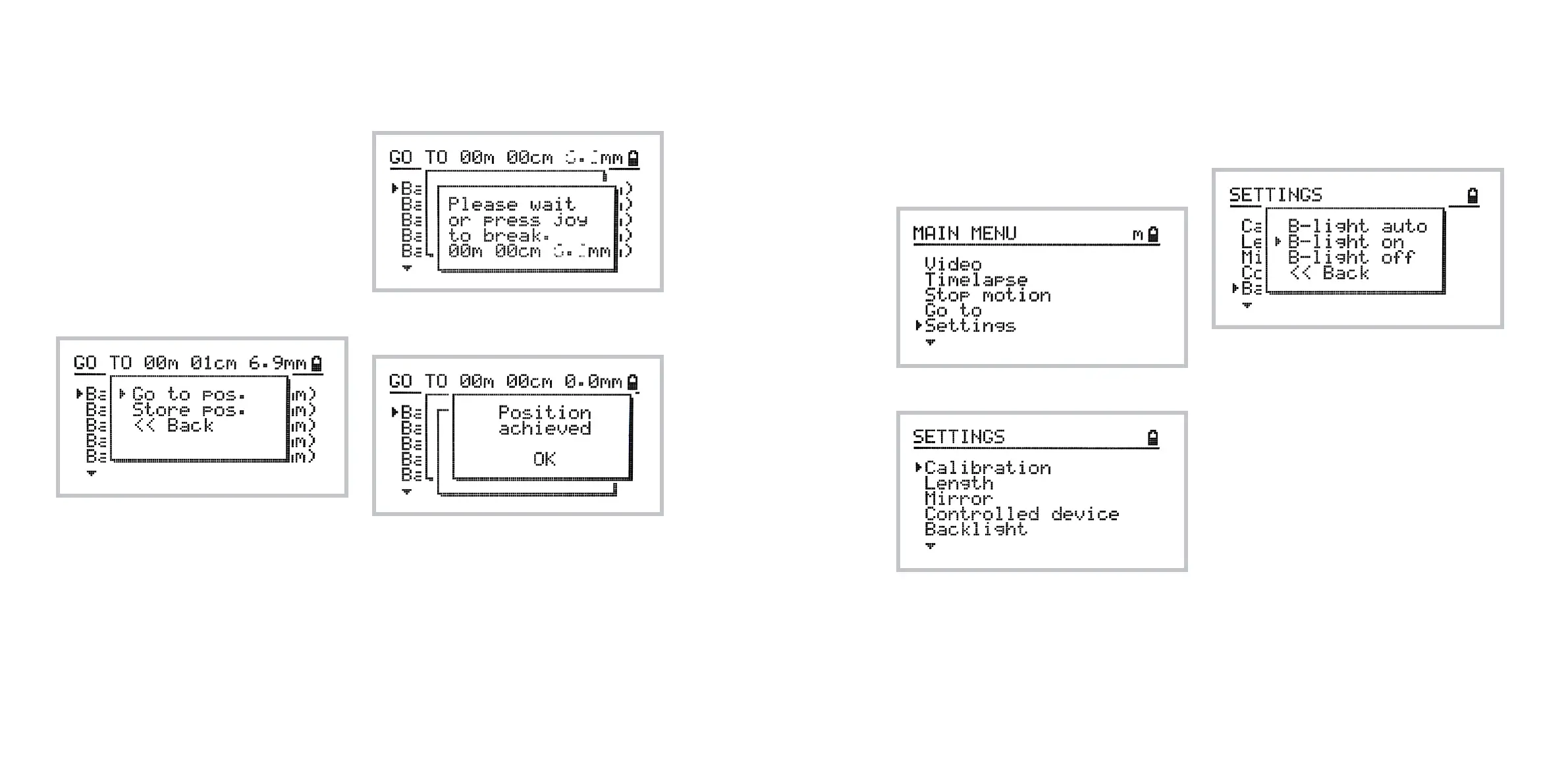
1 Navigate to Home » Go To
2 Select a bank of your choice
3 Select Go To Position from the pop-up menu.
The following screen displays the progress of the
move. You may abort it by pressing the joystick.
The following screen confirms that the position has
been reached.
4. Overview of the Settings
menu
To access the settings menu choose
Home » Settings
The following options are available:
Calibration, Length, Mirror and Controlled device
options has been described in previous chapters.
Using backlight options
The Backlight option lets you switch between dier-
ent backlight options.
In Backlight Auto mode the the LCD display will
be dimmed automatically after a certain period of
time if the device is not operated. Use this option to
maximize battery life and avoid unnecessary light
artifacts on your long exposure timelapse shots.
In Backlight On option, the LCD backlight always
remains on.
In Backlight O option the LCD backlight always
remains o. Please note that it might be dicult to
read the screen in this mode so use it carefully.



 To Next Page