EasyManua.ls Logo

DIVIMATH HDZero Freestyle - User Manual

Default Icon
20 pages
Print Icon
To Next Page IconTo Next Page
Loading...
1
HDZero Video Transmitters
Whoop Race V1 Race V2 Freestyle
What is HDZero?
PUSH YOUR SKILLS TO THE LIMIT
HDZero offers industry-leading low latency, giving you more time to react and the best possible chance of hitting
that next gap. With its smooth, consistent FPV video feed, you’ll experience the same locked-in feeling you get
with analog videobut with the clarity of HD.
MAKE IT AN EVENT
HDZero supports the standard 5.8ghz video channels, meaning you can have up to 8 simultaneous pilots flying
either full-quality HDZero or analog video. When you’re ready to take a break and spectate, you can tune in to any
channel and view the pilot’s feed with no loss of quality, giving you the same feeling of being in the air yourself.
UPGRADE YOUR FLEET
From 1S whoops to long-range wings, HDZero offers a variety of VTX and camera options to suit every build. You
may even be able to use the gear you already havethe HDZero receiver will work with any FPV goggle with an
HDMI input. HDZero can grow with your needs and fit perfectly into your preferred FPV craft.
RAPIDLY EVOLVING SYSTEM
HDZero is rapidly evolving. Please always use the latest firmware that is located at www.hd-zero.com/document.
Question and Answer IconNeed help?

Do you have a question about the DIVIMATH HDZero Freestyle and is the answer not in the manual?

Overview

The HDZero Video Transmitter (VTX) is a digital HD 720p 60fps video transmitter designed for FPV (First Person View) systems, offering low latency and clear HD video. It operates on the 5.8GHz frequency band and supports standard 5.8GHz video channels, allowing up to 8 simultaneous pilots to fly using either full-quality HDZero or analog video. The system is designed to be rapidly evolving, and users are encouraged to always use the latest firmware available from the manufacturer's website.

Function Description:

The HDZero VTX transmits digital HD video from an FPV camera to a compatible receiver, such as the Shark Byte RX5.1 goggle module. This allows pilots to experience real-time, high-definition video feedback during flight. The system is designed to provide a smooth and consistent video feed, comparable to analog video but with enhanced clarity. It supports remote control of transmitter and camera parameters via a remote controller.

Important Technical Specifications (across various models):

  • Video Quality: Digital HD 720p 60fps
  • Frequency: 5.8GHz
  • RF Power Output:
    • Whoop, Whoop Lite, Race V1, Race V2: 25mW, 200mW
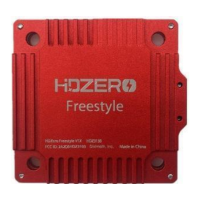
    • Freestyle: 25mW, 200mW (500mW, 1W if with HAM license)
  • Power Input:
    • Whoop, Race V1, Race V2, Freestyle: 7V – 26V (2S – 6S)
    • Whoop Lite: 2.8V – 13V (1S – 3S)
  • Power Consumption:
    • Whoop, Whoop Lite, Race V1, Race V2: 5~6W
    • Freestyle: 6~15W (up to 15W)
  • Mounting Pattern:
    • Whoop, Whoop Lite: 25.5x25.5 M2
    • Race V1: 20x20 M4 (Soft)
    • Race V2: 20x20 M4 (Soft)
    • Freestyle: 30x30 M3 (Soft)
  • Dimensions:
    • Whoop, Whoop Lite: 32x32
    • Race V1: 27x45
    • Race V2: 34x34
    • Freestyle: 40x40
  • Weight:
    • Whoop: 5.3 grams
    • Whoop Lite: 4.5 grams
    • Race V1: 7 grams
    • Race V2: 6 grams
    • Freestyle: 28 grams
  • Antenna:
    • Whoop: u.FL Antenna Connector (not included)
    • Whoop Lite, Race V1, Race V2: Secured u.FL (not included)
    • Freestyle: Secured u.FL, Polarized (RHCP) antenna included
  • SmartAudio Support:
    • Whoop: No
    • Whoop Lite, Race V1, Race V2, Freestyle: Yes (SmartAudio V2.1 compatible for Race VTX)
  • MSP Display Port: Yes (all models)
  • Surge Protection: Integrated surge protection circuit (mandatory to use a large capacitor parallel with battery leads for smoothing power supply).
  • FCC Compliance: HDZero Freestyle VTX is compliant with FCC 47 CFR 97.215(c), limited to 25mW/200mW out of the box, but capable of up to 1W with a HAM radio license.

Usage Features:

  • Low Latency: Designed to provide industry-leading low latency for quick reactions during flight.
  • Versatile Application: Different VTX models cater to various drone types, from 1S whoops (Whoop, Whoop Lite) to racing quads (Race V1, Race V2) and long-range wings/freestyle builds (Freestyle).
  • Compatibility: The HDZero receiver works with any FPV goggle that has an HDMI input.
  • VTX Menu: Available when SmartAudio is not supported, not physically connected, or disabled. Allows adjustment of RF power level management settings (POWER, PIT_MODE, LP_MODE, OFFSET_25MW).
  • SmartAudio Control: For VTX models supporting SmartAudio, the flight controller (FC) can directly control RF power and channel. This requires connecting the SA pin to an available UART on the FC and configuring the SmartAudio protocol in the FC software (e.g., Betaflight).
  • OSD Setup: Requires connecting VTX UART to an available UART on the FC board, activating MSP protocol with 115200 baud-rate, and configuring OSD display settings via CLI commands (e.g., set osd_displayport_device = MSP, set displayport_msp_serial = YOUR_UART_PORT_NUMBER - 1).
  • Stick Movement Commands: Allows navigation and control of VTX, BetaFlight, and Camera menus using specific stick movements on the remote controller. Shortcuts are available for switching to 0mW and exiting 0mW mode.
  • Firmware Updates: Firmware for both VTX and VRX can be downloaded from the HDZero website. Updates are performed by placing the firmware file on an SD card, inserting it into the VRX module, and powering on the VRX.
  • VTX Power Modes:
    • POWER: Selectable RF power levels (25mW, 200mW, 500mW, MAX).
    • PIT_MODE:
      • P1MW: 0.1mW output, automatically switches to POWER when armed.
      • 0MW: Zero RF output, automatically switches to POWER when armed.
      • OFF: Output set to POWER setting.
    • LP_MODE (Low Power Mode):
      • ON: Forces 25mW when disarmed (if PIT_MODE is OFF), switches to POWER when armed.
      • OFF: Output set to POWER setting.
  • Antenna Mounting: For Race V1/V2 and Freestyle VTXs, u.FL antennas or pigtails can be mounted using included retention screws, nuts, plates, or zip-ties.
  • MIPI Cable Connection: For Race V2, included zip-ties are used to secure the MIPI cable and protect the connector.

Maintenance Features:

  • Firmware Updates: Regular firmware updates are crucial for optimal performance and access to new features. The process involves downloading the latest firmware, unzipping it to an SD card, and using the VRX to flash the VTX.
  • VRX Flushing: In case the VRX fails to boot up, a specific procedure involving moving a switch on the module and re-powering can flush the VRX.
  • Capacitor Requirement: A large capacitor (450+uF) parallel with battery leads is mandatory for Whoop, Race V1, Race V2, and Freestyle VTXs to smooth the power supply and prevent damage from voltage spikes.
  • Heat Management: Freestyle VTXs include a heat sink as part of their design, and removing it is not recommended. VTXs can get hot, even in P1mW mode, so it's recommended to use 0mW mode when idle to prevent overheating.
  • Antenna Care: Rotate the antenna as shown in the manual before detaching it to reduce the risk of peeling off the u.FL connector. Never apply power to the VTX without an antenna installed and secured.
  • SD Card Management: For recording, an 8G-32G SD card is recommended. It should be formatted (FAT32, 4096 bytes allocation unit size) using either the VRX or Windows. Manually closing recorded files by switching to setting mode or changing channels is important for MOV format to prevent data loss if the VRX is powered off prematurely.
  • Power Input Considerations:
    • For Whoop VTX, a BEC (8-12V) is highly recommended.
    • For Whoop Lite VTX, ensure a 5V pad of FC/BEC provides 1.5A current output if used. A capacitor is strongly suggested when powered by a 3S battery.
    • For Freestyle VTX, ensure the BEC or FC's built-in BEC can provide sufficient current (e.g., 1.5A for 10V BEC output) due to its high power consumption.
  • Troubleshooting: The manual provides a comprehensive troubleshooting section for common issues like video feed without OSD, no blue LED on VTX, snow noise, zero-byte recording files, SD card not working, no red LED, and flashing failures. Solutions often involve firmware updates, checking wire connections, Betaflight settings, or physical inspection of connectors.

DIVIMATH HDZero Freestyle Specifications

General IconGeneral
BrandDIVIMATH
ModelHDZero Freestyle
CategoryExtender
LanguageEnglish

Related product manuals