- Joystick does not work in digital mode. Must use stick commands
(Thr mid, yaw right) to enter cam menu (BF OSD disappears)
(d) If it is Micro HDZero camera, it needs firmware that is released
after June 23 2021
Snow noise even in
short distance
(a) Add a big capacitor (350+ uF 50V) in parallel to battery leads to
smooth the power supply of the whole quad
(b) Move Radio RX and its antenna away from VTX
(c) Do not place VTX next to ESC board
(d) Try another pigtail (if there is)
(e) Try another antenna
(f) Ensure U.FL connector of VTX has at least 7mm vertical clearance
(g) Check if there is other VTX (analog, DJI, HDZero) working on
current channel
(h) Check if there is WIFI interference
Recording files are zero
byte length
There are two recording file format: TS and MOV format
On TS format, VRX ensures video will be recorded until last second
before VRX is powered off.
On MOV format, VRX will not have enough time to close the recorded
file if VRX is powered off. Therefore, it is important to manually close
the file by switching to setting mode (Long press Left key) or switching
channel (press Right key) before powered down VRX
(a) An 8G-32G SD card Recommended
(b) Format SD card before using:
- Use VRX to format SD card
- Use Windows to format (Choose FAT32 and Allocation Unit size to
4096 bytes)
(a) Make sure input voltage is 7V-26V
(b) The VTX consumes about 5W, make sure power source has enough
max current
Why is
chan/band/power
displayed as ?.?.?
When you are not using Smart Audio some information is no longer
passed through to the MSP port by Betaflight.
In this instance you need to select an unused UART and enable in the
peripherals VTX(TBS SmartAudio)
Next set up the VTX table as per setting up Smart Audio section
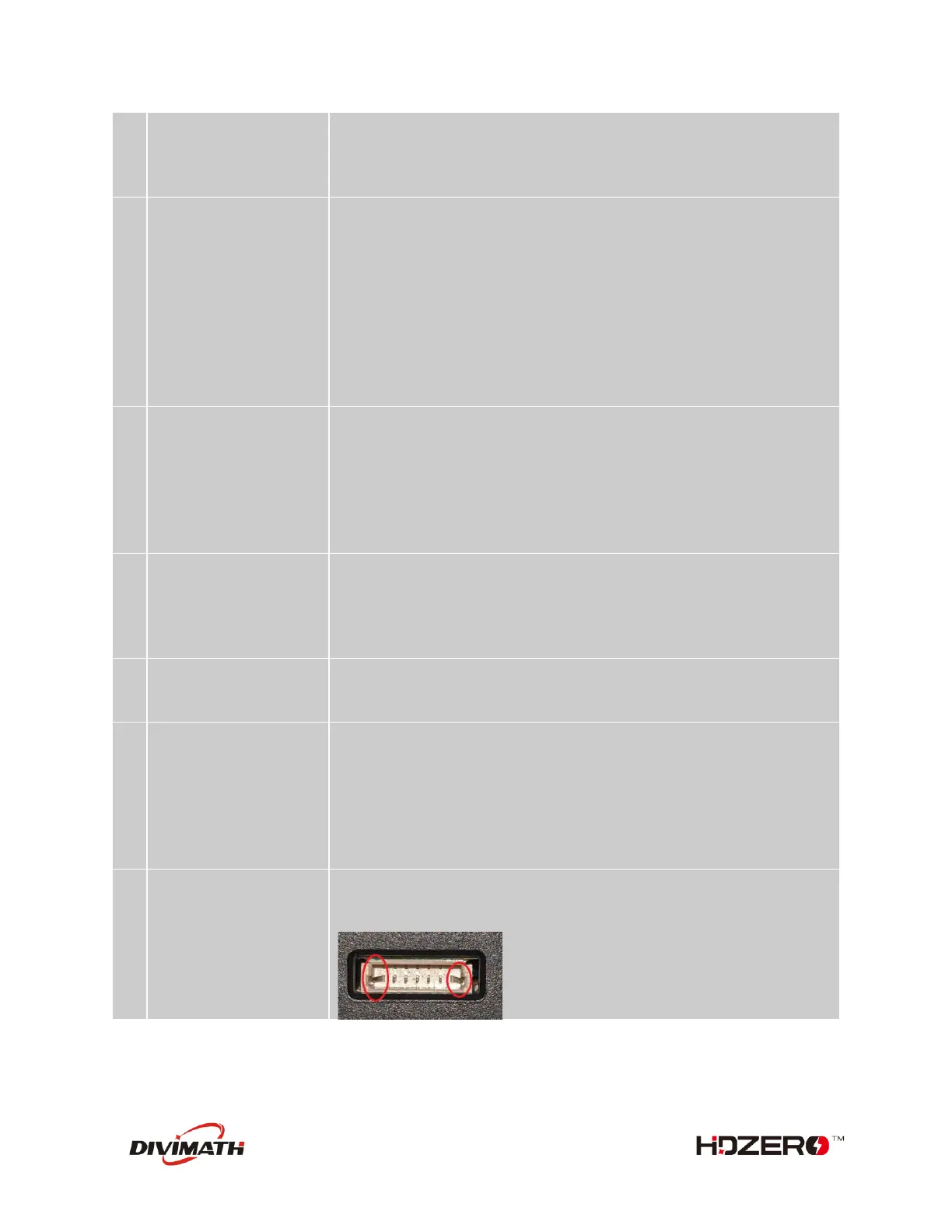
Check if any pins on VRX or VTX update port are bent. Pins should all
be straight. Example of crooked pin on the VRX causing flashing
problems:



 To Previous Page