12
(2) Unzip content of RX5.1.Revddmmyyyy.zip onto SD-card, insert SD to the module;
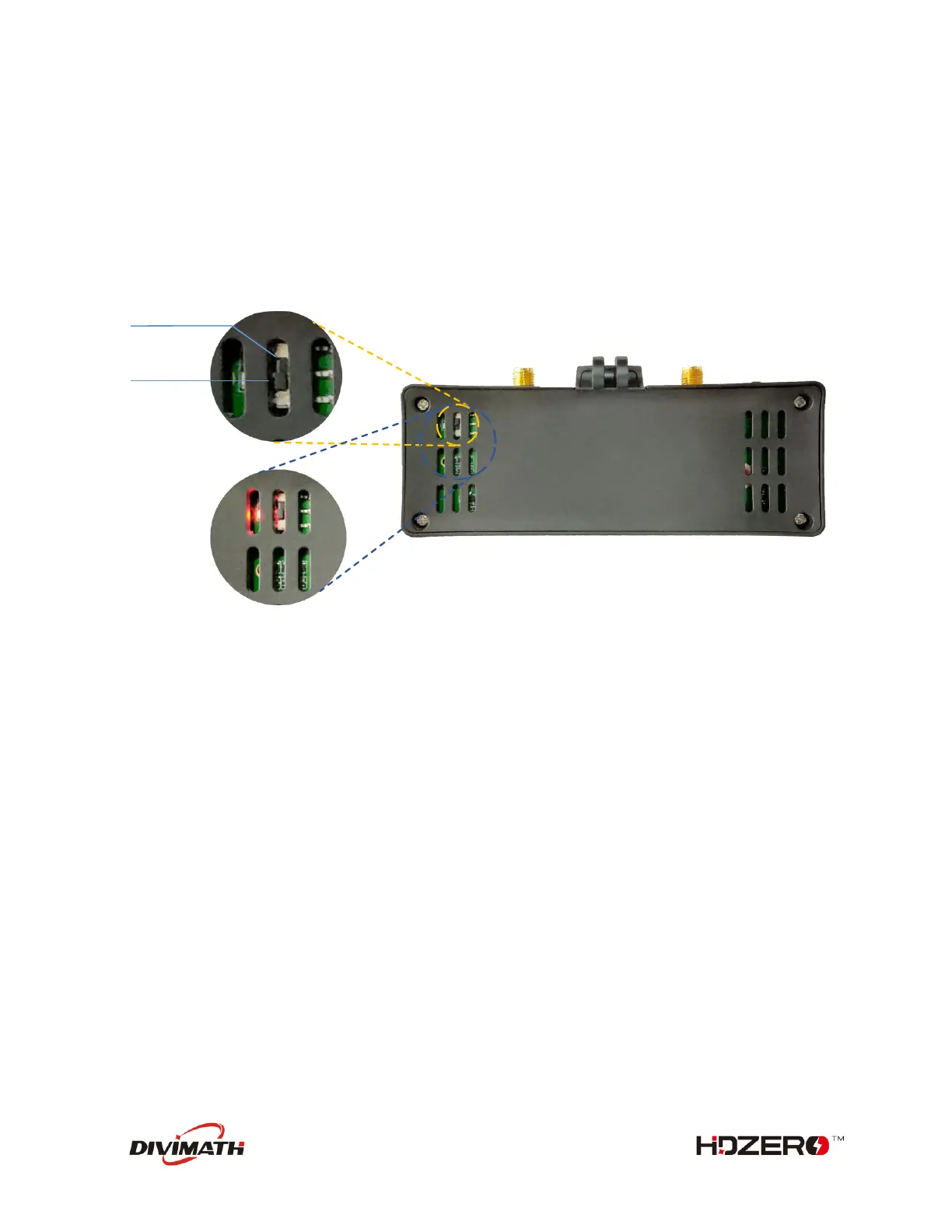
(3) Move the switch to Bottom position with tweezers (not included);
(4) Power on goggle module, the red LED will be lit;
(5) Wait for red LED to turn off, on, and then off again (it may take over 10 min to complete);
(6) Power off, and move the switch to TOP position with tweezers;
(7) Repower goggle module, it should now boot up normally.



 To Next Page