8
Important Notes:
● Do not directly power this VTX with a 5S/6S battery.
● Use 2S-4S VBAT, or included BEC, or FC with built-in BEC:
o The Freestyle VTX consumes up to 15W. If it is connected with FC that has a built-in
BEC output, make sure the BEC can provide enough current. For example, if the BEC
provides 10V, it needs a minimum of 1.5A current output.
● Removing the heat sink is not recommended because it is part of the design.
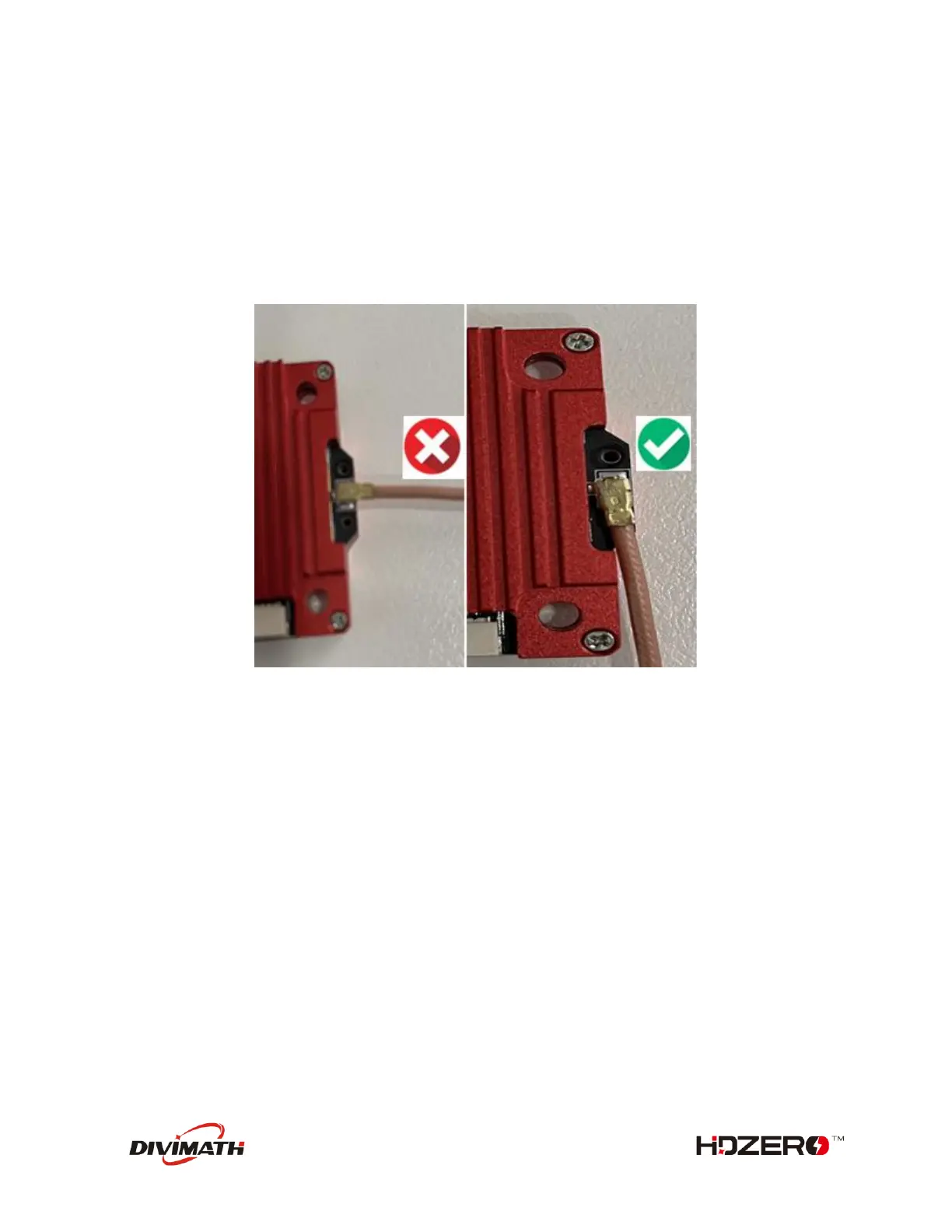
● Rotate the antenna as shown below before detaching it to reduce the risk of peeling off the UFL
connector.
HDZero Freestyle VTX is compliant with FCC 47 CFR 97.215(c). It is limited to 25mW/200mW out of the
box, but it is capable of up to 1W if you have the required HAM radio license to use this power output.
Download the special firmware from www.hd-zero.com/document to enable higher RF output modes.
Here are the steps:
1. Download firmware Unlock_FreestyleVTX.zip.
2. Unzip it to the root directory of SD Card.
3. Use the VRX to flash this firmware to the VTX.
4. Power on the VTX, BLUE LED will flash 3 times after it is done. This step unlocks VTX.
5. Power the VTX off.
6. Unzip normal VTX firmware to the root directory of SD Card.
7. Use the VRX to flash this firmware to the VTX.
8. The higher RF output options will now be available.
Please note once the VTX is unlocked, there is no need to unlock it again when there is newer firmware
available.



 To Next Page