Manual IT/GB/FR/ES/DE
Manual IT/GB/FR/ES/DEManual IT/GB/FR/ES/DE
Manual IT/GB/FR/ES/DE
1598018300
1598018300 XW20LS-XW30LS IFI IT-GB-FR-TD-ES r1.0 10.01.2008 XW20LS - XW30LS 1/23
XW20L
XW20LXW20L
XW20LS
SS
S / XW30L
/ XW30L / XW30L
/ XW30LS
SS
S
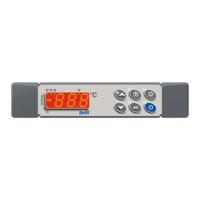
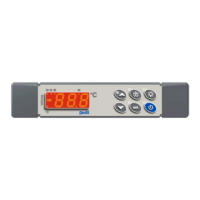
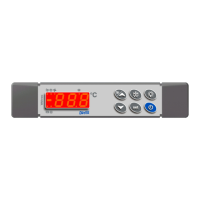
1. FRONTALE/ FRONT PANEL COMMANDS/ CLAVIER/TECLADO/
FRONTBEDIENUNG
XW20LS
XW30LS
IT Per visualizzare o modificare il set point. In programmazione seleziona
un parametro o conferma un valore. Se premuto per 3 sec durante la
visualizzazione della MAX o della min temperatura le resetta.
GB
To display and modify target set point; in programming mode it selects
a parameter or confirm an operation. By holding it pressed for 3s when
max or min temperature is displayed it will be erased.
FR
Pour afficher et modifier le point de consigne. Dans le mode
programmation, permet de sélectionner un paramètre ou de confirmer
une opération. En pressant cette touche pendant 3 secondes quand la
température maximale ou minimale est affichée, celle-ci sera effacée.
ES
Para visualizar o modificar el set point; en el modo de programación
nos selecciona o confirma una operación. Manteniendo la tecla pulsada
3s cuando se visualiza la max. y min temperatura, estas serán borrada.
DE
Anzeige des Sollwerts: 1x SET-Taste: Sollwertanzeige für 3s
Verändern des Sollwerts: siehe oben.
IT Tenendolo premuto per 3s avvia il ciclo di sbrinamento manuale.
GB By holding it pressed for 3s the defrost is started.
FR En la maintenant appuyée pendant 3 secondes, le dégivrage démarre.
ES Manteniendo presionada esta tecla durante 3 sg da comienzo el
deshielo.
DE Handabtauung: Gedrückhalten für mind. 3 sec.
IT
Per vedere la massima temperatura raggiunta. In programmazione
scorre i codici dei parametri o ne incrementa il valore. Se premuto per
3sec. avvia il ciclo di raffreddamento rapido.
GB
To see the max. stored temperature; in programming mode it browses
the parameter codes or increases the displayed value. By holding it
pressed for 3s the fast freezing cycle is started.
FR
Pour afficher la température maximale enregistrée. Dans le mode
programmation, permet de naviguer dans la liste des paramètres ou
d'augmenter la valeur affichée. En pressant cette touche pendant 3
secondes, le cycle de réfrigération rapide commence.
ES
Permite visualizar la max. temperatura almacenada. En modo
programación permite recorrer los códigos de parámetros o aumentar
el valor de la variable desplegada. Manteniéndola presionada por 3s se
inicia el ciclo de congelación rápida.
DE
Während der Programmierung Werte erhöhen.
Schnellgefrierung (Par. CCt)mind. 3 sec. gedrückt halten.
IT
Per vedere la minima temperatura raggiunta. In programmazione scorre
i codici dei parametri o ne decrementa il valore.
GB
To see the min stored temperature; in programming mode it browses
the parameter codes or decreases the displayed value.
FR
Pour afficher la température minimale enregistrée. En mode
programmation, cette touche navigue entre les différents paramètres ou
diminue la valeur affichée.
ES
Permite visualizar la mínima temperatura almacenada. En modo de
programación permite recorrer los códigos de parámetros o disminuir el
valor de la variable desplegada.
DE
Höchste gespeicherte Temperatur anzeigen lassen. Während der
Programmierphase scrollen in der Parameterliste oder senken von
Werten.
IT Accende e spegne lo strumento.
GB To switch the instrument on and off.
FR Allume et éteint l'appareil.
ES Enciende y apaga el aparato.
DE Ein- oder Ausschalten des Geräts.
IT Accende e spegne la luce.
GB To switch the light on/off.
FR Allume et éteint la lumière.
ES Enciende y apaga la luz.
DE Ein- und Ausschalten von Licht.

 Need help?
 General

 To Next Page