13
ENGLISH
Tube Alarm
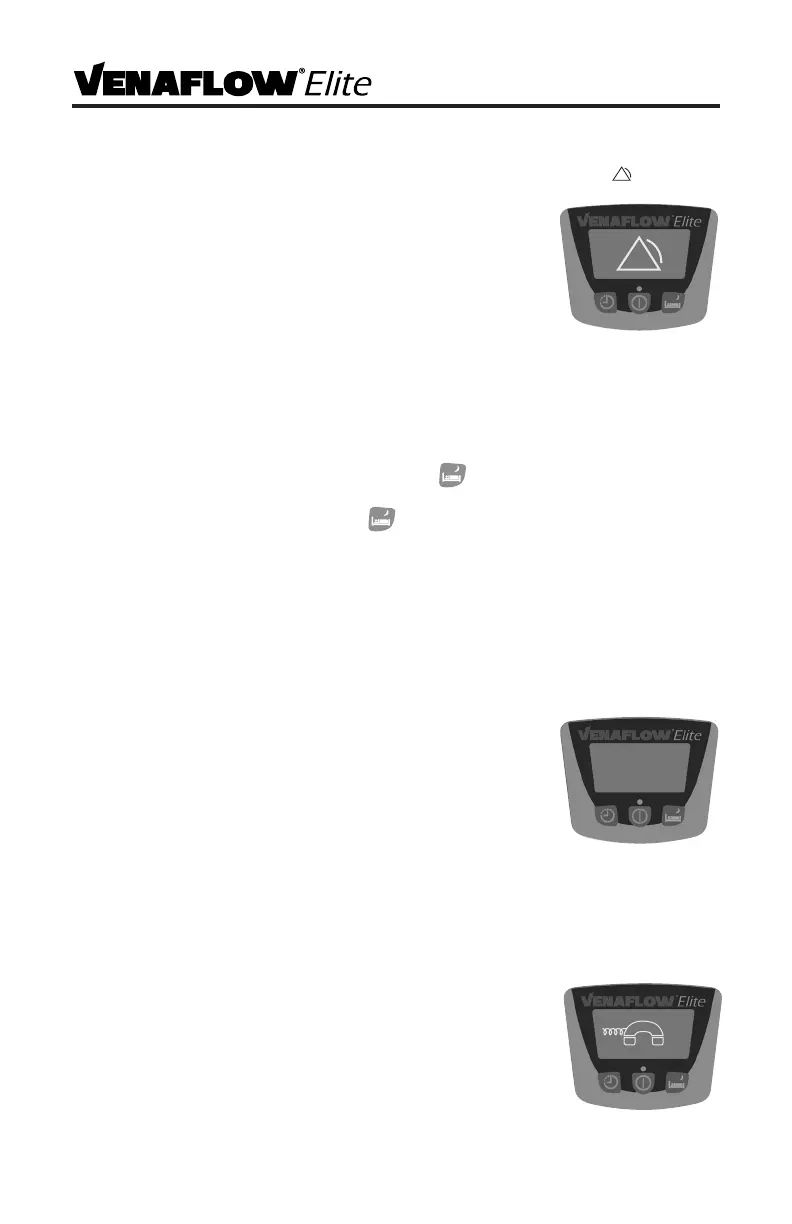
1) If one or both tubes has a kink or leak, after 4-6 minutes this symbol and the
text “CHECK TUBES” will alternate on the graphical display, an
audible alarm will sound and the pump indicator lights on
the side of the system will ash red.
2) If a tube alarm occurs, reset alarm and then ensure that the
tube connections are secure and that the tubing is kink-free.
Check pump connectors and tubing/cu connectors for
cracks or damage. Check cus for damage as well.
3) If alarm occurs again, replace cus and tubing altogether.
Enabling Compliance Alarm
A compliance alarm can be enabled on the device as an option. To enable compliance
feature, complete the following steps:
1) Start with the system powered o.
2) Press and hold the S mode operation button and while holding, press the
power button. The graphical display screen will go blank with no backlight.
3) Press the S mode operation button .
4) Select button underneath ‘Change’.
5) Select button underneath ‘Other’.
6) Select button under ‘No alarm’.
7) Select the button under ‘Done’ to set the new conguration. The change is
complete and the system is ready to operate. A “C” will appear on the display
indicating that the compliance alarm is enabled.
Compliance Alarm
1) If the cus are removed from the patient while the device
is still functioning and the cus are not reapplied after
15 minutes, the system will go into alarm mode and
the graphical display will read “COMPLIANCE ALARM”.
Additionally, the pump indicator lights on the side of the
system will ash red.
2) Reset alarm rst, and then reapply cus. You must reapply
the cus within 9-15 minutes after resetting the alarm in order to prevent another
compliance alarm from occurring.
3) If cus are reapplied without resetting the alarm, the compliance alarm will
automatically reset after 9-15 minutes.
Call For Service Alarm
1) If one of the system’s critical components is not working
properly, the Call For Service alarm symbol will appear on
the graphical display and it will alternate with the text “CALL
FOR SERVICE”. Additionally, the pump indicator lights on the
side of the system will ash red.
2) If Call For Service alarm occurs, unplug the device and call
DJO Technical support. See Customer Care Contact Information section.
COMPLIANCE
ALARM



 To Next Page