38
User Controls
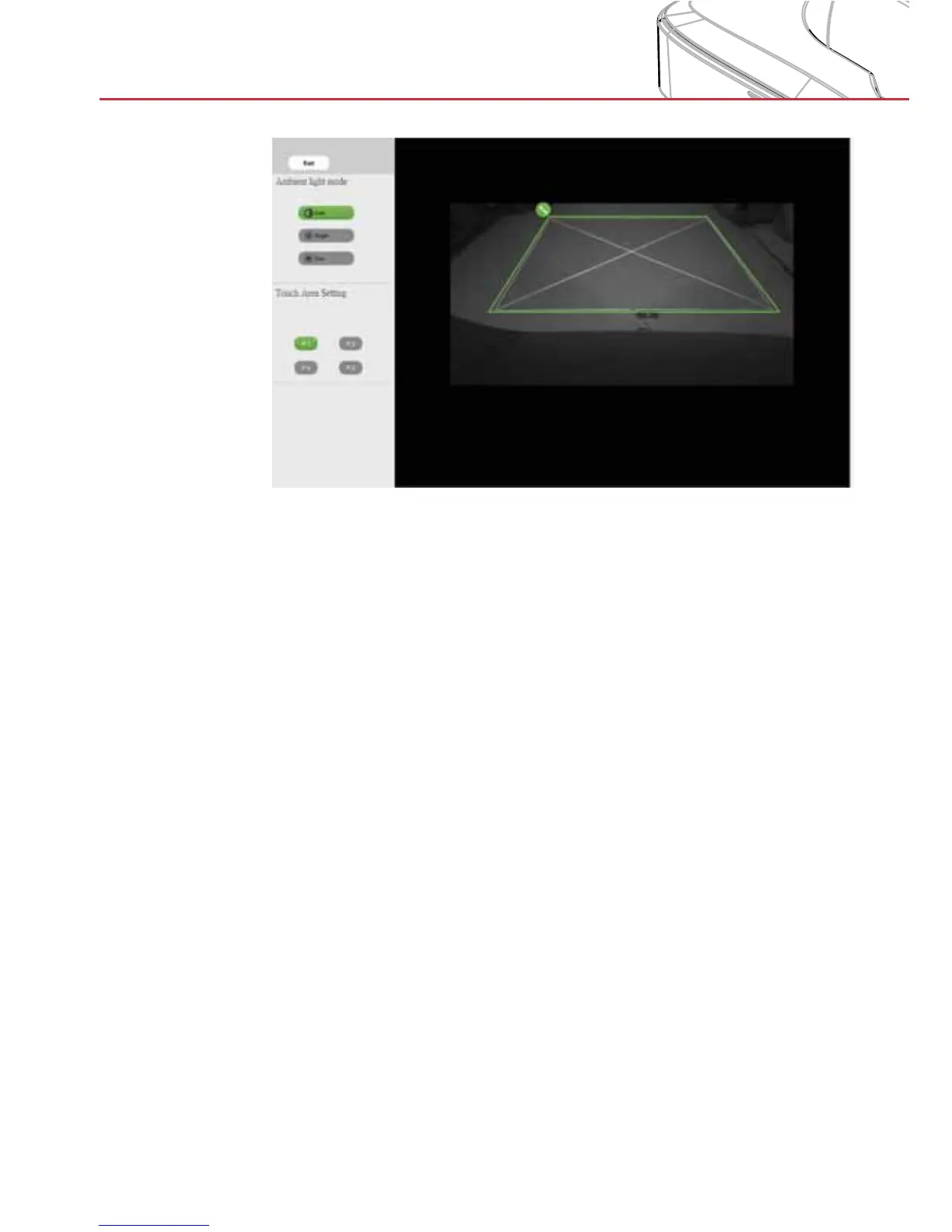
B-2. Touch Area Boundary Fine-tuning
Step 1: Click on P1; use the mouse to drag the green corner
P1 just outside the corner of the projected white
frame.
Step 2:
Adjust P2 to P4 accordingly; ensure that the adjust-
able green zone (the working touch area) completely
covers the projected white frame.
Step 3: Double-check that the green frame is perfectly
outside the projected white frame. If not, fine-tune
again.
B-3. When the Touch Area is correctly set click exit.


 To Next Page