39
User Controls
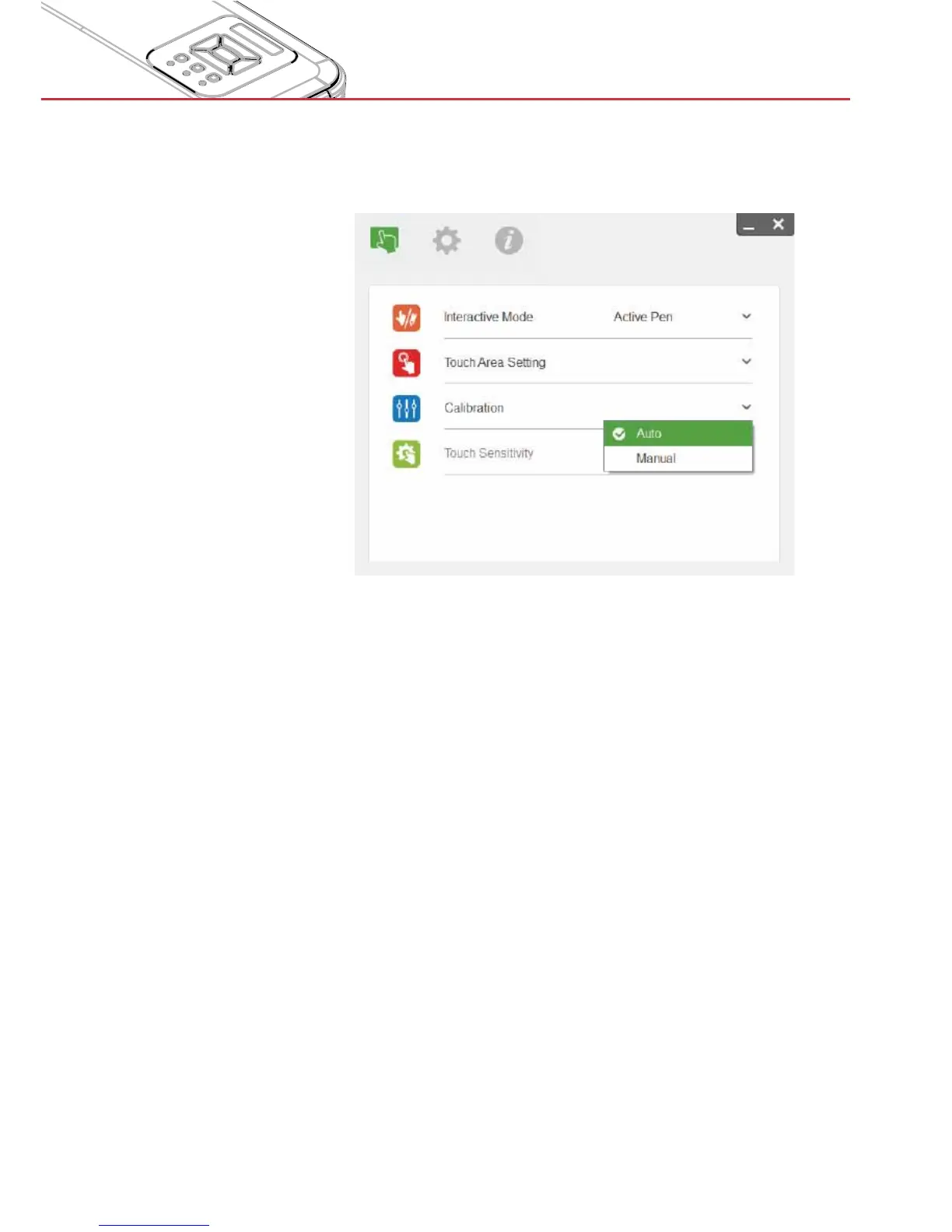
Step 4: Calibration
A. Select Auto Calibration to automatically calibrate. Do not ob-
struct the camera view while auto-calibrating.
Note:
If the Auto Calibration was not successful, follow below steps to
trouble-shoot and run the Auto Calibration again.
Close all software applications >
Reduce ambient light >
Do not obstruct or shake the lens during calibration >
Check if the projected image is clear. If not, adjust the focus to >
sharpen the image
If you are not satisfied with the calibration result or if an Auto Cali-
bration error message continues to pop up on the screen, switch to
Manual Calibration.


 To Next Page