(No.HD003<Rev.004>)1-23
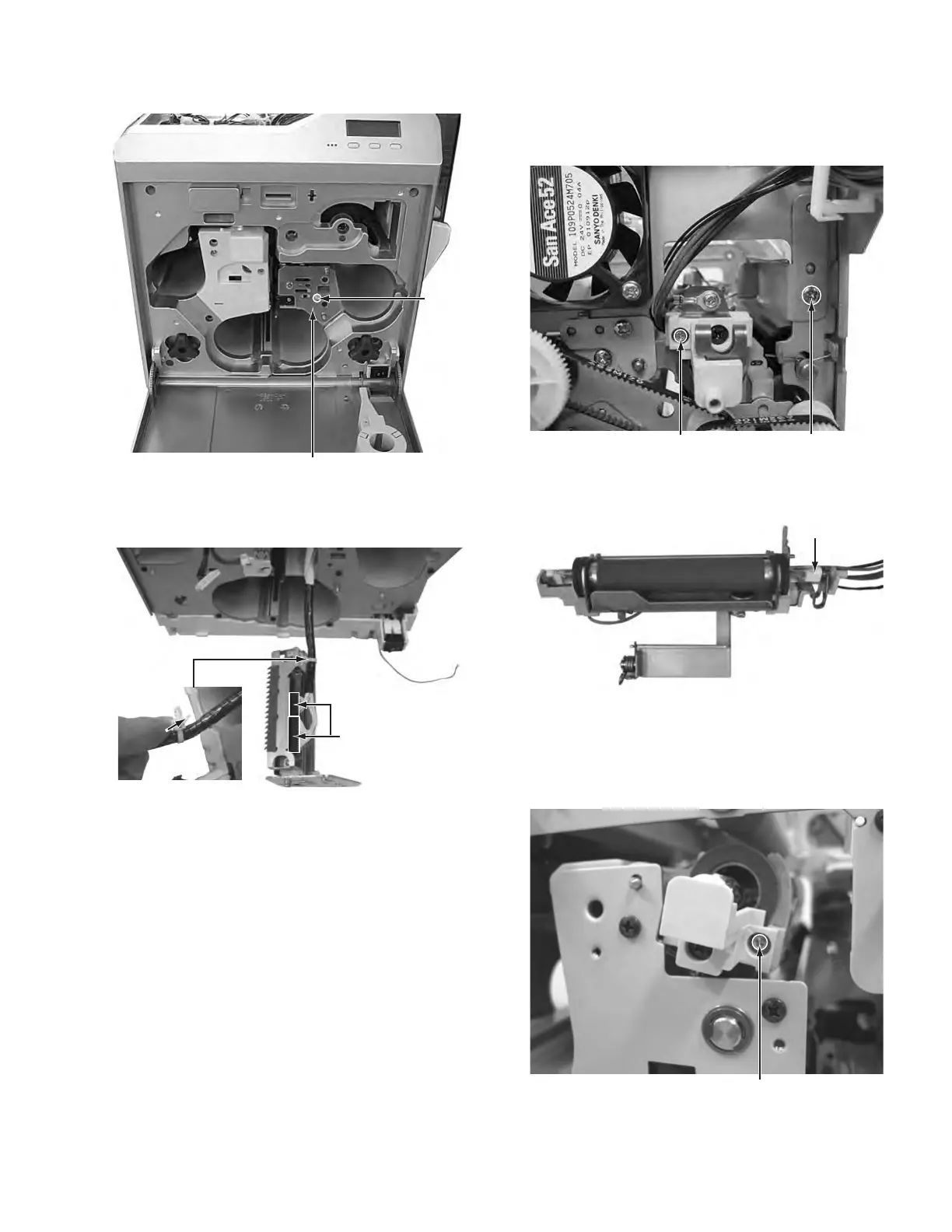
3.4 Replacing the head unit (See figure 34 and figure 35)
(1) Remove the one screw R attaching the head unit.
Fig.34
(2) Pull out the head unit paying attention to the cable, then
disconnect the two connectors.
Fig.35
3.5 Removing the reform H unit (See figure 36 and figure
37)
(1) Remove the one screw S attaching the reform H unit, then
pull out the reform H unit.
(2) To replace the heater only, remove the one screw T.
Fig.36
(3) Removed reform H unit.
Fig.37
3.6 Replacing the heater on the heat unit (See figure 38
and figure 39)
(1) Remove the one screw U attaching the cover from the front
side.
Fig.38
Connectors
Note:
* Do not cut the cable lock. This cable lock is removable.
* Press to loosen the lock in the direction of the arrow.
The cable lock can be removed.
T
S
Heater
U



 To Next Page