DSRX1FirmwareUpdateManual
VersionNumber:1.10
12
Installing the New Driver
***Note if Windows 7 DO NOT CONNECT THE PRINTER until the driver is
installed.
1. Open the driver package
Start Explorer, and click on the corresponding drive. (If the AutoPlay
function is on, select “Open folder to view files - using
Windows
Explorer”.)
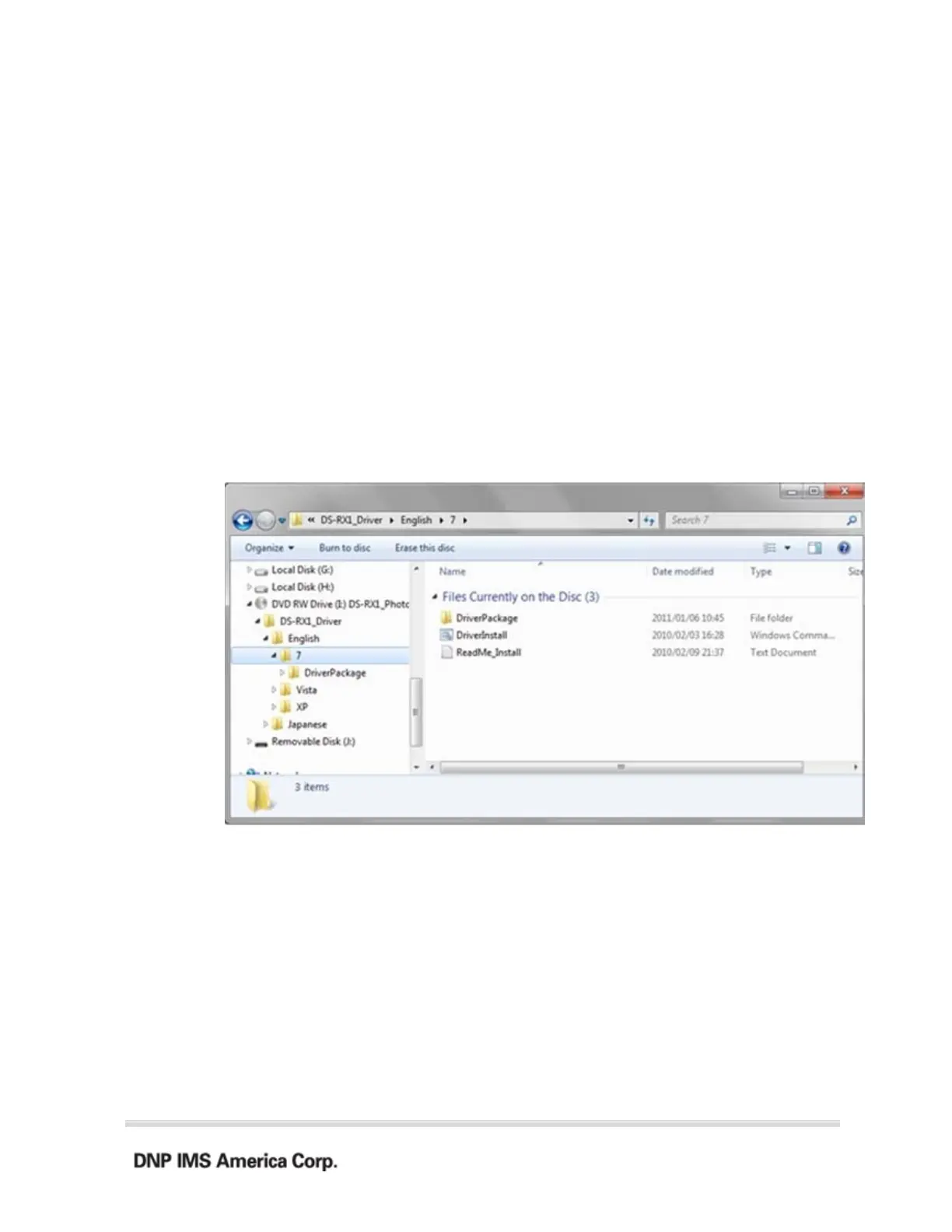
Select the following folders from the accessory CD.
Drive of CD:\DS-RX1_Driver\English\7
In the selected folder, double click on the file “DriverInstall.CMD”. (Depending on
your operating environment, the .CMD extension may not be shown.)



 To Next Page