DSRX1FirmwareUpdateManual
VersionNumber:1.10
8
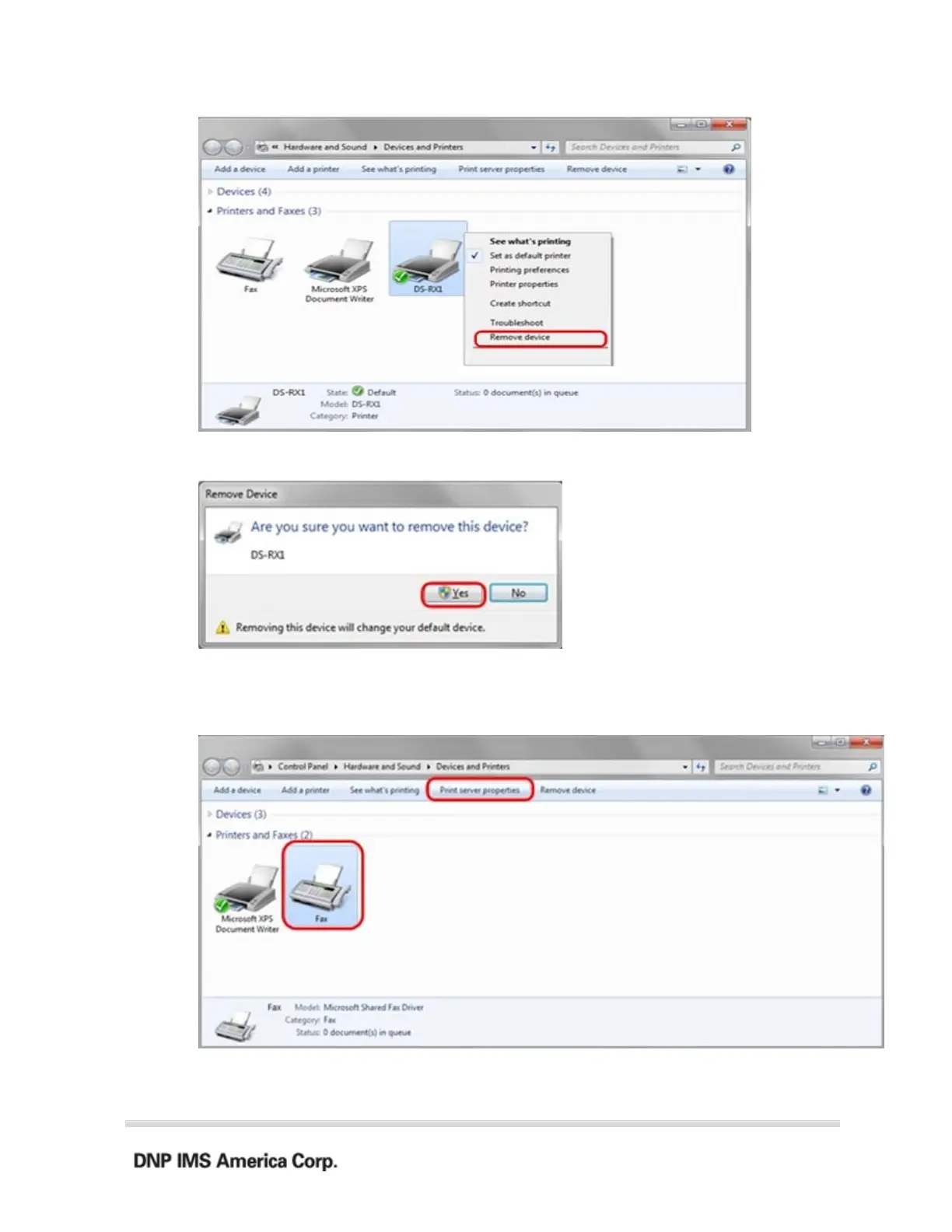
3. “Are you sure you want to remove this device?” appears, click on “Yes”.
4. Remove the driver.
5. After the DS-RX1 printer has been removed, select another printer (for example:
Fax), and click on “Print server properties” in the menu bar.
6. When the Print Server Properties window appears, click on the Drivers tab. From
the list of installed printer drivers, select “DS-RX1”, and click the “Remove”



 To Next Page