DSRX1Manual
VersionNumber:1.01
15
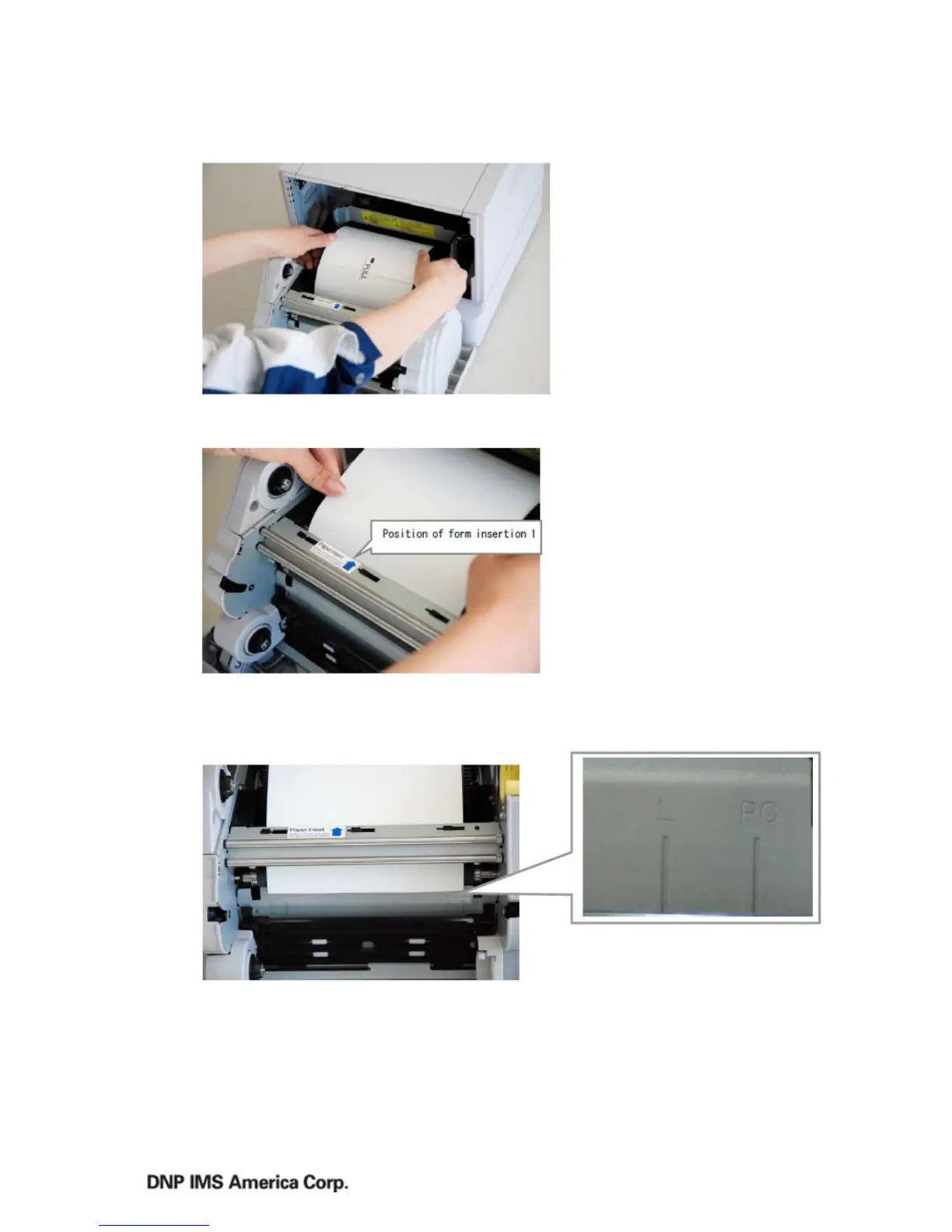
3. Setthepaperintothe
printer
4. Removeapaperfixedtape,
andinsertthepaper.
5. Fitthepapertotheproper
positionforeachsize.Land2Lpaper(6”)correspondtotheLline,andA5(5”)papercorresponds
tothePCline.
6. Theblackformisinserted
undertheformguide.Insertthepaperinthedirectionofthearrowuntilyouhearabeep
(approximatelytothelineshownbelow).Whendoingthis,insertthepaperstraightly.Ifitisnot
insertedstraight,thepaperwillbecrooked,whichcould
causewhitelinesontheedgesofthe



 To Next Page