DSRX1Manual
VersionNumber:1.01
14
Setting the Media
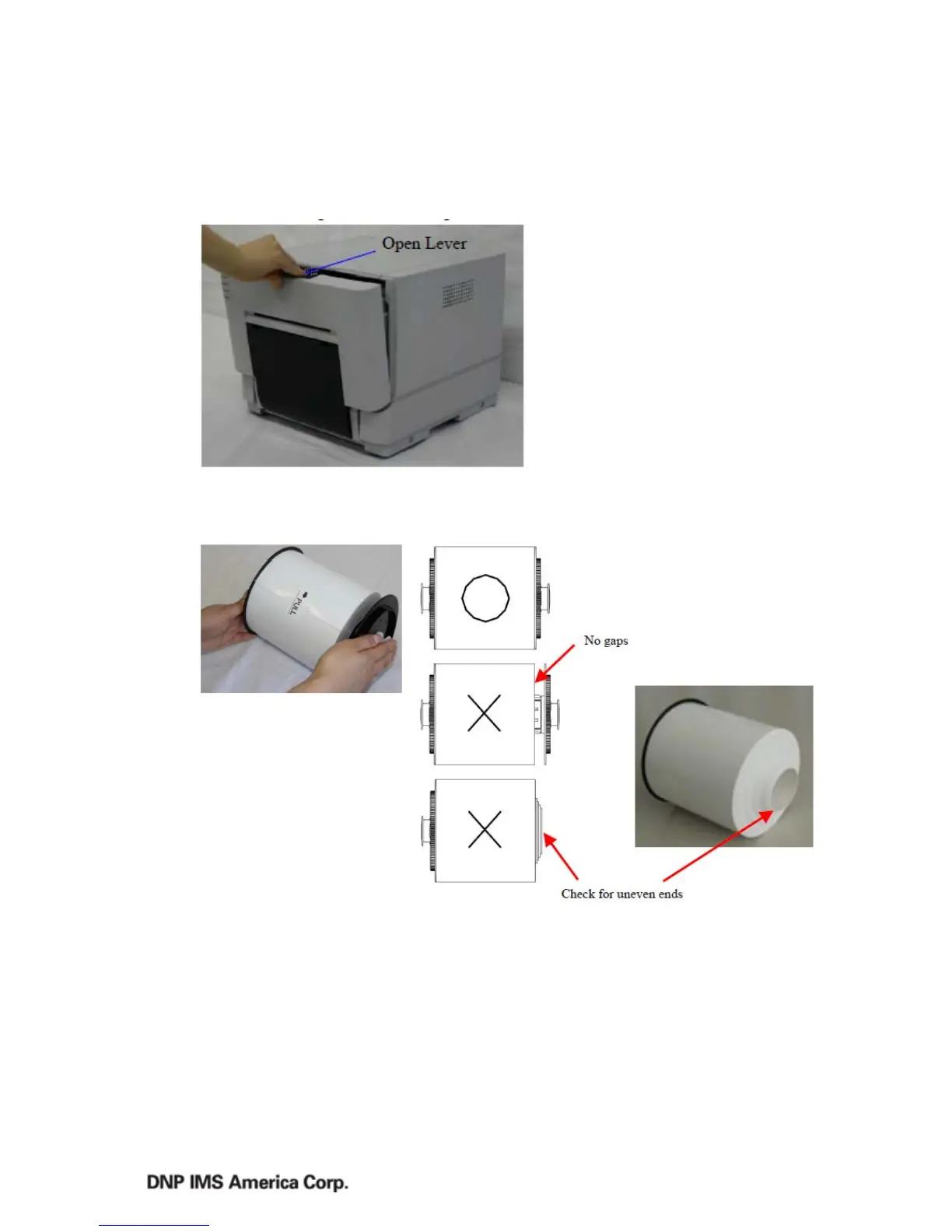
1. ReleasetheOpenLever,
andopenthefrontcover.
2. Placethepaperintheroll
holders.Makesurethepaperisnotstickingout,andtheedgeoftherollsissnugagainstthepaper.
Iftheendoftherollusuneven(paperisstickingout),removeitfromtheholderandflattenit.



 To Next Page