DSRX1Manual
VersionNumber:1.01
18
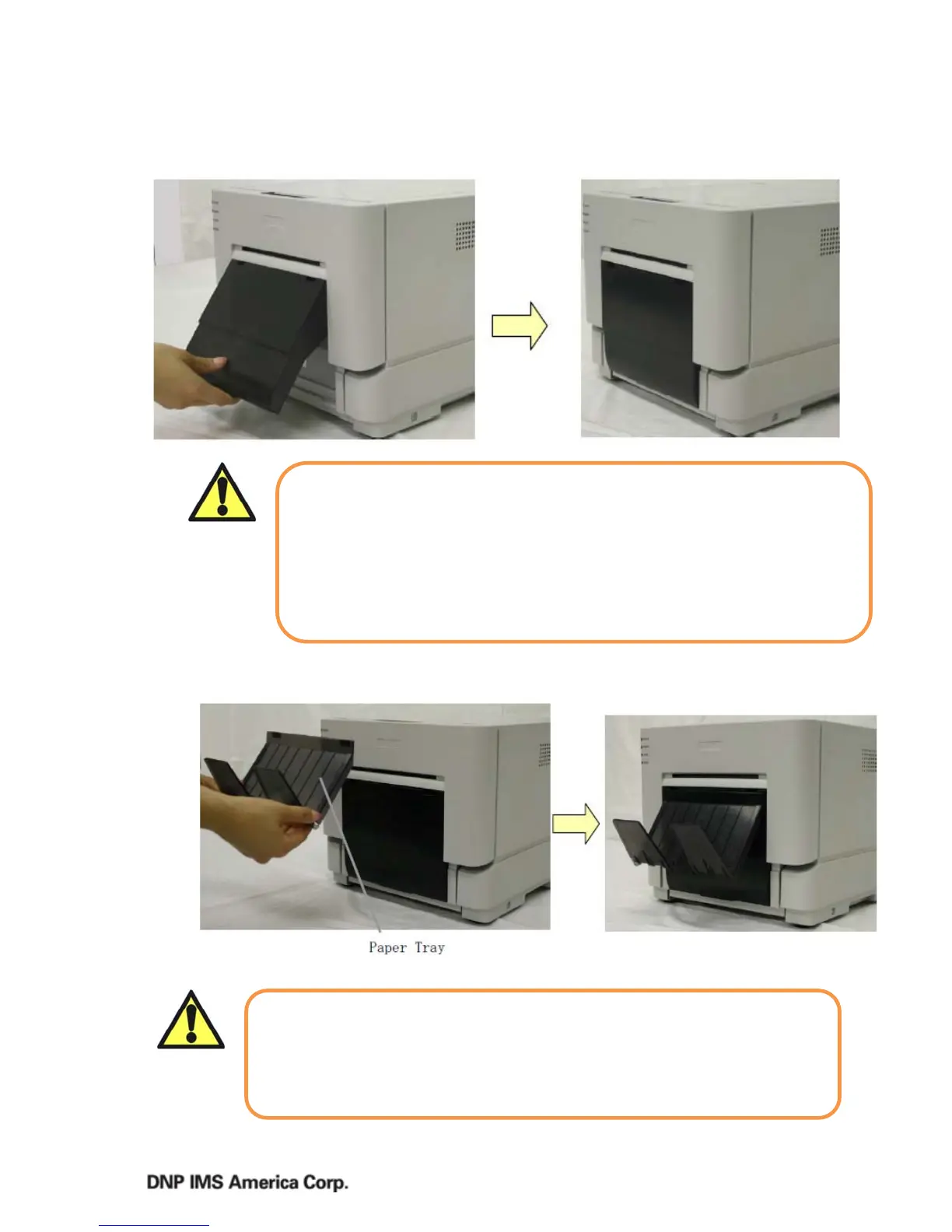
Setting up the Scrap Box
Setting the Paper Tray
1. AttachthePaperTraytotheScrapBox.
*Thetraycanholdabout50photos,butpleaseremovethemfrequently.
Caution
Whenthescrapboxisremoved,donotinsertyourfingersinthecutter.
Theycouldbutcutorsevered.
Asprintsarecut,thescrapboxfillswithscrappaper.Besuretoempty
itwhenyouchangethepaperandribbon.Ifitbecomesover‐filledwith
scraps,itcouldcauseproblemswiththeprinter.
Exchangethepaperandribbonasaset,toavoiderrors.
Caution
Allowingtoomanyphotostoaccumulateorusingwithpapersizesother
thanLorPCcancauseerrorsordamagetothetray.
Usecarewhenattachingthepapertray,thereisapossibilityof
damagingthetrayiftoomuchforceisused.



 To Next Page