Chapter 2 Installing the SIM Card, Battery, and PC Configuration
Tool
2.1 Installing the SIM Card and Battery
Install the SIM card
1
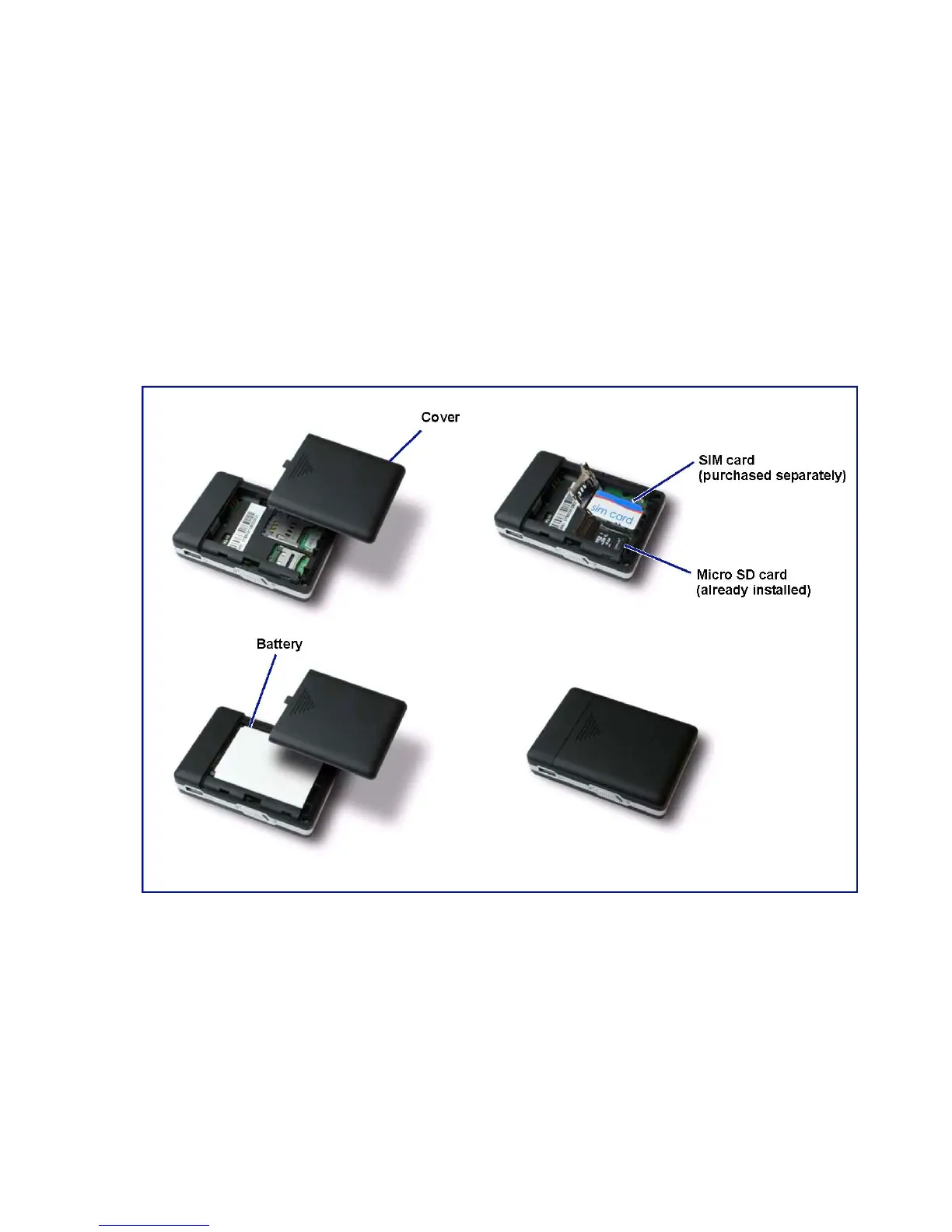
and battery as follows:
1. Gently push down on the raised arrow of the back cover and slide off the battery cover.
2. Lift the SIM card cover.
3. Place the SIM card in its respective holder.
4. Carefully lower the cover in place and slide it down until it clicks securely.
5. Insert the battery and ensure that the battery contacts are at the top right corner.
6. Replace the battery cover and slide up to secure it in place.
1
SIM card is purchased separately. SIM cards can be purchased through GSM mobile network operators such as
Orange, Vodafone, T-Mobile, AT&T, etc. SIM cards have various service plans - see operators for details.



 To Next Page