7
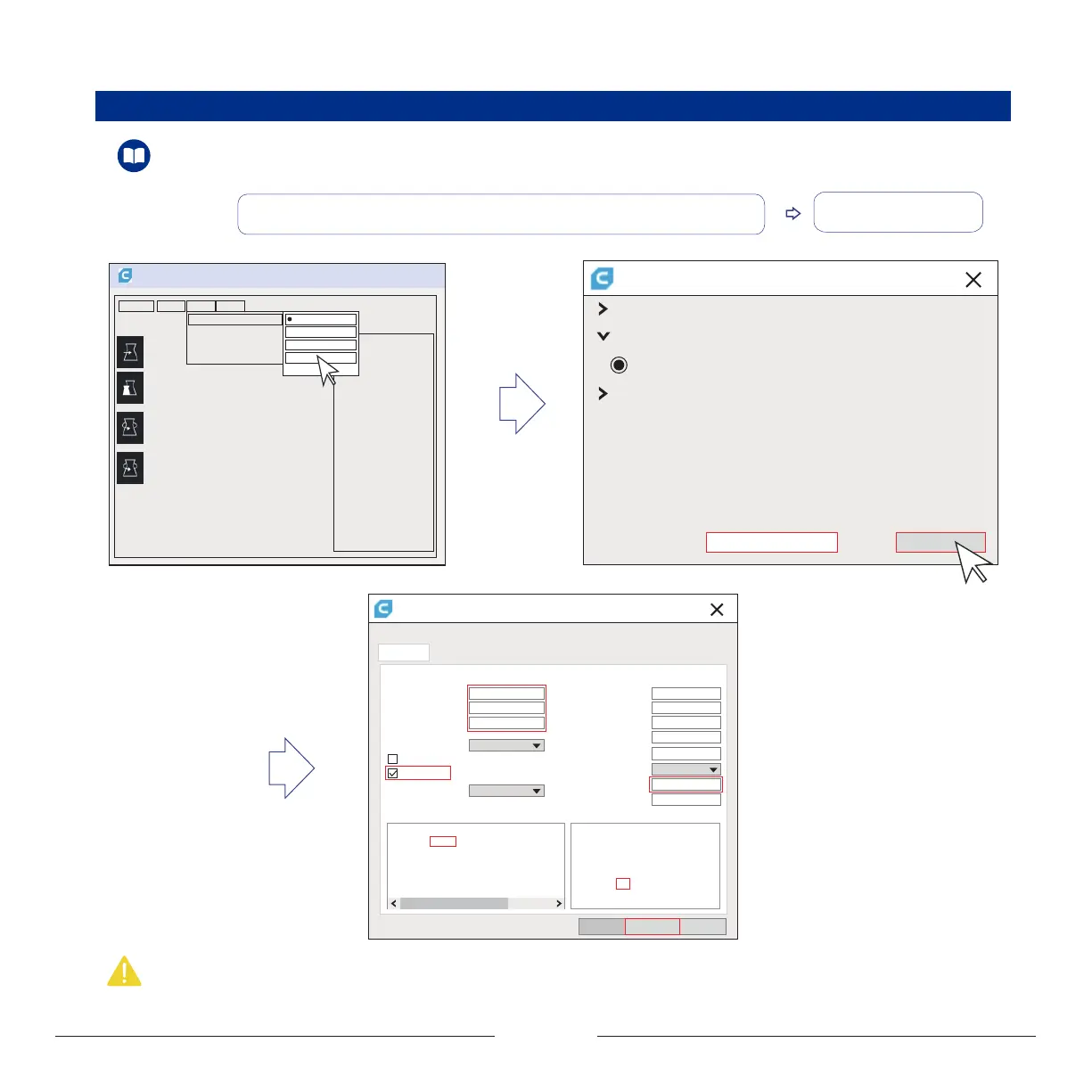
Add printer
Add printer
Ultimaker
Custom
Custom FDM printer
Other
Printer Name: MOOZ-2 PLUS
2.3.2 Configuration for Initial Use
Settings
Printer
Add Prjnter...
Machine Settings
Printer
Printer settings
X width X min
Y min
X max
Y max
Gantry height
Number of Extruders
Material diameter
Nozzle size
Y depth
Z height
Build plate shape
Origin at center
Heated bed
Start Gcode End GCode
Printerhead settings
FinishBack Cancle
Rectangular
200 mm 20
mm
10
mm
10
mm
10
9999999999
mm
1.75
mm
0.4 mm
mm
200 mm
190 mm
1
GCode flavor Marlin
G28 ;Home M104 S0
M140 S0
;Retract the filament
G92 E1
G1 E-1 F300
G28 X0 Y0 Z0
M84
G1 Z15.0 F2000 ;Move the platform down
;Prime the extruder
G92 E0
G92 E0
G1 F200 E3
Description: Please visit www.dobot.cc to download the related tutorial videos and softwares.
① Run Cura 3.1.0 and go “Settings” > “Printer” > “Add Printer” > “Custom”, name your
printer “MOOZ-2 PLUS”, and click “Add printer”, diaolog of Machine Settings will popup
② Configure the machine
Operation steps:
Note: Origin of MOOZ-2 PLUS is defaulted at left-bottom corner of the heated bed, so do not check the “Origin at center” box, otherwise the model will be printed outside of
the heated bed.


 To Next Page