18
4.4 Use Software to Generate Gcodes
Open File
File
Generate G-code
Export G-code
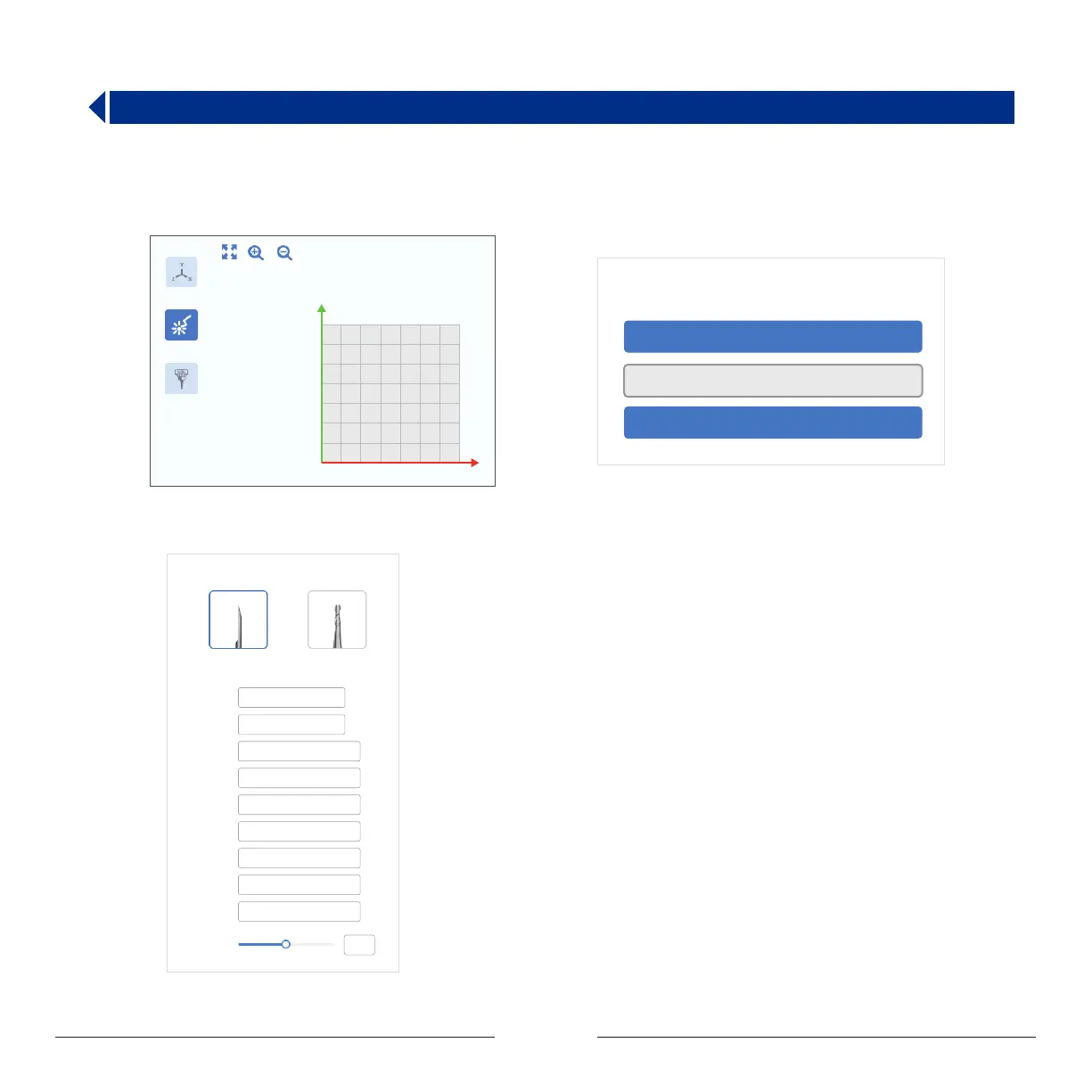
Step 1: Double-click MOOZStudio to enter the software
interface. Select CNC.
Step 2 :Click Open File to import image.
Step 3 : Set the image parameters. Generally there are no
special requirements. Select the default parameters.
10
10
20
30
40
50
60
70
20 30 40 50 60 70
工作区
激光雕刻
CNC雕刻
CNC Options
Speed:
Carving V-Bit Flat End Mill
Deadhead
Speed:
Curving
Depth:
Step
Depth:
Safety
Height:
SizeX:
SizeY:
axisX:
axisY:
Speed of
Mainshaft:
mm/min
mm/min
mm
mm
mm
mm
mm
mm
mm
200
200
1.5
1.5
1
50
50
70
11.417
14.285
Prerequisites : Computer has downloaded and installed MOOZStudio.
The download path is https://www.dobot.cc/downloadcenter/dobot-mooz.html#most-download .


 To Next Page