24
6.4 Appendix Disassemble 3D print module
A : If the auto-leveling module is installed, the nozzle temperature will display 300, please remove the
auto-leveling module to display the normal temperature.
Q : Abnormal nozzle temperature
display: 300℃
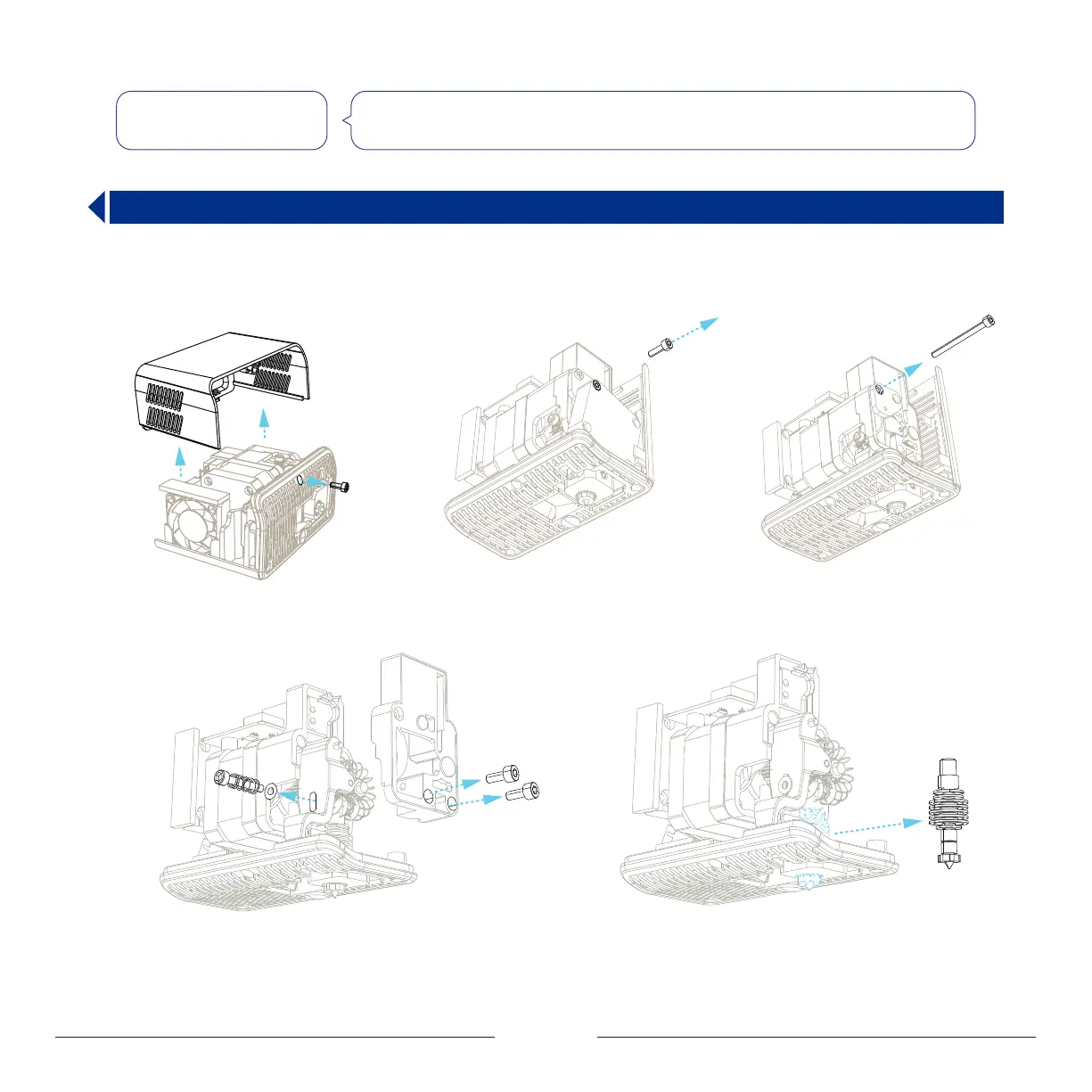
Step 1 : Remove the print head housing after
loosening the screws with an Allen wrench,
as shown below.
① ② ③
④ ⑤
Step 2 : Loosen the screws on the right
fan and remove the fan.
Step 3 : Loosen the fan gasket and remove it.
Step 4 : Loosen the three screws, as shown in the following figure,
separate the right blade of the speed reduction extruder.
Step 5 : Take out the hot-end suite, and clean up the blocked material.


 To Next Page