44 Dolby
®
Digital Cinema System Manual Issue 0.92 (Preliminary)
Installing a Dolby Digital Cinema System
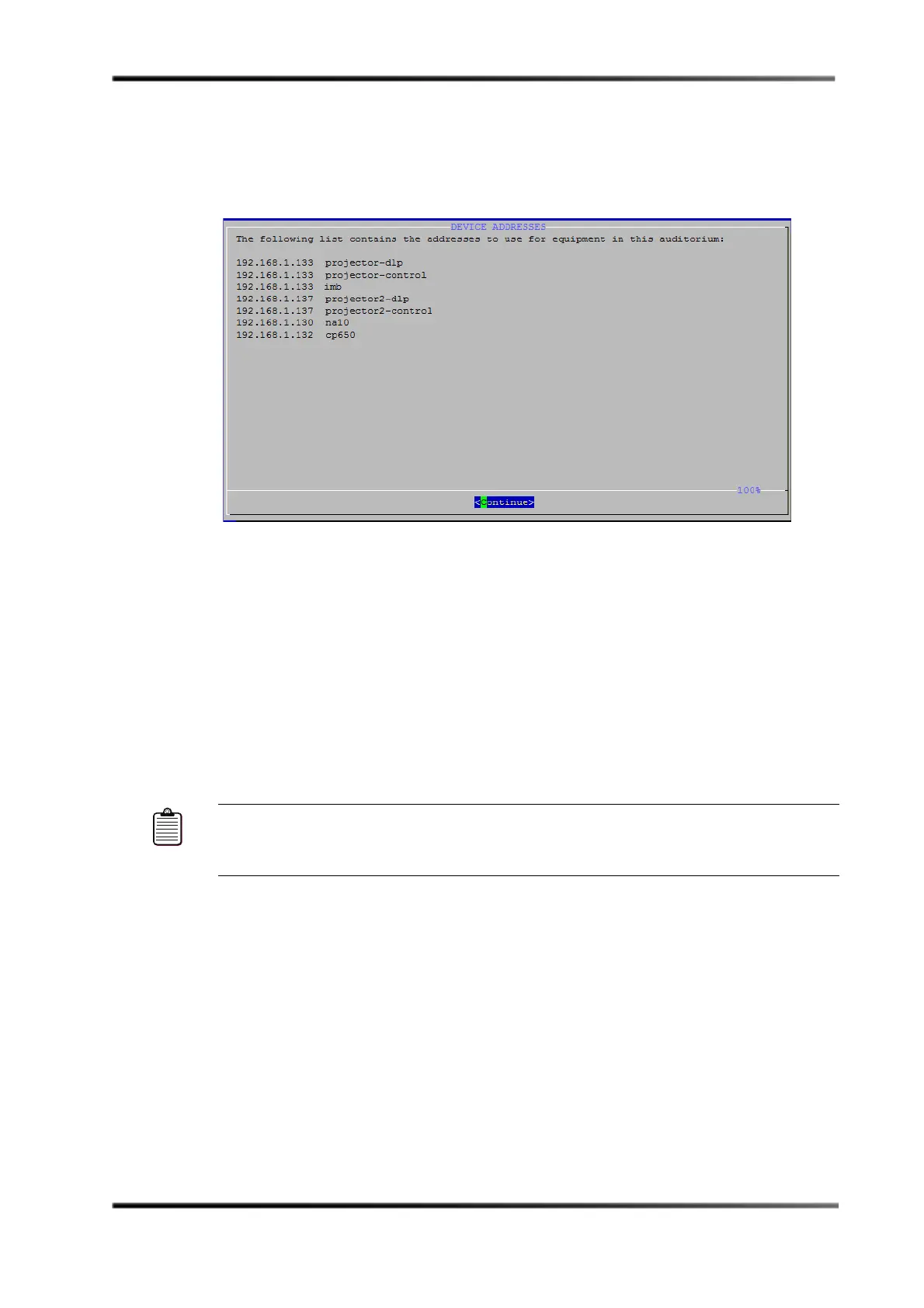
After saving your settings, the
Device Addresses screen displays the IP addresses that
you may need to enter for the devices in the local auditorium, as shown in Figure 3-39.
If you did not set up the applicable devices with these IP addresses (as explained
earlier in this chapter), you’ll need to do it now.
Figure 3- 39
Figure 3-39 Device Addresses Screen
20. For a multiplex, connect the DSS220 to the theatre network switch, as described in
Section 3.4.3 (then proceed to step 21). For a single auditorium, proceed directly to
step 21.
21. Power up all the other units in the auditorium network, press <Continue> in the
Device Addresses screen, and reboot the DSS220 at the prompt.
When the unit completely reboots and Show Manager appears on the connected
monitor, the configuration is completed.
22. For a multiplex, repeat this entire procedure one auditorium at a time for each Dolby
Digital Cinema system in the theatre network.
Note: If you customized any network settings using the DSS220 Config script, you may
need to update the other units in the Dolby Digital Cinema network manually, as
they may no longer match the settings on the DSS220.



 To Next Page