Maintaining the DSL100 Internal Hard Drives
Dolby
®
Digital Cinema System Manual Issue 0.92 (Preliminary) 67
Figure 3- 79
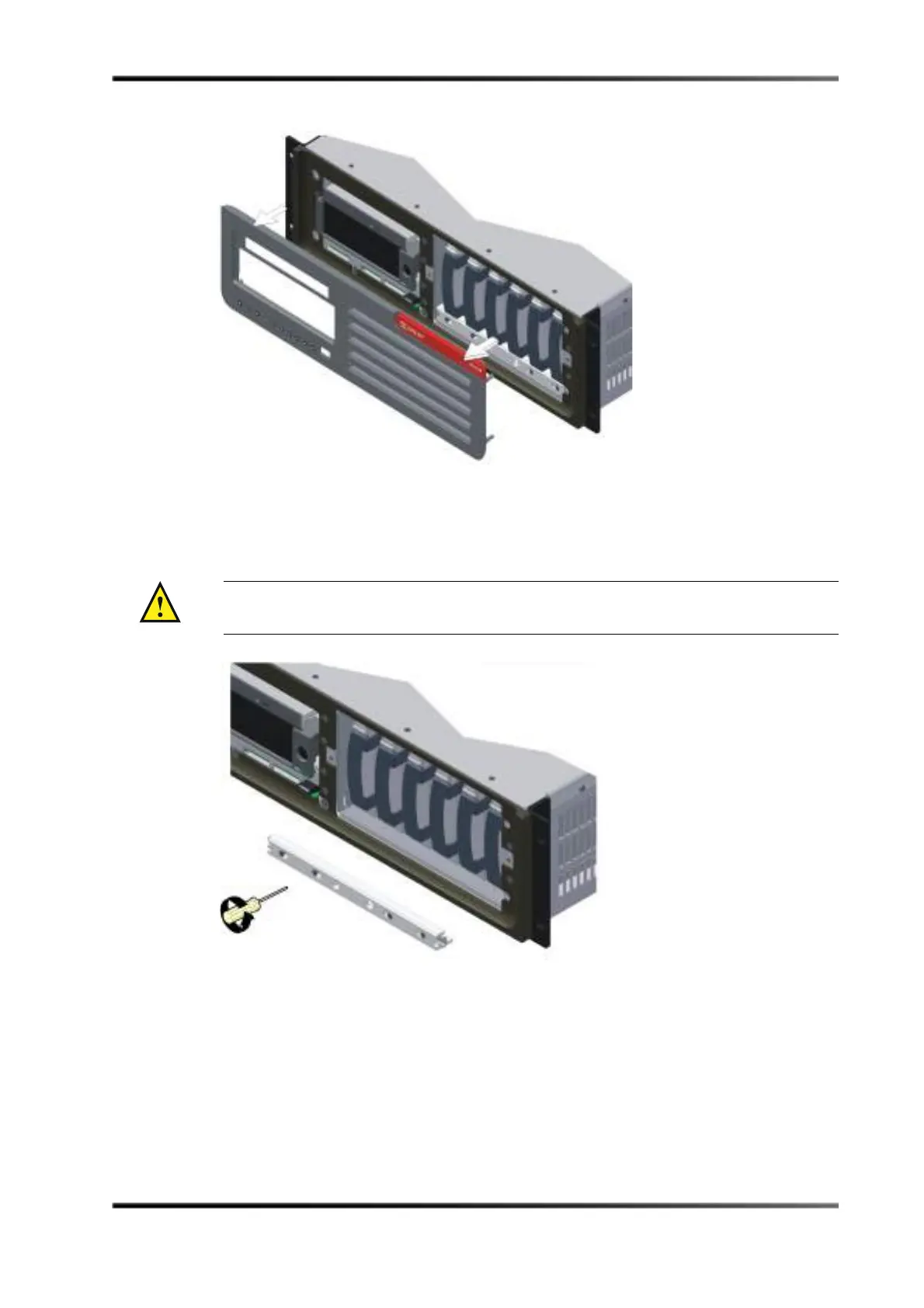
Figure 3-79 Removing the DSL100 Front Panel
3. Use a Phillips screwdriver to loosen the four screws that secure the drive retaining
bracket, then remove the bracket, as shown in Figure 3-80.
Figure 3- 80
Figure 3-80 Removing the DSL100 Retaining Bracket
Caution: When loosening the screws, be sure not to remove them completely from the
bracket.



 To Next Page