Maintaining the DSL100 Internal Hard Drives
Dolby
®
Digital Cinema System Manual Issue 0.92 (Preliminary) 69
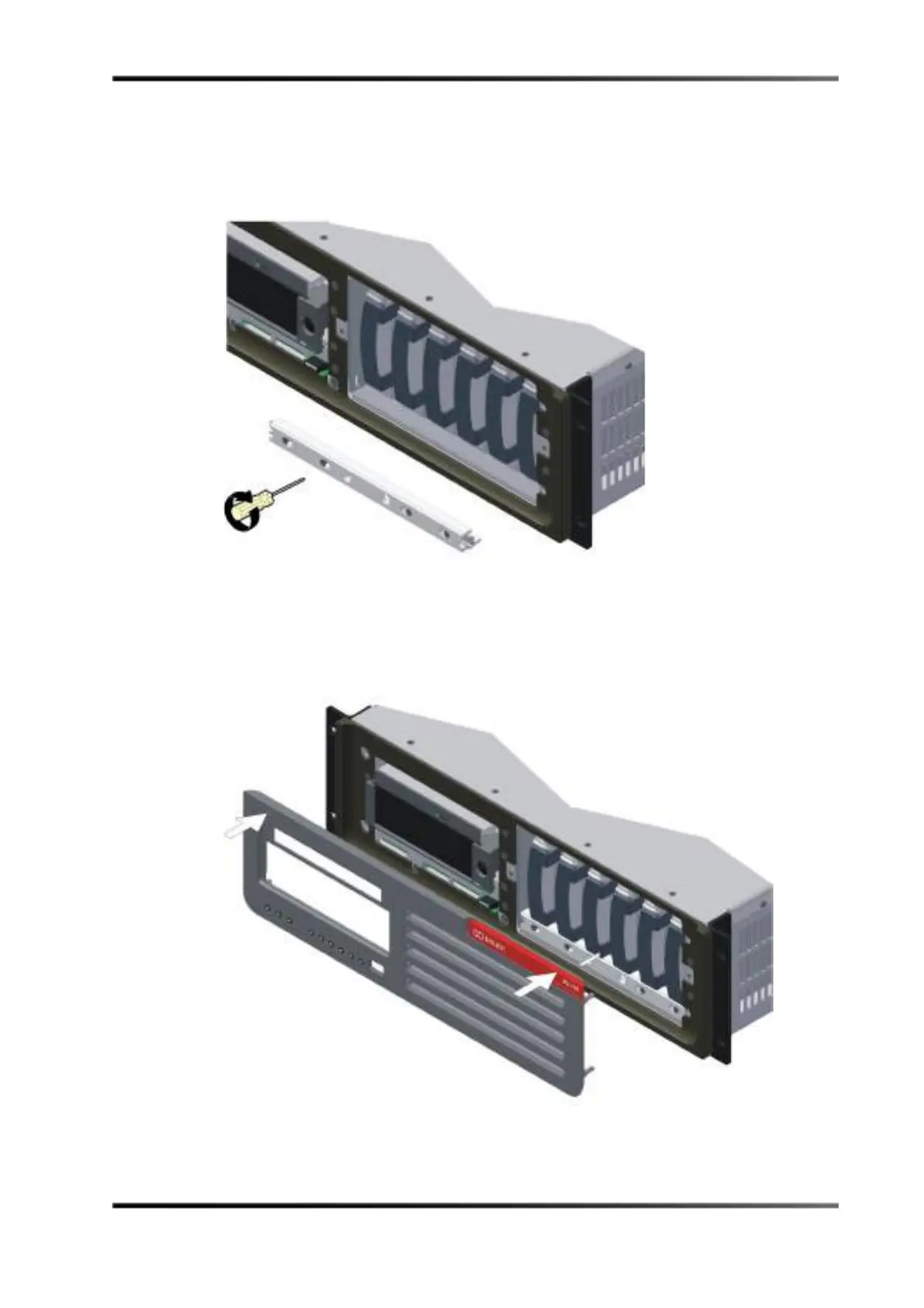
6. Position the retaining bracket in front of the internal drives, lining it up with the screw
holes, then use a Phillips screwdriver to reinstall its six screws and secure the drives,
as shown in Figure 3-83.
Figure 3- 83
Figure 3-83 Reinstalling the DSL100 Retaining Bracket
7. Grasp the front panel on its left and right sides, line up its four mounting studs with
the main unit’s four holes (one in each corner), then push until it snaps into place, as
shown in Figure 3-84.
Figure 3- 84
Figure 3-84 Reinstalling the DSL100 Front Panel



 To Next Page