ENiQ® Wall Readers & Terminals
_____________________________________________________________________________________
27
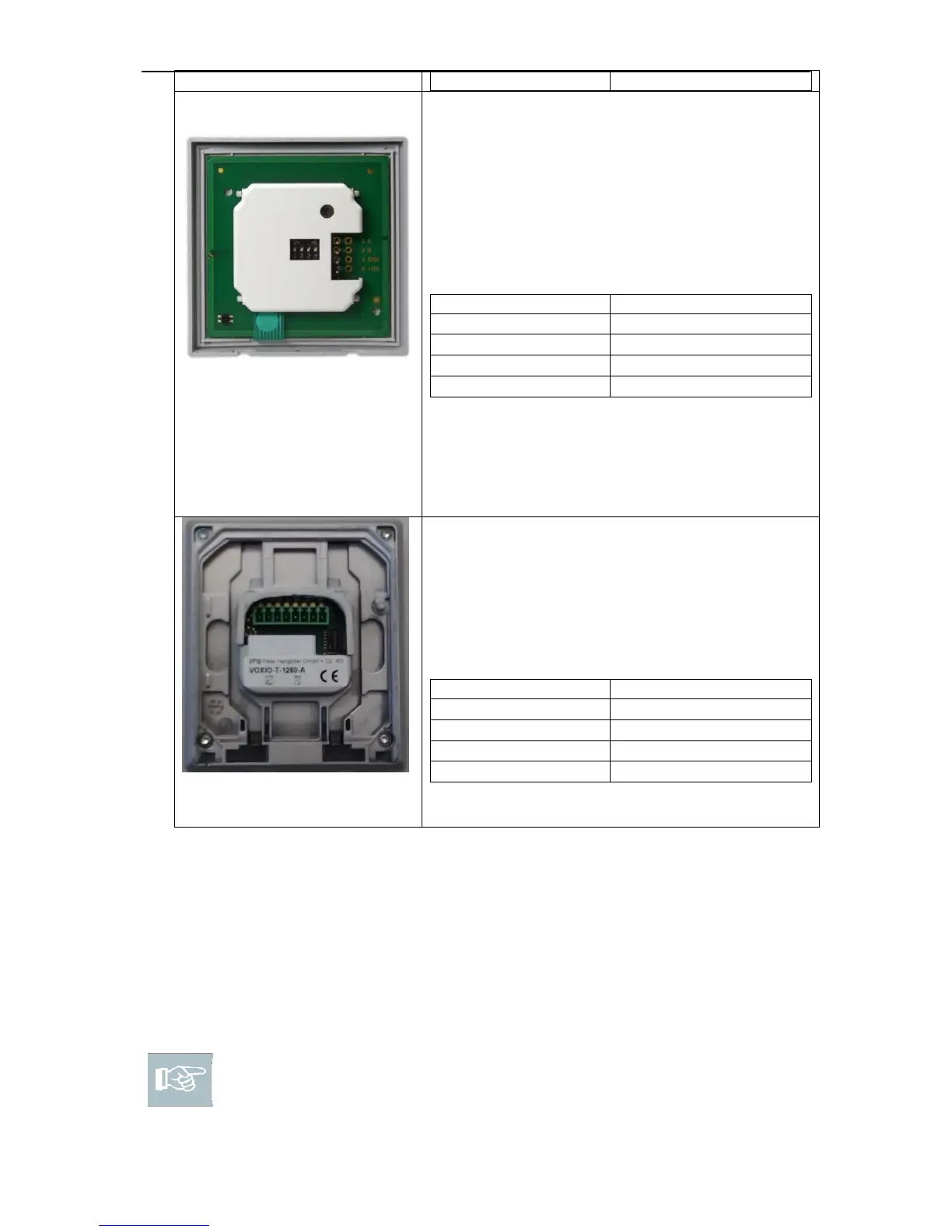
The 4-pole connection terminal for the reader of
the ENiQ
®
Module Reader of the VOX-IO-Easy
variant.
This reader is connected to the ENiQ
AccessManager®/Terminal via the following
terminals:
The 8-pole connection terminal for the reader of
the ENiQ
®
Module Reader of the VOX-IO-Touch
variant.
This reader is connected to the ENiQ
AccessManager®/Terminal via the following
terminals:
Actuators (door openers, etc.) are controlled by the DOM ENiQ
®
Access
Manager/Terminal by means of a potential-free relay changeover contact. One
potential-free opener contact (C-Ö) and one potential-free closer contact (C-S) are
available.
You can connect potential-free switches or buttons to the inputs. These inputs must
be occupied according to the stored configuration. The standard configuration is
factory-set. Input IN1 is the door contact (opener) and input IN2 the release button
(closer).
Please note! Note the maximum cable resistance and the maximum
cable length specified on the technical data sheet.



 To Next Page