_____________________________________________________________________________________
26
Connection ENiQ
®
Module Reader
An ENiQ
®
Module Reader must be connected to an ENiQ AccessManager®/Terminal
controller. Installation of the ENiQ
®
Module Reader depends on the reader variant
chosen.
For all variants, the ENiQ AccessManager®/Terminal is connected to the external
reader via the RS485 interface and a twisted pair of cables.
No settings need to be made on the external reader.
The ENiQ AccessManager®/Terminal can be supplied together with an external reader
via a mains power adapter. Care must be taken that a DC voltage supply is used. Unlike
the ENiQ AccessManager®/Terminal the external reader of the ENiQ
®
Module Reader
cannot be operated via an AC voltage supply.
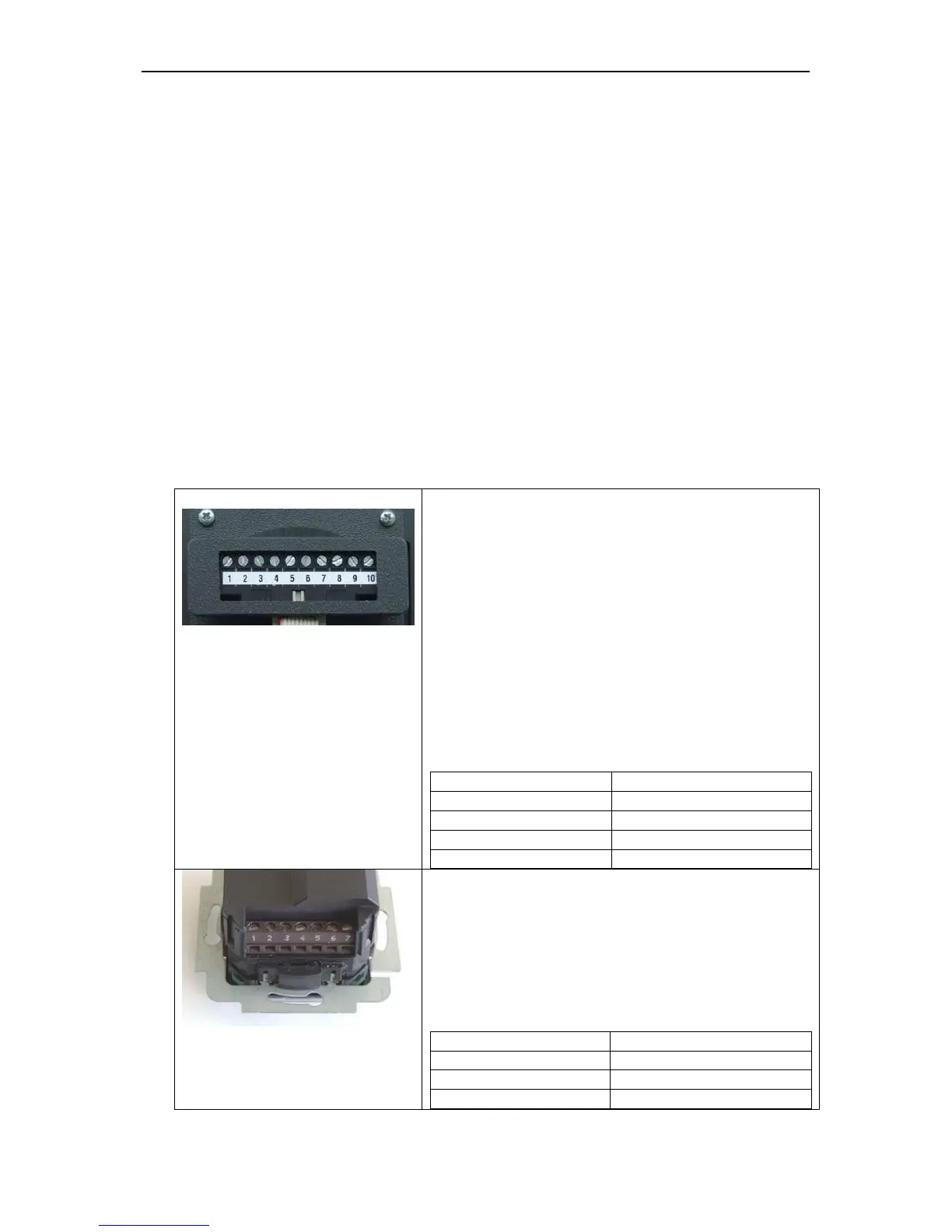
The 10-pole connection terminal for the readers
of the following ENiQ
®
Module Reader variants:
- Siedle
- Baudisch
- Behnmke
- ELCOM
- RITTO ACERO
- RITTO PORTIER
These readers are connected to the ENiQ
AccessManager®/Terminal via the following
terminals:
The 7-pole connection terminal for the reader of
the ENiQ
®
Module Reader of the RELINO
variant.
This reader is connected to the ENiQ
AccessManager®/Terminal via the following
terminals:



 To Next Page