ENiQ® Wall Readers & Terminals
_____________________________________________________________________________________
67
ENiQ
®
Passive Reader
ENiQ
®
Module Reader
Please note! If you have enabled the permanently open mode, you can
use the permanently closed card/tag to switch directly to the
permanently closed mode. You do not switch back to the normal state.
Please note! If voltage fails with permanently open mode enabled, the
ENiQ AccessManager® resets the switching state to normal state.
When the voltage supply is restored, the permanently open mode is
no longer activated and you have to set it again.
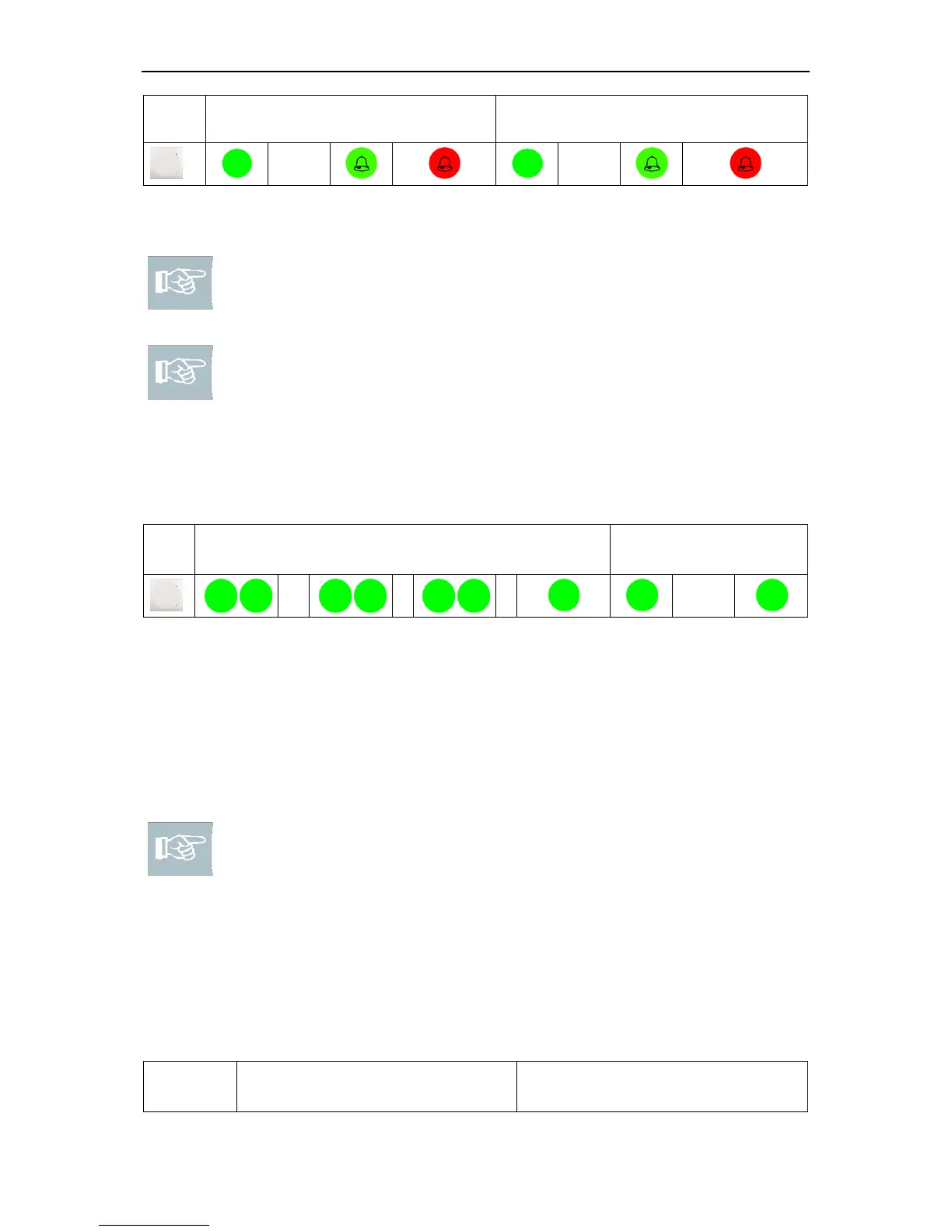
Authorised/unauthorised locking medium in permanently open mode
The lower LED on the unit at which the locking medium was presented flashes
green briefly three times. The lower green LED goes off on all other units connected.
Unit at which the locking medium was
presented
Permanently closed mode
You can use a permanently closed card/tag to block the ENiQ AccessManager®,
ENiQ
®
Passive Reader or ENiQ
®
Module Reader permanently. As long as the mode
is active, no-one has access, even if they have an authorised locking medium.
Please note! To be able to use permanently closed mode, you must
create the permanently closed card/tag in accordance with the
description on page 26.
Setting permanently closed mode
Hold the authorised "permanently closed card/tag" directly (1 cm) in front of the
ENiQ AccessManager®, a connected ENiQ
®
Passive Reader or ENiQ
®
Module Reader.
You hear three acoustic signals and the upper LED flashes red three times. The upper
LED is then lit red permanently.
ENiQ
®
Passive Reader
ENiQ
®
Module Reader



 To Next Page