ENiQ® Wall Readers & Terminals
_____________________________________________________________________________________
30
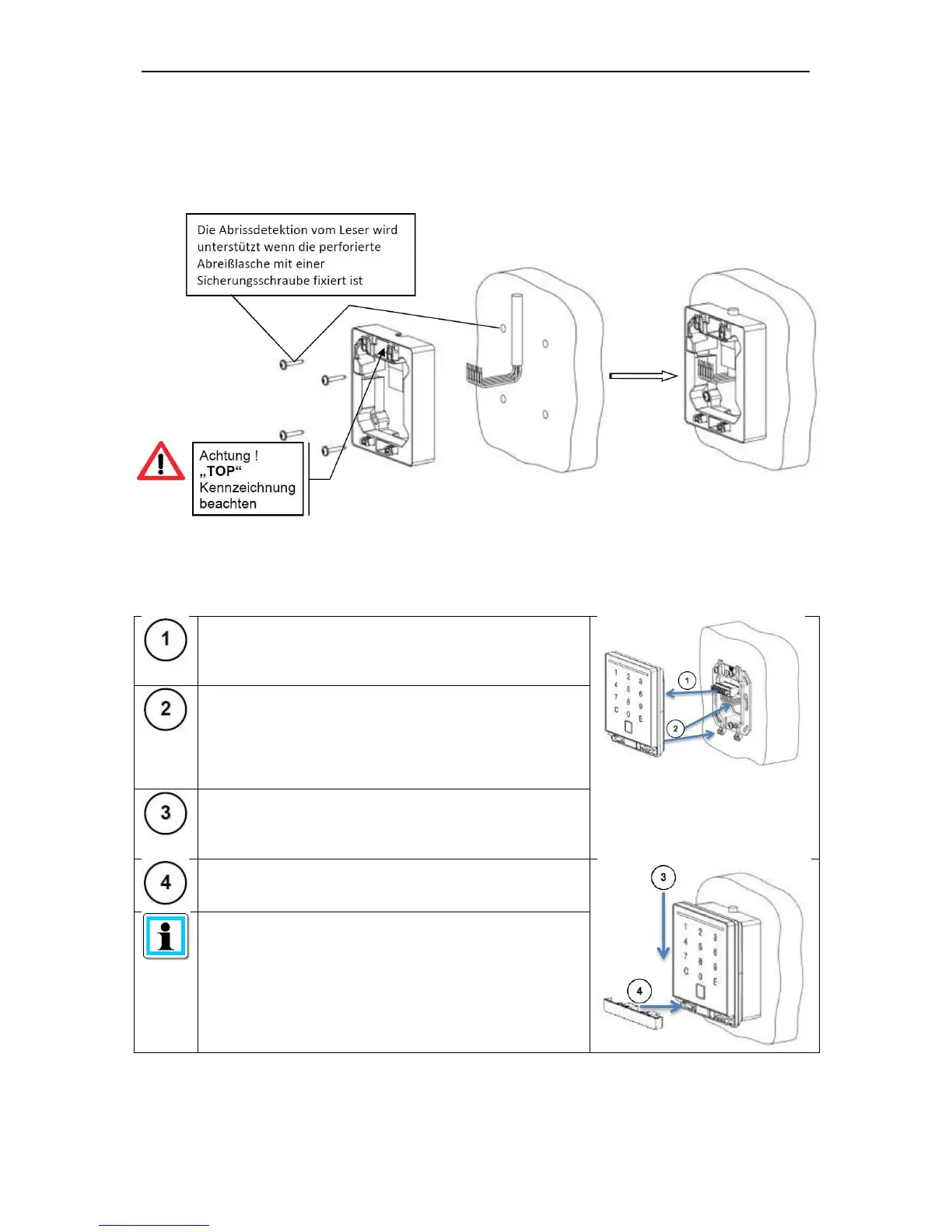
Surface mounted variant
Feeding of the connection cable either at the top, bottom or directly out of the wall. Use
suitable screws to screw the back plate to the wall.
Connecting and mounting the reading module
Insert the wired connection terminal on the reading
module
Set the reading module flat onto to the wall bracket or
onto the
surface mounted casing, pushing the connection cable
with the reading module back into the flush mounted box
or surface mounting casing
Push the reading module downwards until
the reading module latches in place on the wall
bracket or surface mounted casing
Once it is clipped in place, push the locking strip into the
reading module until it also locks into place
When the clip-in process is successful you will hear a
clear "click"



 To Next Page