Installation Guide YAMORC YD9401 – Upgrade Module
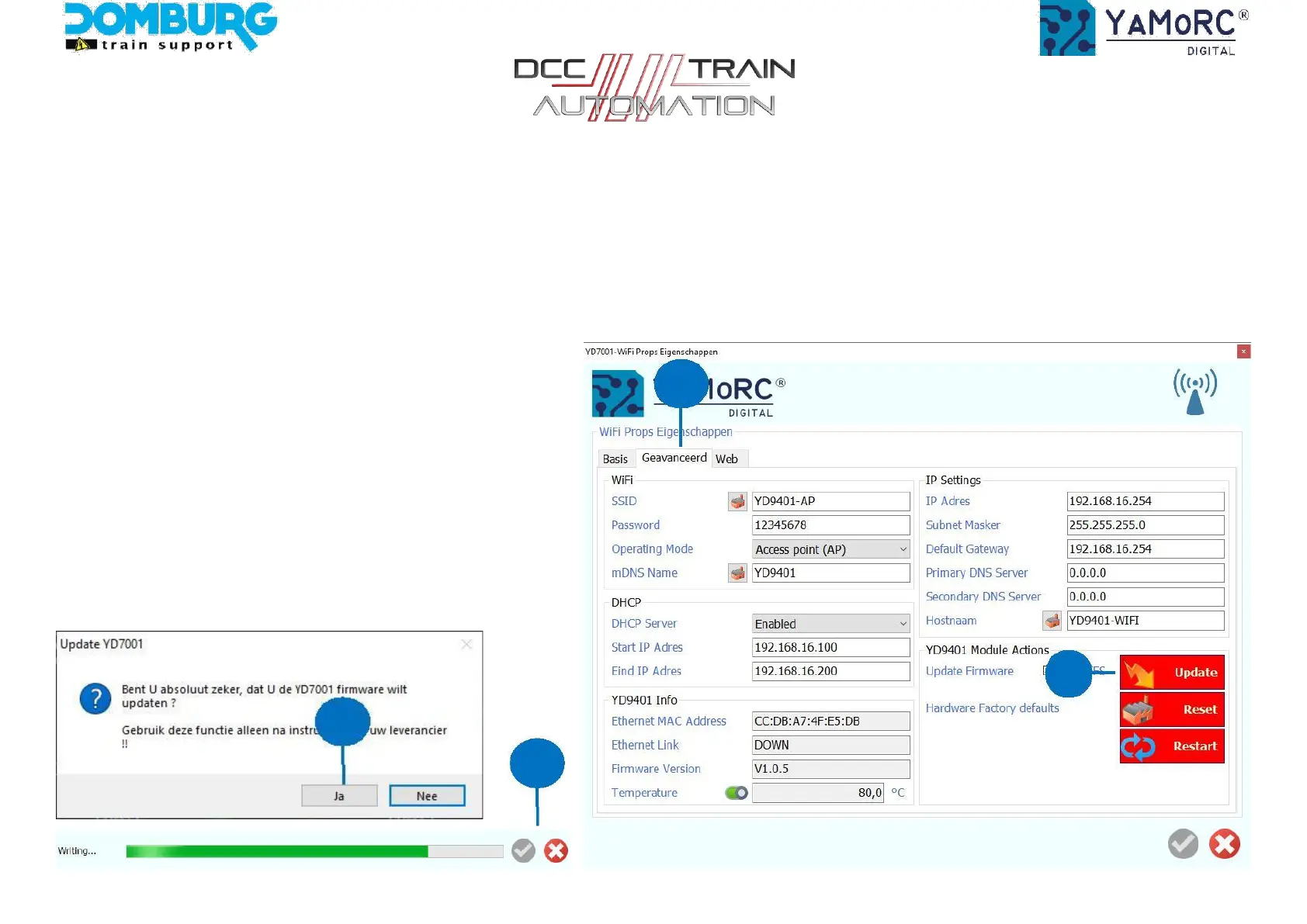
Step 9 - Update WiFi module
1. In the YD7001 software, click the WiFi logo (number 17 on page 14).
2. From the open screen, go to the Advanced tab.
3. Click the red Update button
4. You will receive a warning message, click YES here
5. At the bottom of the screen a green bar will now run, let it go smoothly.
6. When the update is complete, the WiFi module will restart.
7. When finished, the blue WiFi LED will flash.
2
3
4
5
This manual is offered to you by Domburg Train Support in collaboration with Drenth Design & Consulting www.domburgtrainsupport.nl Page 15


 To Next Page