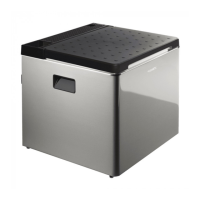
ACX3 Operation
21
6.2 Using the cooler in DC mode
Proceed as follows (fig. 6, page 5):
➤ Place the cooler on a firm, level surface.
➤ Plug the DC connection cable (fig. 2 1, page 3 and fig. 3 1, page 4) into the
DC socket in the vehicle.
✔ The cooler starts cooling the interior.
➤ Pull out the DC connection cable to switch off the cooler.
6.3 Connecting to vehicle power
I
6.4 Using the cooler in AC mode
Proceed as follows (fig. 7, page 6):
➤ Place the cooler on a firm, level surface.
➤ Plug the AC connection cable (fig. 2 2, page 3 and fig. 3 2, page 4) into the
AC mains.
➤ Turn the cooling level controller (fig. 4 1, page 4 and fig. 5 1, page 5) to the
required position.
✔ The cooler starts cooling the interior.
6.5 Connecting the cooler to a gas supply
!
NOTE
If you connect the cooling device to the vehicle power, remember that
you may have to turn on the ignition to supply it with power.
WARNING!
• Never check for leaks with an open flame or near sources of ignition.
• Only use approved hose lines (DIN 4815, part 2) with a maximum
length of 1.5 m.
DometicACX3_30-ACX3_40-ACX3_40G_OPM_4445103211 _EMEA16_202x-xx-xx.book Seite 21 Montag, 16. November 2020 9:58 09


 To Next Page
 Loading...