10
users ‘ instructions
GB
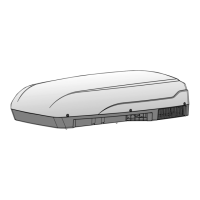
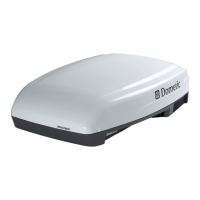
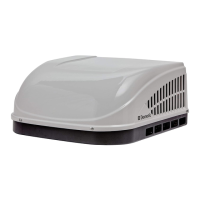
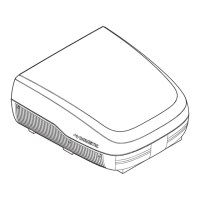
B1600 - B1600PLUS - B2200 - B2600
* (only for models equipped with resistance) -
**(only for models equipped with light)
1.5.Description of the controls
1 general informations
Remote control (B2200 B1600PLUS B2600)
+
-
¡$
Clock
Room
Set
REMOTE CONTROL
Clock Display
UP (+)
Down (-)
Reset Button
Room
Temperature
Operation Mode
Display Window
Fan Speed Display
F°/C°
Low Battery
Light
Fan
Mode
ON/OFF
Set Point
I Feel
Sleep
Timer
Timer
Sleep
I Feel
0/
0''
ON/OFF
Press the ON/OFF button to start the airconditioner.
When it’s OFF all the symbols are OFF, except the
clock and you can use the ROOM and the LIGHT
buttons.
F°/C°
Choose the temperature measurement unit between
Celsius (°C) or Fahrenheit (°F).
If temperature is displayed this function is enabled.
LIGHT
LIGHT**
Pressing the light key the light on the airconditioner dif-
fuser is switched on (if equipped) .The light button works
also when the remote control is off.
ROOM
Pressing this button the room symbol is displayed and
the local temperature is displayed instead the set point.
Pressing the Room button an other time the Room
symbol disappear and the set point temperature is
displayed instead the local one.
This button works also when the remote control is off.
CLOCK
Pressing the “CLOCK” button for a time longer than 2
seconds, it is possible to modify the “TIME SETTING”,
managing the UP (+) button or the DOWN (-). Press
the “SET” button to confirm the modifications. After 15
seconds the new set is confirmed in any cases.
SET
This button has two functions:
1) To confirm the TIME SETTING
2) To resend the actual operating setting
TIMER
Press this button to set the time of automatic startup
and/or shutdown.
SLEEP
Press this button to activate the SLEEP function. The
set point is adjusted automatically to increase comfort
when sleeping.
I FEEL
I FEEL
Every 10 minutes the operating set point is adjusted to
the temperature detected by the remote control.
The RESET button erases all the configuration parameters to default.


 To Next Page
 Loading...