44
Appendix IV Configuration & Setup
Setting Time and Date
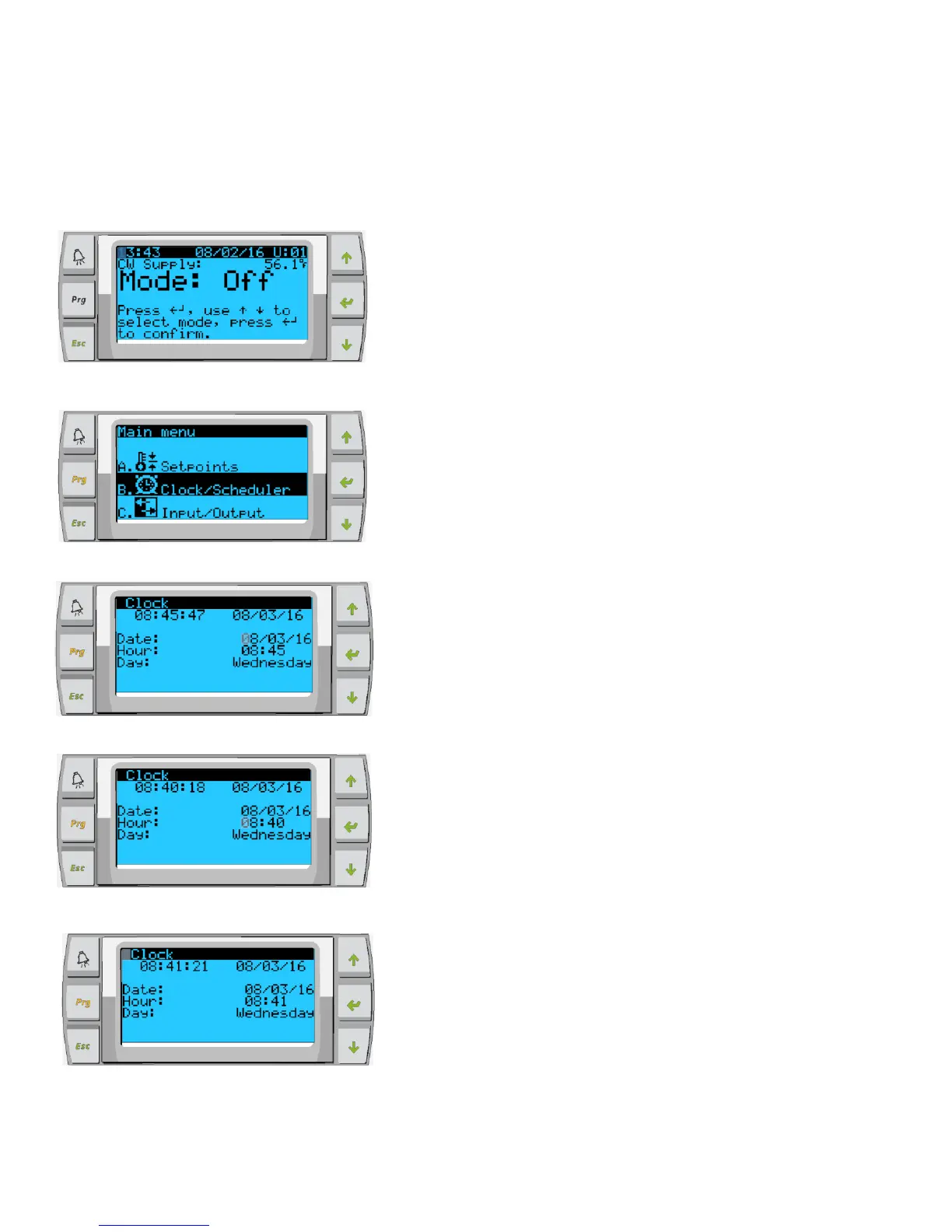
Scroll to Clock/Scheduler and press
enter
Press enter, notice the cursor flashes on the date field
mm/dd/yyyy.
Use the up and/or down keys to select the correct month. Hit
enter the press up and/or down to select the correct day.
Press enter to select the year and/or up down buttons to
select the correct year.
Press enter again and the cursor drops down to the “Hour”
field.
Use the up and down keys to select the correct hour, then
minute
Cursor goes back to the “Clock” title. Settings have been saved
and you can exit to main screen. Daylight Saving is enabled by
default. Scroll down from the clock screen if you wish to disable.



 To Next Page