47
HMI Setup
Uploading program
To setup the correct program onto the touchscreen follow the steps.
1. Locate USB port located on the back side of the screen.
2. Insert USB memory
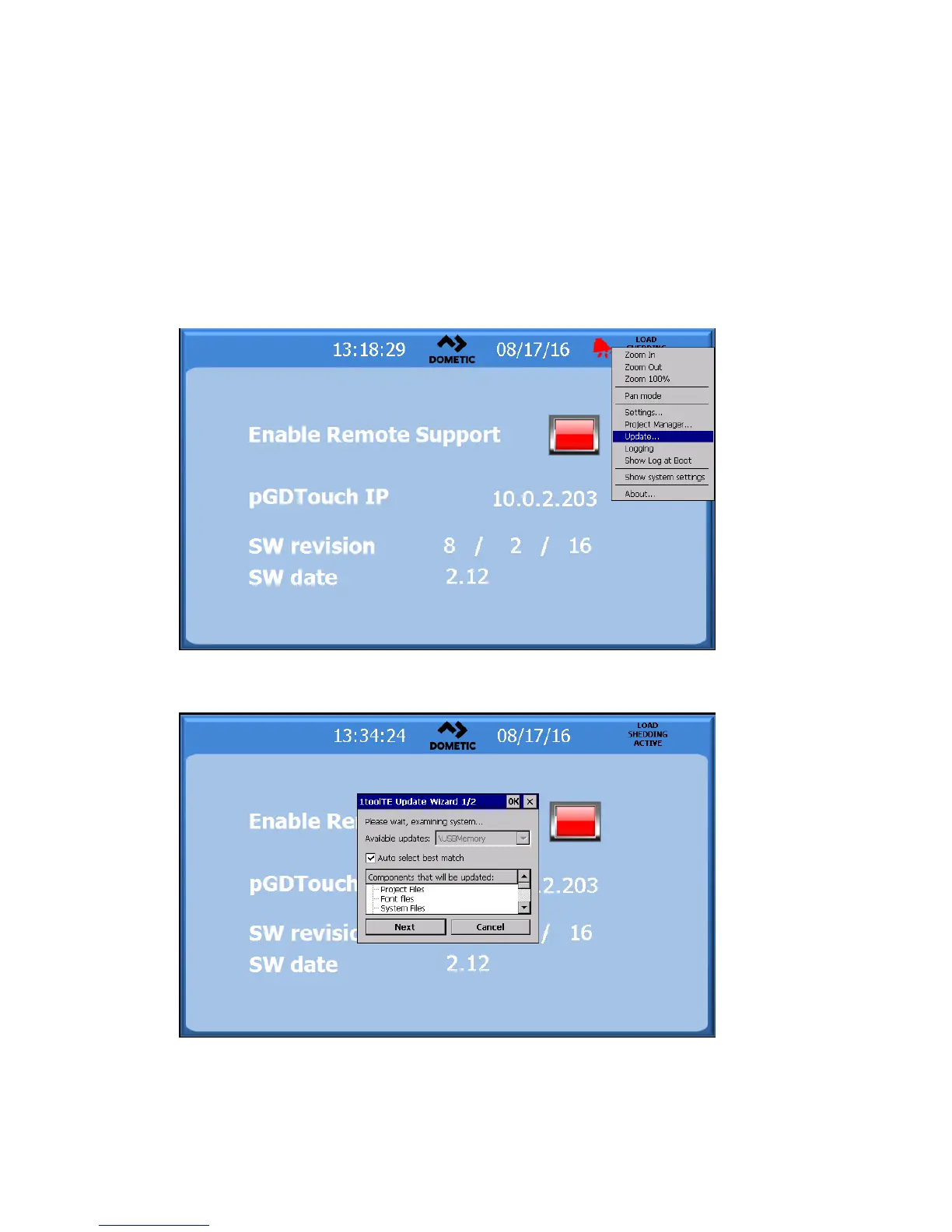
3. On the touch screen hold your finger on the screen until a pop window is displayed.
4. Select update
5. Another pop-up will appear and check the box that says Auto select best match and press next
6. Once the screen is updated there will be a reboot. Once completed the screen will display the
main screen. Remove USB.



 To Next Page