57
Activating Maintenance Mode
Maintenance mode is a tool in the PLC software that allows the user to disable any of the stages in the
system. This allows for ease of troubleshooting and maintenance on one unit, while maintaining full
functionality for the other stages. Find below the instructions to access maintenance mode.
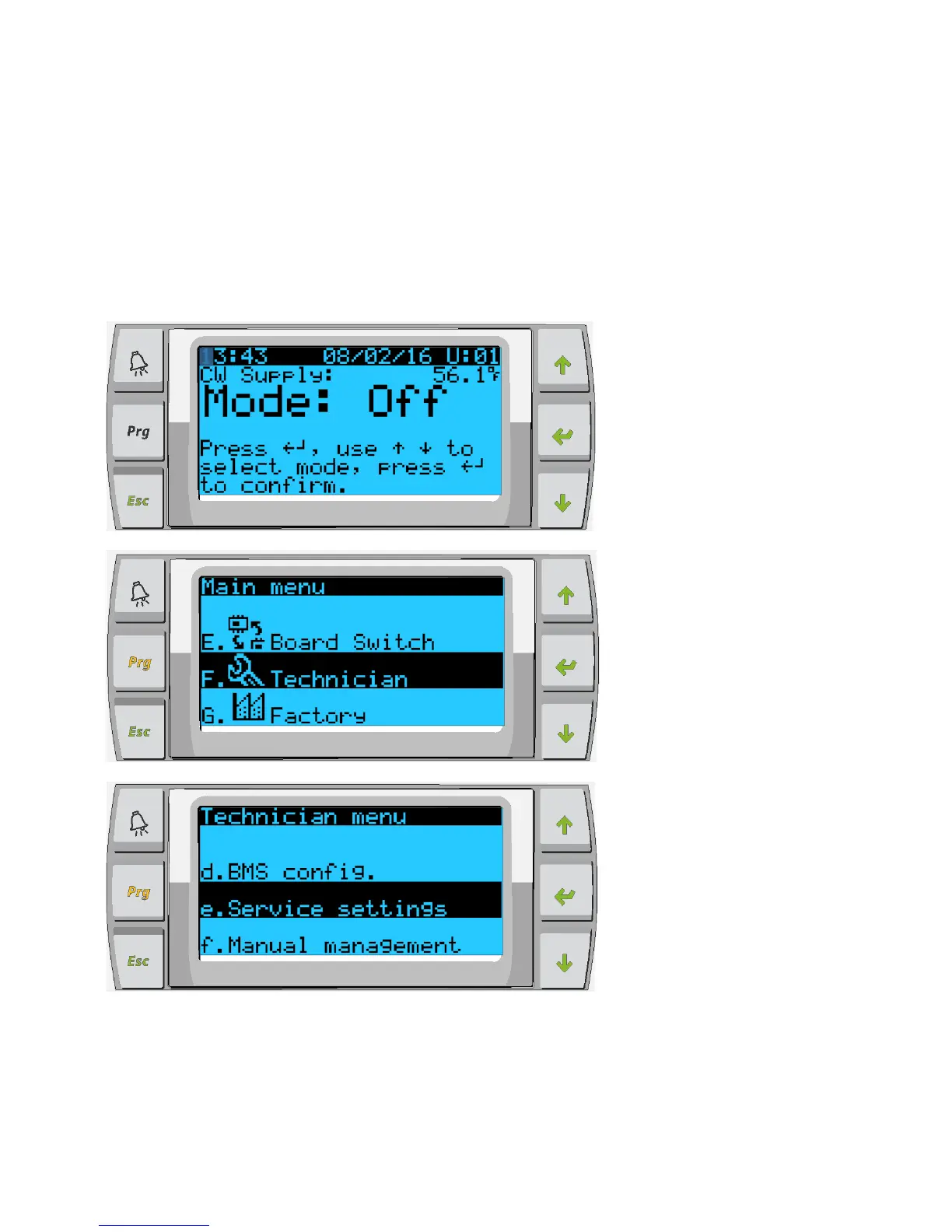
Enabling via PGD1 Display
1. Ensure unit mode is set to OFF. In the main screen, press enter and scroll up/down to select
OFF, then press enter to save.
2. To access the maintenance mode menu, press Prg and scroll to technician, press enter.
3. In Technician menu scroll to service settings and press enter.



 To Next Page