Power Train Disassembly & Assembly
Remove the Differential and
Ring Gear from the Carrier
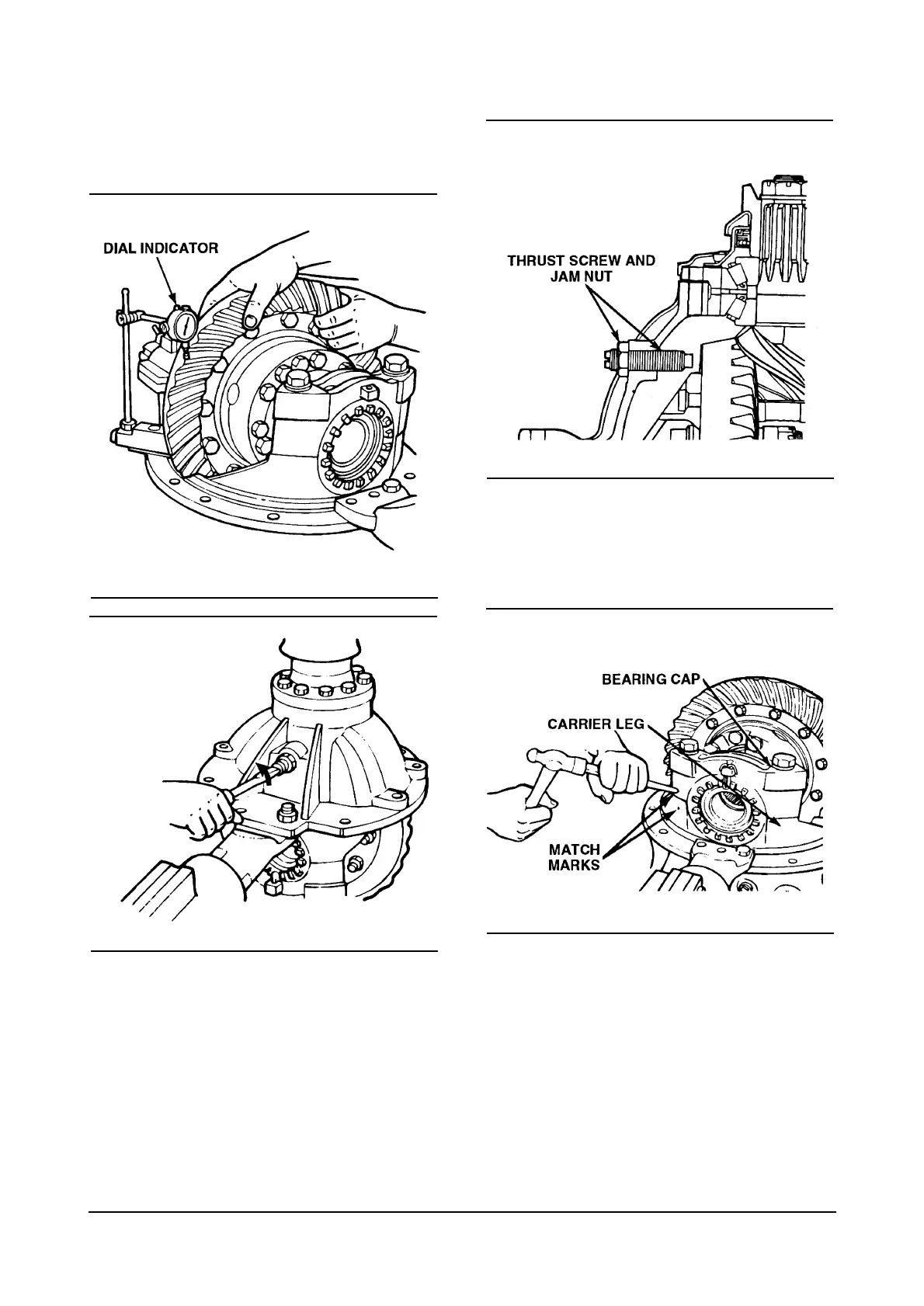
NOTE : Before working on the differential carrier,
inspect the hypoid gear set for damage. If inspection
shows no damage, the same gear set can be used
again. Measure the backlash of the gear set and
make a record of the dimension. During differential
reassembly, adjust the backlash to the original
recorded dimension when the gear set is installed
into the carrier.
1. Loosen the jam nut on the thrust screw.
2. Remove the thrust screw and jam nut from the
differential carrier.
3. Rotate the differential carrier in the repair stand
until the ring gear is at the top of the assembly.
4. Mark one carrier leg and bearing cap to correctly
match the parts during carrier assembly. Mark the
parts using a center punch and hammer.
11



 To Next Page