- 22 -
CAUTION
Incorrectly connected wires or abnormal battery voltage can cause critical damage to the
controller so be sure to inspect them before use.
Mounting and Connecting the Magnetic Speed Sensor
1. The optimal gap between the magnetic speed sensor and ring gear is 0.45 mm. In order to achieve this,
tighten the sensor until it makes contact with the ring gear, then turn it another 3/4 turns in the reverse
direction to obtain a suitable gap.
2. The speed sensor signal can be checked by measuring the voltage (AC) between terminals C-D while the
engine is running.
3. The sensor voltage applied to the controller must be over AC 3V.
Adjusting the Speed Externally
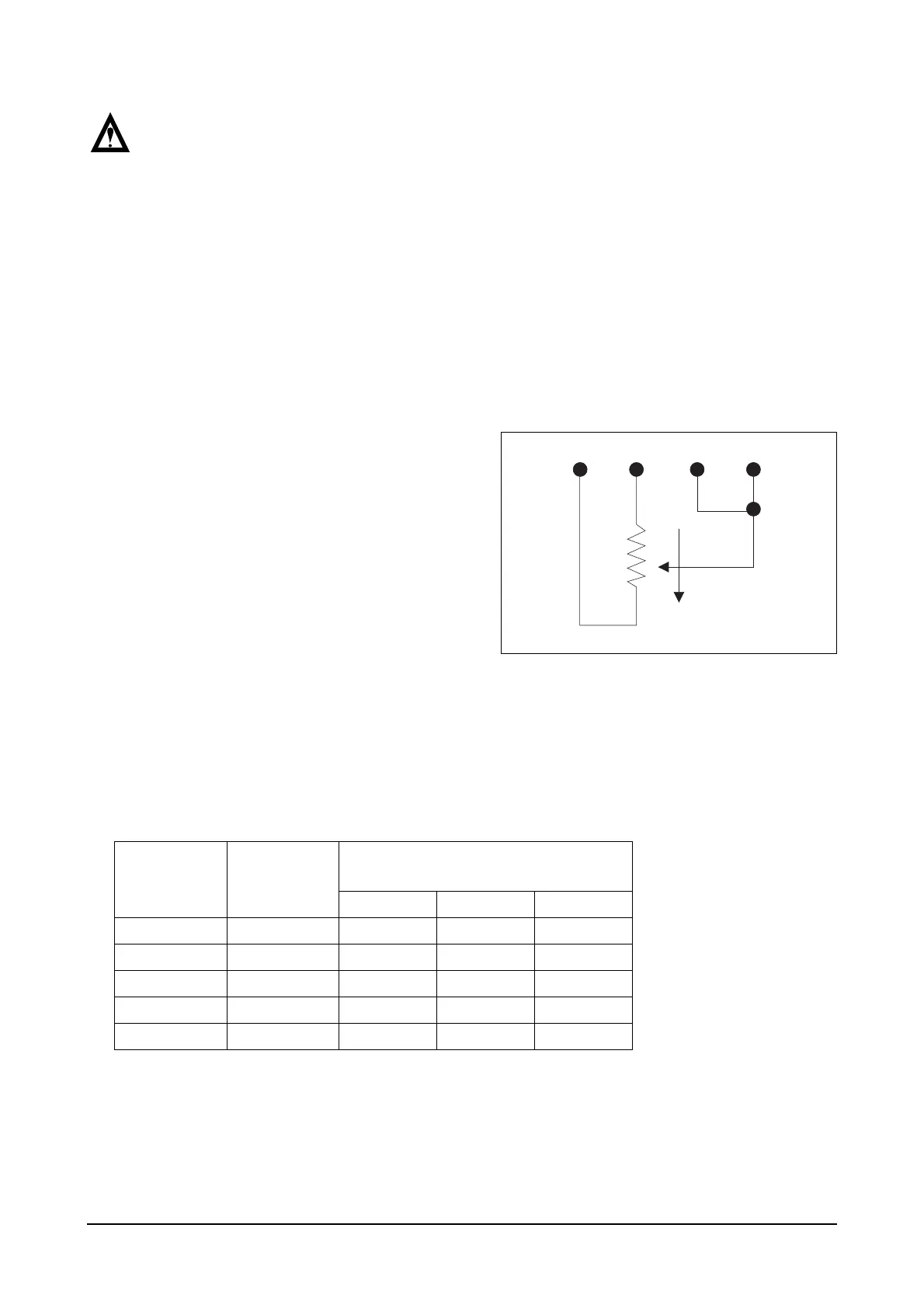
1. By connecting the speed adjustment potenti-
ometer externally as shown in the picture, you
can adjust the engine speed remotely and
externally within a certain speed range. Refer
to the chart to set the resistance value accord-
ing to the required speed range.
2. When the engine speed is set to the minimum
speed in remote control mode, it causes a
decrease in speed due to the instability and
load on the system. Hence, when using the
minimum speed setting, use the droop potenti-
ometer to adjust the amount of droop to a low
level (turning the potentiometer counterclock-
wise), thereby enabling engine stability to be
maintained.
On the other hand, when the speed setting is
at its highest, the governor runs almost iso-
chronously regardless of the set droop value.
Speed Range
Potentiometer
Value
Engine rpm Converted for Number of
Ring Gears
160 152 146
900 Hz 1 K 337 rpm 355 rpm 370 rpm
2,400 Hz 5 K 900 rpm 947 rpm 986 rpm
3,000 Hz 10 K 1,125 rpm 1,184 rpm 1.230 rpm
3,500 Hz 25 K 1,315 rpm 1,381 rpm 1,438 rpm
3,700 Hz 50 K 1,387 rpm 1,460 rpm 1,520 rpm




 To Next Page