- 42 -
(1) LCD displays after powered on
When DC +24 V power is supplied to the battery terminal (E (-), F (+)) of the controller, the power LED
in the front side of the controller turns on in red and the error LED turns on in red where there are fault
conditions. At this moment, the LCD display is not activated and Doosan logo will appear for 1 second
followed by the operation display after pressing the LCD button.
The controller will start control based on information from pick-up sensor and other input devices and
designated parameter values. At this moment, where breakdowns of the surrounding devices or sys-
tem errors occur, the LCD display will show such errors and processing messages.
Step 1) DC +24V power supply to the terminals E (-) and F (+)
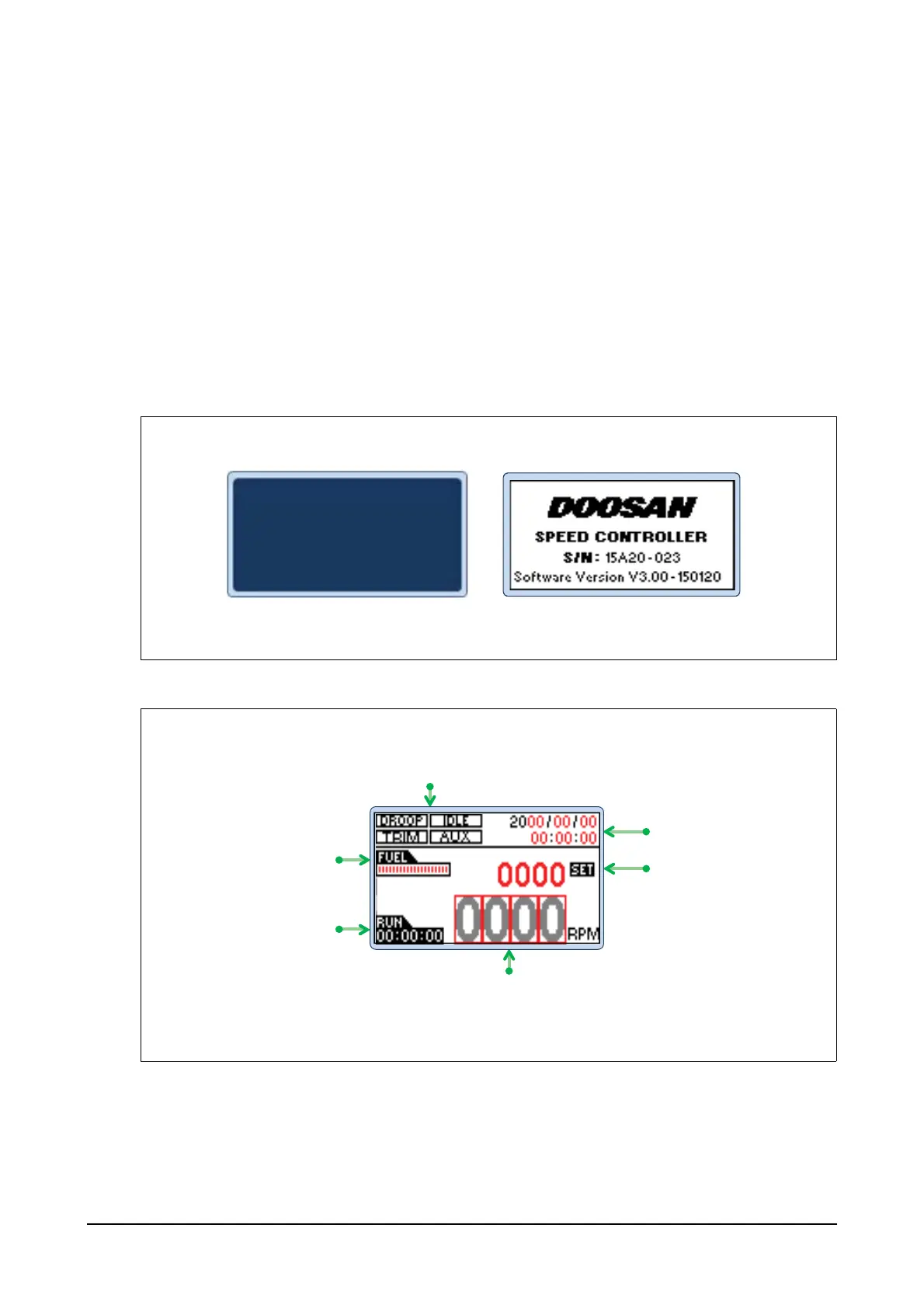
When DC +24V power is supplied to the terminals E (-) and F (+), the controller will start to operate
with the LCD display off. After pressing the LCD button, Doosan logo will appear for 1 second as
shown below followed by the controller operation display. Then, the LCD display will switch between
on and off by pressing the LCD button.
Step 2) The operation display will show 1 second after the logo appears.
G
G
G
G
G
G
DROOP GIDLE
TRIM
G
AUX
Displays the remaining
fuel of the actuator
Displays the operation
hours while the
system is on
Displays operating RPM
Displays year and time
Displays set RPM
EDL11160052
Operation Display




 To Next Page