- 43 -
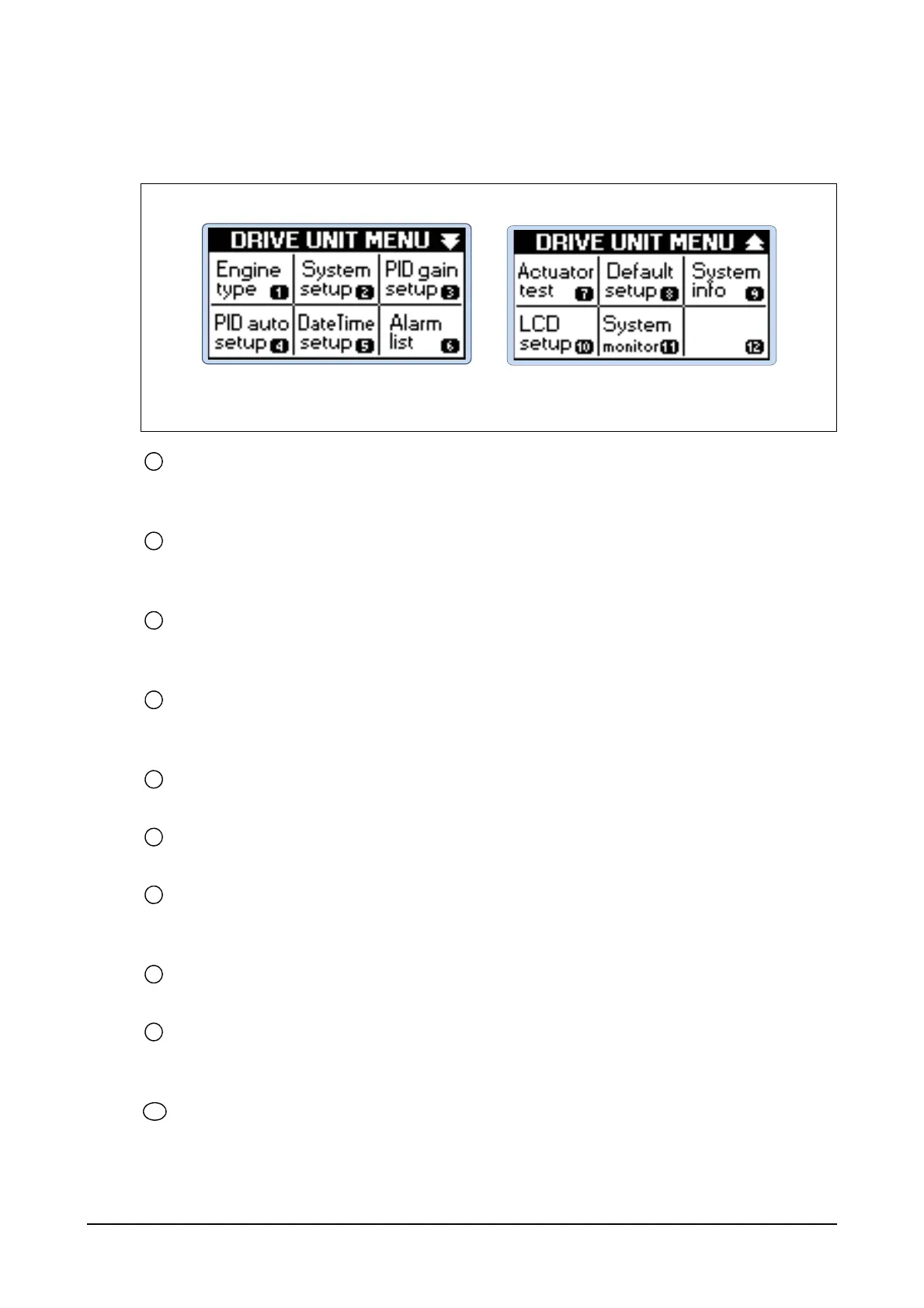
(2) LCD main menu display
Displays main menu screen of the controller
The main menu of the controller has 10 sub-menus.
Engine type
The controller can start operation once the initial system values are configured.
Users can load preset values depending on types of the engines by selecting the type.
System setup
It consists of sub-menus related to system settings including RUN/IDLE/OVERSPEED/CRANK/
GEARNUMBER.
PID gain setup
It consists of sub-menus to designate Kp, Ki and Kd parameter values related to the engine PID
control.
PID auto setup
It offers function for automatic designation of Kp, Ki and Kd parameter values related to the
engine PID control.
Date/Time setup
It offers function for users to move to the screen for designating year, month, day and hour.
Alarm list
It offers function for users to move to the alarm display for the alarm list.
Actuator test
It offers menu to test the impedance (XL) of the actuator and any problems in operating load cur-
rent. It displays current and voltage according to the duty values.
Default setup
It offers menu to apply designated default values to the selected engine.
System info
It offers menu that shows information of the controller. Such information includes the serial num-
ber, software version, last update date, alarm count and engine runs.
LCD setup
It offers menu to configure LCD operating conditions including brightness, auto on/off and off
hours.
EDL11160053
Main Menu of the Controller 1 to 2




 To Next Page