- 54 -
Configuring droop gain
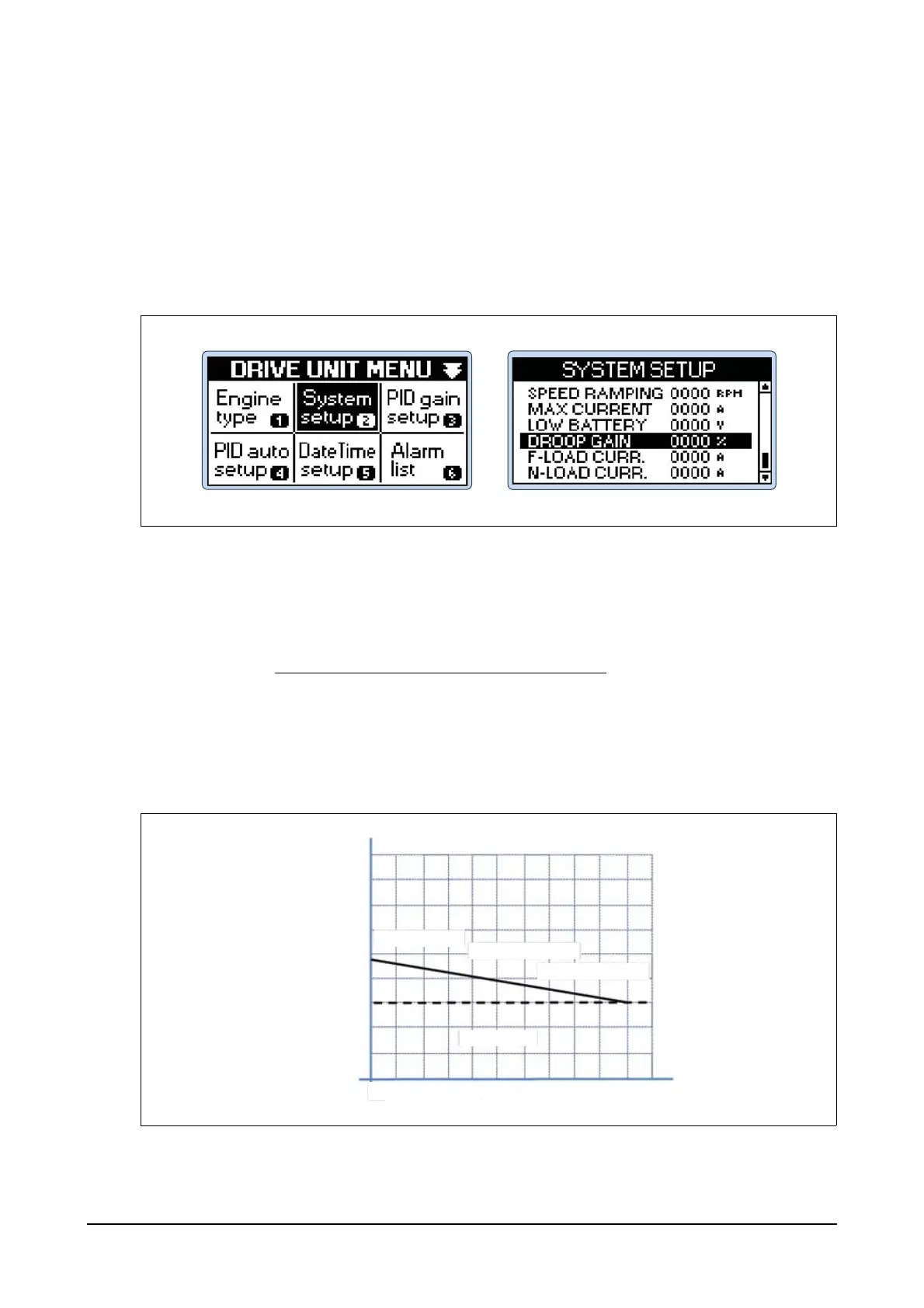
Step 1) Press Menu button of the controller and then you can see DRIVE UNIT MENU.
Step 2) Select System setup menu in DRIVE UNIT MENU using Up, Down, Left and Right buttons
and then press Enter button.
Step 3) Select DROOP GAIN in SYSTEM SETUP menu and then press Enter button.
Use Up and Down buttons to increase or decrease the RPM values with adjusted ratio to
decrease at the maximum load when the generator is in parallel operation and then press
Enter button.
Droop Function
Droop function is indicated in percentages as follows: RPM with no load is subtracted by RPM with
maximum load and then divided by RPM with no load.
(Example for 3% droop)
Assuming that RPM with no load is 1,800 and RPM with maximum load is 1,854 then the percentage
will be 3%. It means that the generator output will be changed by 33.3% as the frequency changes by
1% due to the actuator control.
Droop% =
RPM with no load - RPM with maximum load
RPM with no load
1,920 rpm 64 HZ
1,890 rpm 63 HZ
1,860 rpm 62 HZ
1,830 rpm 61 HZ
1,800 rpm 60 HZ
1,770 rpm 59 HZ
61.8 No Load
60.9 50% Load
60.0 100% Load
3% Droop
0% 50% 100%
EDL11160067




 To Next Page