- 60 -
(7) Actuator test
The menu offers function to test whether there is any problem in operating load current of the actuator
attached to the engine. It indicates voltage and current for on/off.
(8) Default setup functions
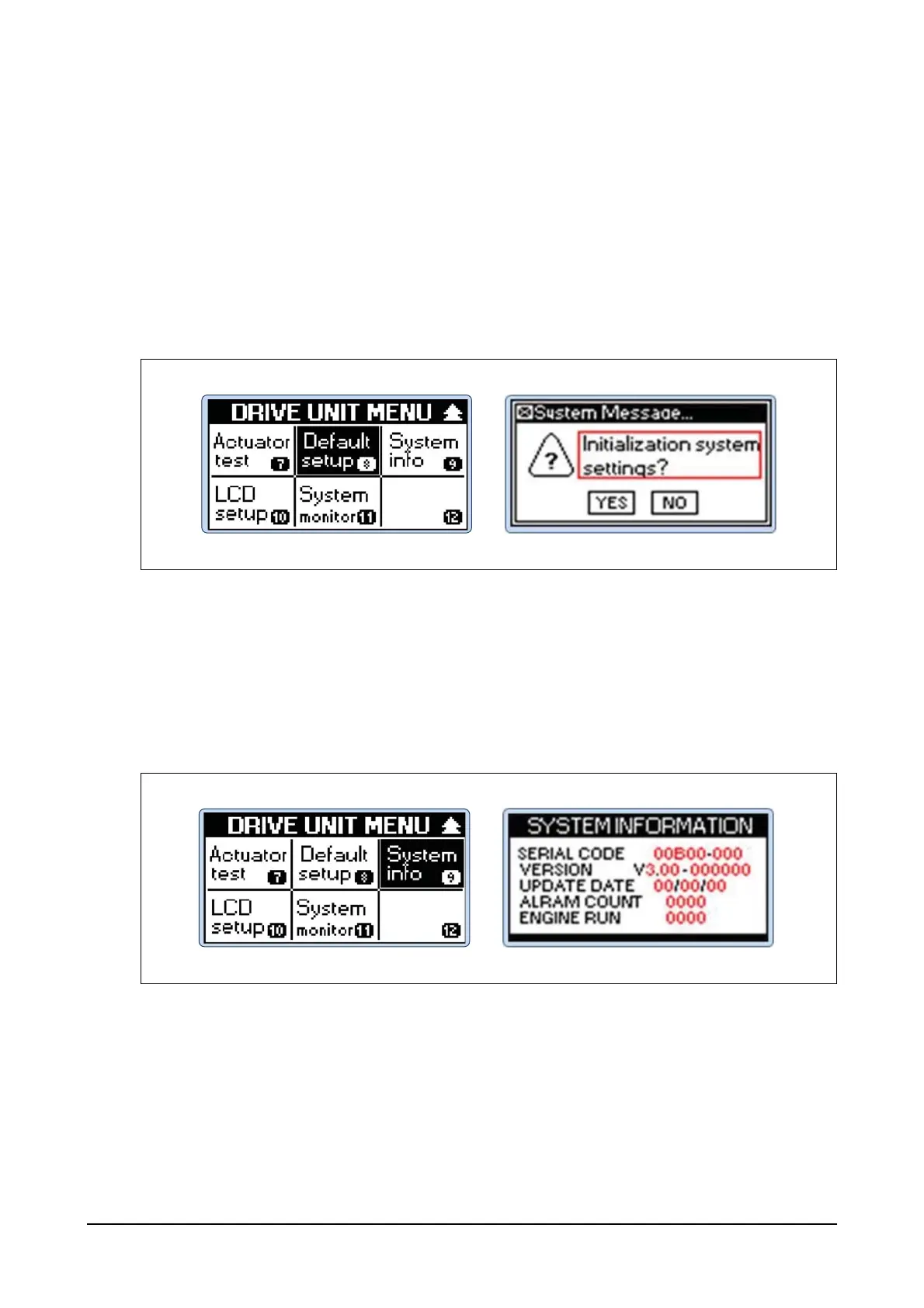
Step 1) Press menu button of the controller and then you can see DRIVE UNIT MENU.
Use Up, Down, Left and Right buttons to select Default setup menu and then press Enter
button.
At this moment, the system message "Initialization system setting?" will appear.
Step 2) Use Left and Right buttons to select either YES or NO in System Message and then press
Enter button.
Default setup will change the configuration values of the engine to the default values. In order to initi-
ate default setup, you need to select YES and then press Enter button. Press No button if you don't
want to.
(9) System info functions
Step 1) Press menu button of the controller and then you can see DRIVE UNIT MENU.
Use Up, Down, Left and Right buttons to select System info menu and then press Enter but-
ton.
The menu displays information of the controller and the information includes the serial number, soft-
ware version, last update date, alarm count and engine runs.




 To Next Page