- 61 -
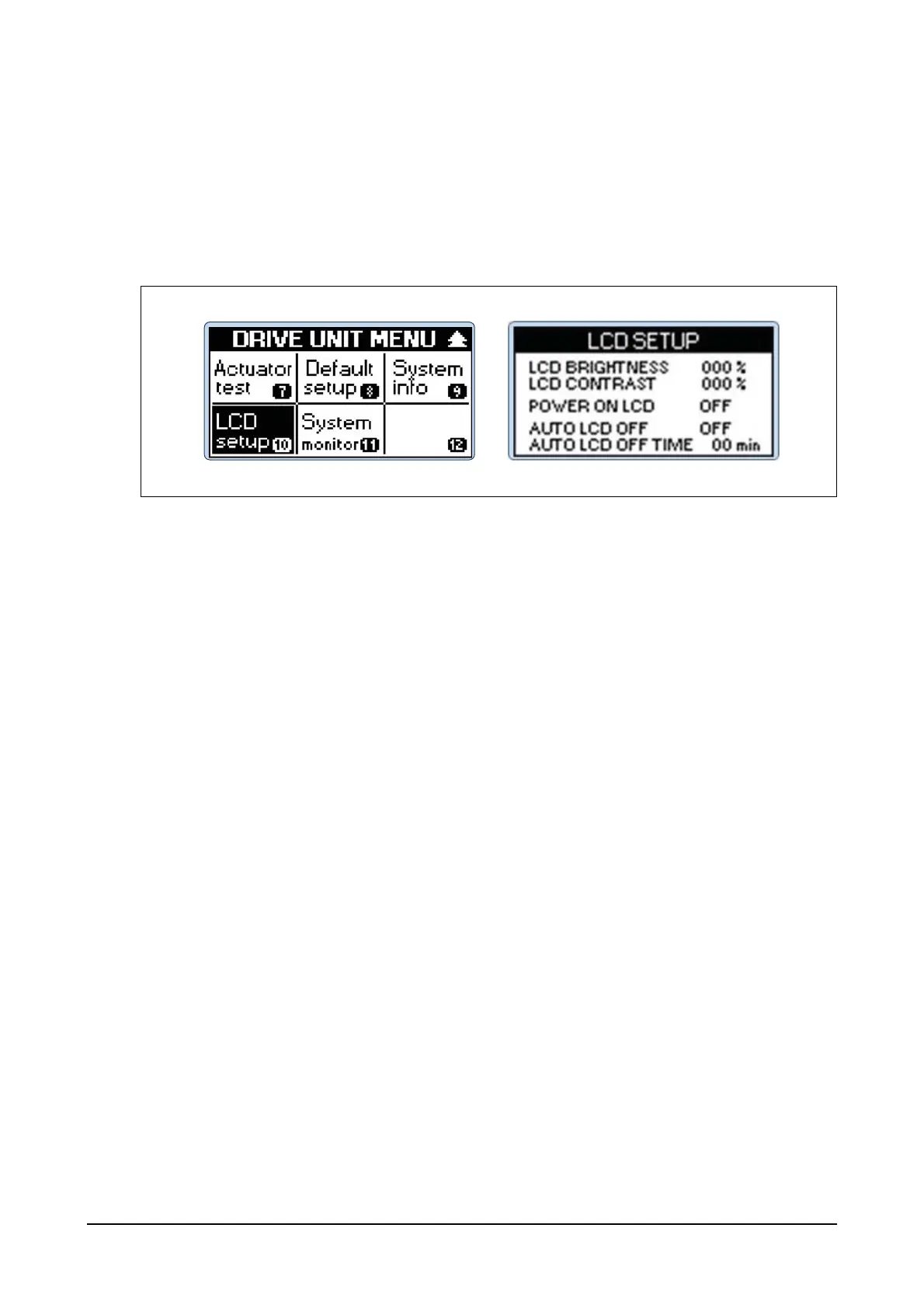
(10) LCD setup functions
Step 1) Press Menu button of the controller and then you can see DRIVE UNIT MENU.
Use Up, Down, Left and Right buttons to select LCD setup menu and then press Enter but-
ton.
Step 2) Use Up and Down buttons to select menus including LCD BRIGHTNESS and LCD CON-
TRAST for adjustment and then press Enter button. Use Up and Down buttons to input set-
ting values and then press Enter button.
(11) System monitor Functions
Step 1) Press Menu button of the controller and then you can see DRIVE UNIT MENU.
Use Up, Down, Left and Right buttons to select System monitor menu and then press Enter
button.
It offers menu to monitor the controller operation. It shows values for Engine RPM, Valve
Duty, Valve Current, Aux RPM Input, Pickup Voltage and Bat Voltage.




 To Next Page