3.4 New SSD Flash Installation
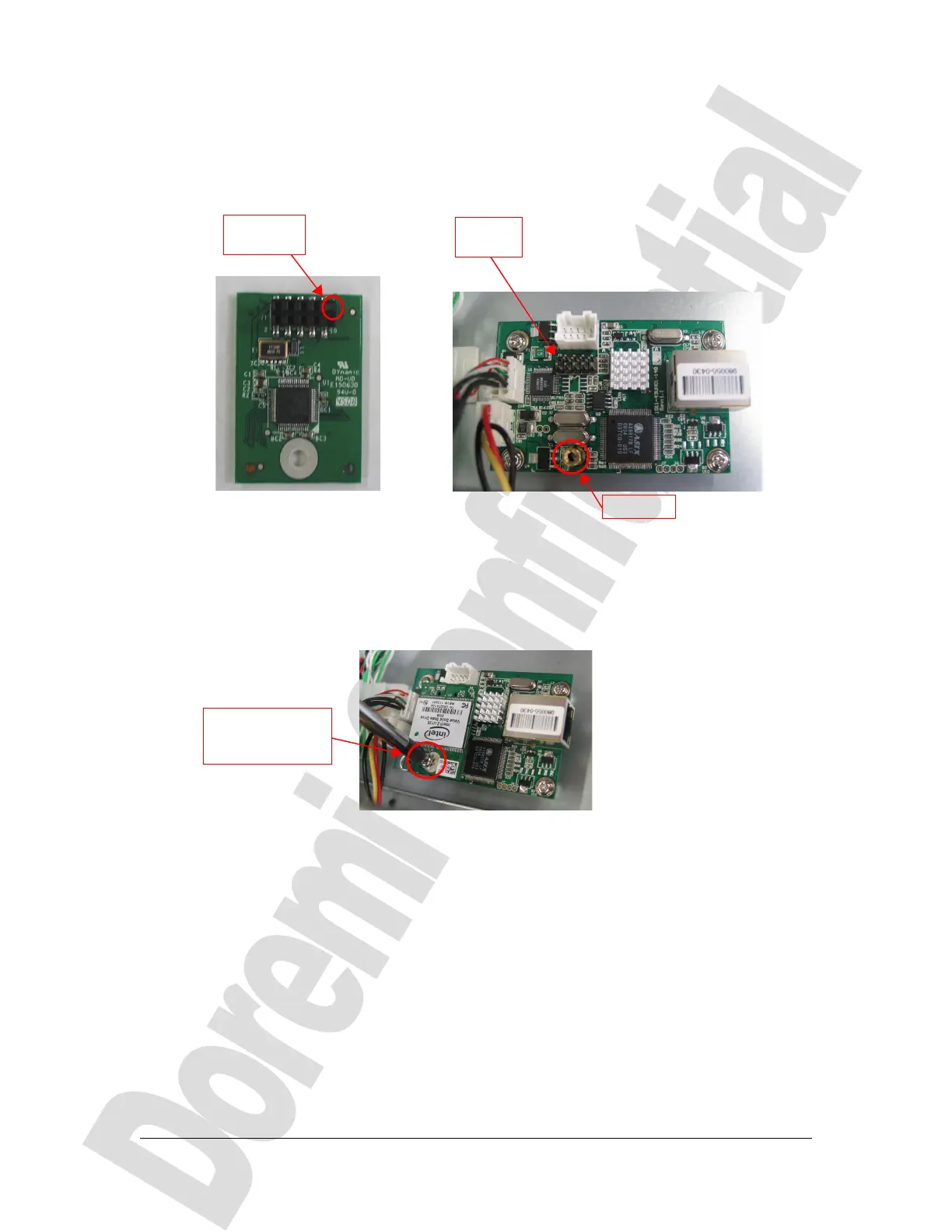
Take the new SSD flash provided by Doremi and note the pin hole that is blocked – it will
have to match the missing pin of the holding card's connector as presented below:
(a) (b)
Figure 8: SSD Flash Pin Hole Blocked – Card's Connector Missing Pin
Plug the SSD flash into the card's dedicated connector by respecting the matching
between the blocked pin hole and the connector missing pin. Then put back the screw
holding the SSD flash to the card's stand-off as presented below:
Figure 9: SSD Flash Pin Hole Blocked – Card's Connector Missing Pin
D2K.DP.000804.DRM Page 8 Version 1.0
Doremi Cinema LLC Confidential
Pin hole
blocked
Missing
pin
stand-off
SSD being
attached to the
card's stand-off



 To Next Page