3.2 SSD Flash Location
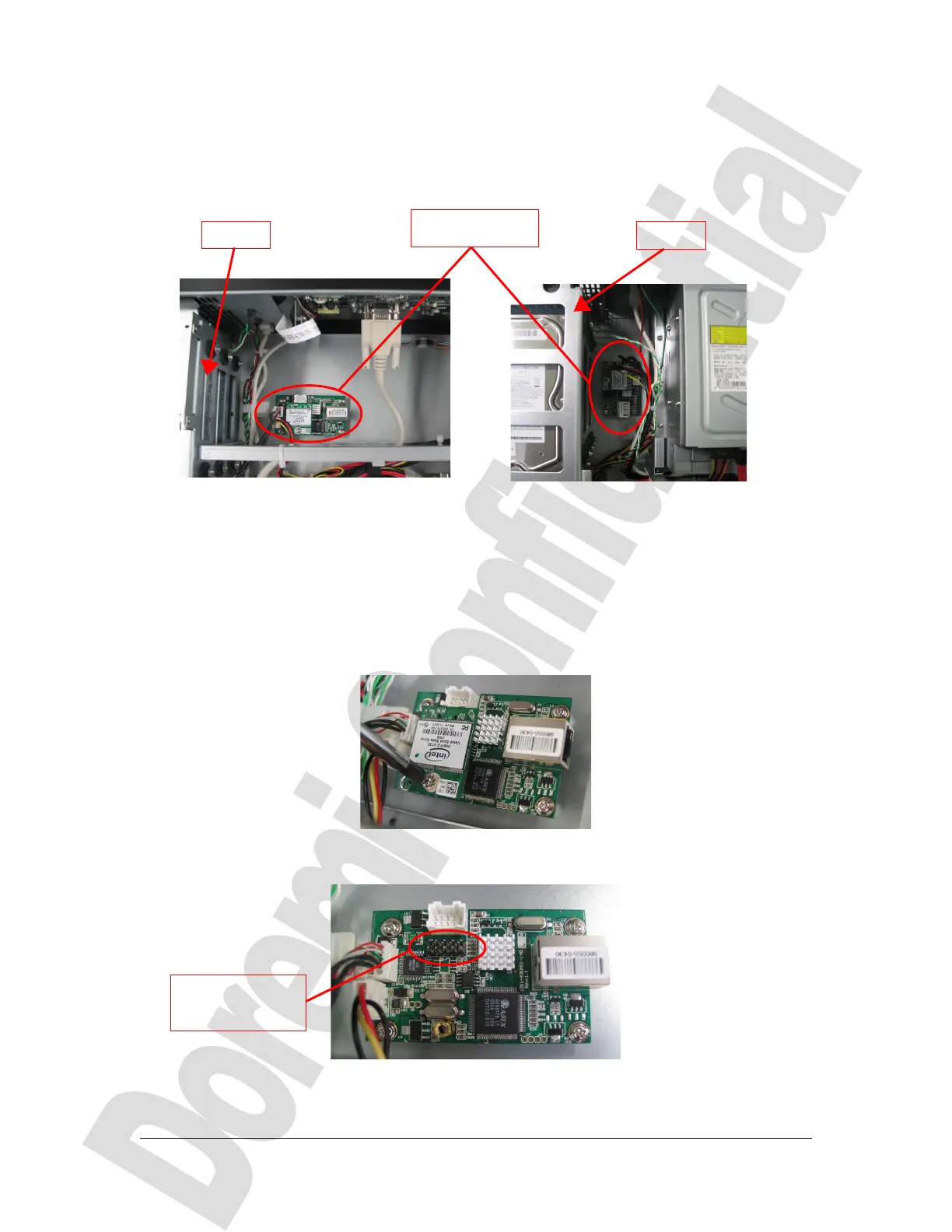
The SSD flash is located on the front of the unit, beside the HDD, as presented below:
(a) (b)
Figure 5: SSD Flash Location – (a) DCP-2000, (b) DCP-2K4
The SDD flash is located on top of the USB hub, secured with a screws and connected
with its IDE-10 connector plugged into the USB hub header.
3.3 SSD Flash Removal
Unscrew the SSD flash from its holding card using a Philips tip screwdriver as presented
below:
Figure 6: SSD Flash Screw Removal
Then, unplug gently the SSD flash from the card's connector by pulling on the SSD flash:
Figure 7: SSD Flash Removed
D2K.DP.000804.DRM Page 7 Version 1.0
Doremi Cinema LLC Confidential
Card holding the
SSD flash
HDDs
HDDs
Connector
previously holding
the SDD flash



 To Next Page