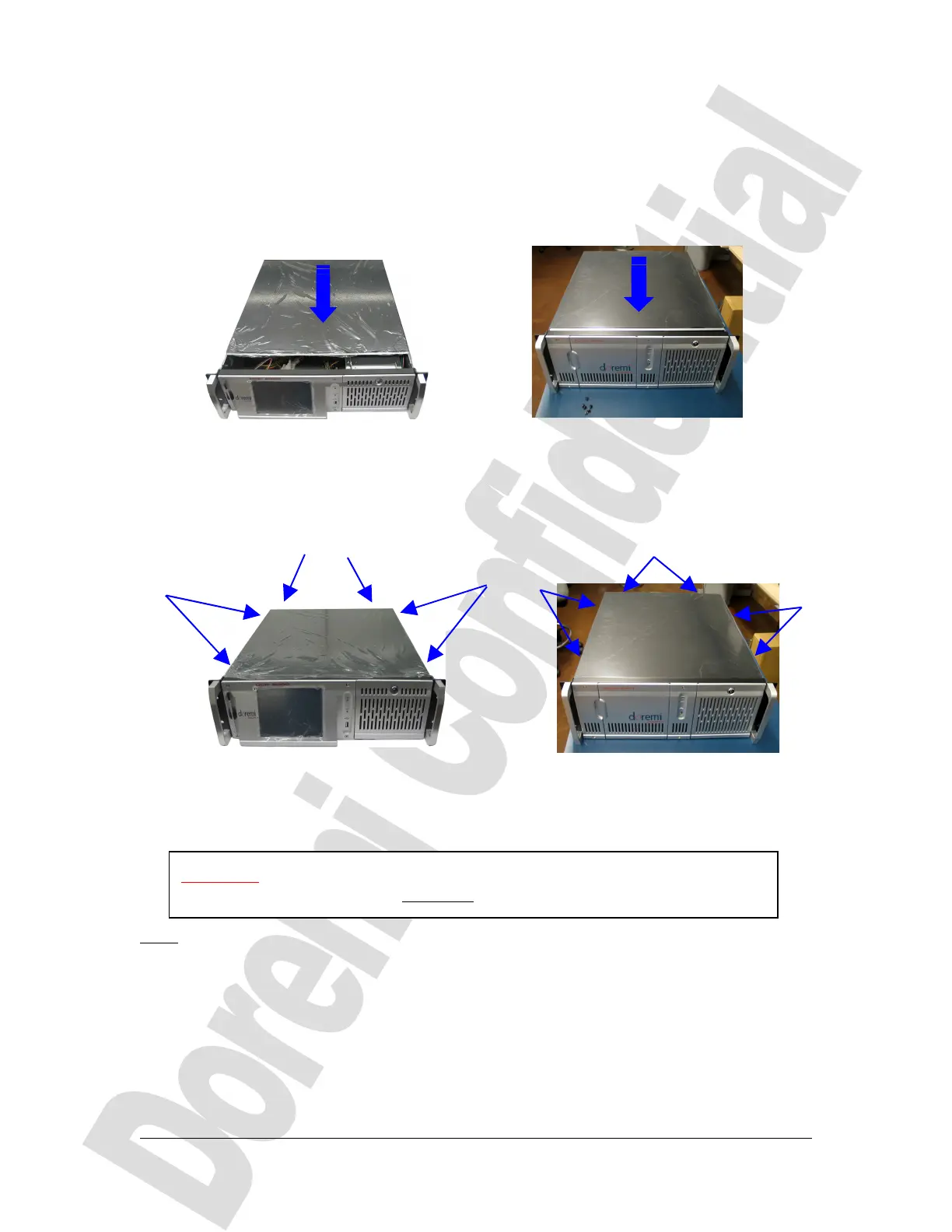
4 Lid Closing
When the previous upgrade steps are completed, the DCP-2000 lid can be closed by
sliding it from the rear panel to the front side – Make sure there are no wires caught by
the lid.
(a) (b)
Figure 10: Lid Closing
Tighten the 6 black screws that were removed at the beginning of the procedure, as
presented below:
(a) (b)
Figure 11: Lid Screws
Then the unit can be put back into its rack – if any – and connected to power.
Note: Reconnect all the cables that were disconnected at the beginning of this
procedure.
D2K.DP.000804.DRM Page 9 Version 1.0
Doremi Cinema LLC Confidential
Slide the cover to
the front side of the
chassis
CAUTION: In case for any reason the HDD were removed from the unit,
insert them back BEFORE plugging the power cables.
side
screws
Rear panel screws



 To Next Page