5
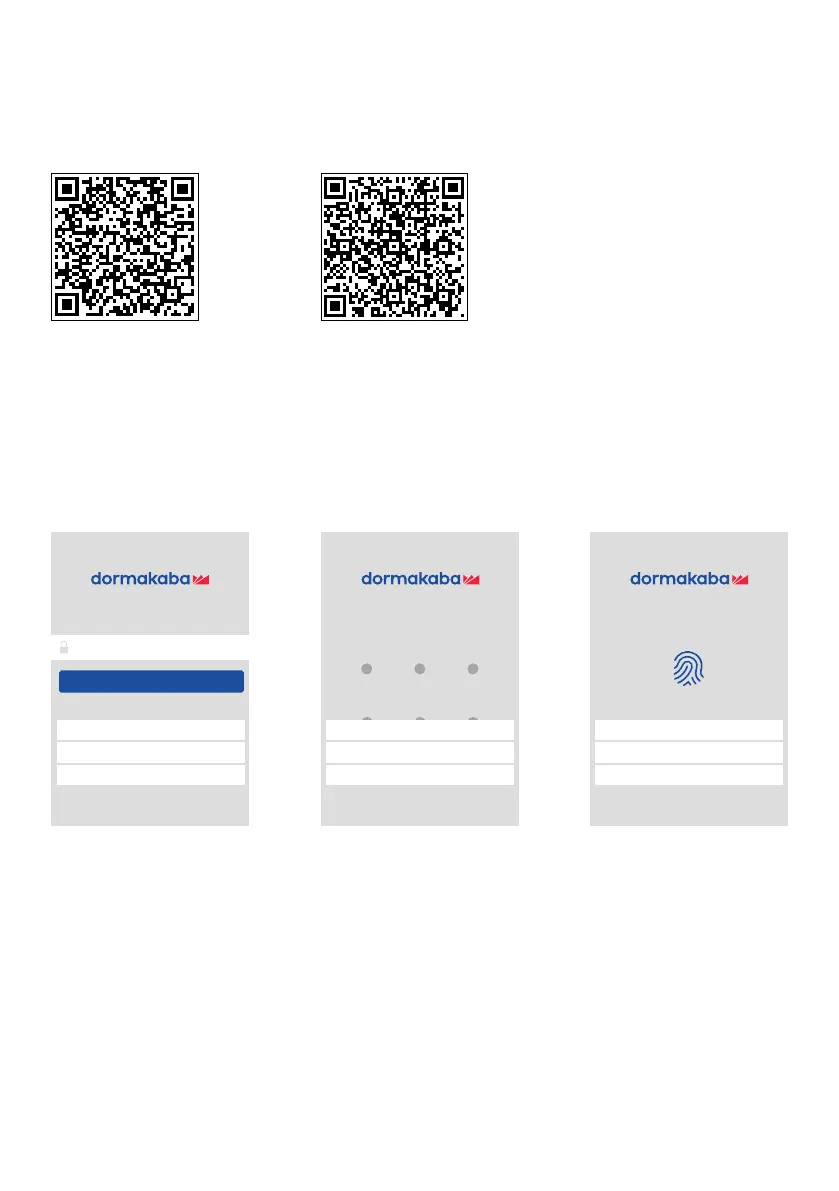
Download and Install the app
1. Enable your mobile to scan QR Code above to download app installation
package.
2. Enable the app and login after successfully downloading and installing.
Enable and Register the app
Enable the app and enter the login interface, then click “Change the Login Model”
and authenticate user by password, gesture or fingerprint, ensuring the Bluetooth
function in phone is turned on. You can enter device management automatically
after successful login.
iOS Apple Store Google Play
Login By Fingerprint
Login By Gesture
Login By Password
Cancel
Login By Fingerprint
Please enter password
Login
Login By Gesture
Login By Password
Cancel
Login By Fingerprint
Login By Gesture
Login By Password
Cancel
Click to unlock with fingerprint
Switch to Password Login Switch to Gesture Login Switch to Fingerprint Login
Using the dormakaba Smart Lock app



 To Next Page