
 To Next Page
D
dhillAug 19, 2025
What to do if Dormakaba Door locks device battery is ‘empty’?
- JJohn ColeAug 19, 2025
If the Dormakaba Door locks device battery is empty, use the emergency opening and replace the device’s battery.

What to do if Dormakaba Door locks device battery is ‘empty’?
If the Dormakaba Door locks device battery is empty, use the emergency opening and replace the device’s battery.
What to do if Dormakaba c-lever pro battery is fully discharged?
In case of a fully discharged battery in your Dormakaba Door locks, use the emergency power supply and then replace the batteries.
How to fix Dormakaba Door locks 'Battery Low' issue?
If you are getting a 'Battery Low' message on your Dormakaba Door locks, replace the batteries.
What to do if Dormakaba c-lever pro Door locks alarm shows Battery 'Empty'?
If your Dormakaba Door locks alarm indicates that the battery is empty, replace the batteries.
What to do if Dormakaba c-lever pro medium or device battery completely empty?
If the medium or device battery in your Dormakaba Door locks is completely empty, replace the medium and/or the device battery.
What to do if Dormakaba c-lever pro Door locks battery in the device is ‘low’?
If the battery in your Dormakaba Door locks device is ‘low’, replace the battery.
What to do if Dormakaba c-lever pro battery in the medium is ‘low’?
If the battery in the medium of your Dormakaba Door locks is ‘low’, replace the battery.
What to do if Dormakaba c-lever pro self-test could not be completed?
If the self-test for your Dormakaba Door locks could not be completed, check or replace the coupling unit.
What to do if Dormakaba c-lever pro have a faulty coupling unit?
If you suspect a faulty coupling unit in your Dormakaba Door locks, replace it.
What to do if Dormakaba c-lever pro Door locks medium not programmed?
If the medium is not programmed in your Dormakaba Door locks, program the medium.
Outlines requirements and precautions for product assembly and installation by skilled personnel.
Provides essential measures to prevent damage from electrostatic discharge to electronic components.
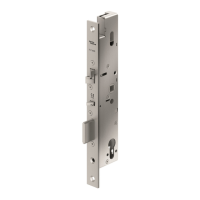
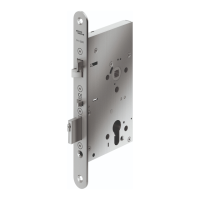
Covers general, door thickness, and mortise lock requirements for proper installation.
Step-by-step instructions for replacing an existing c-lever with the c-lever pro model.
Provides instructions and guidance for drilling the necessary holes for fixing the unit.
Procedure for installing the external fitting using the standard fixing method.
Specific steps for installing the internal fitting for the standard c-lever variant.
Instructions for programming TouchGo products using RCID and RFID technologies.
Step-by-step guide on how to open doors using authorized user media.
Step-by-step guide for replacing the device's batteries.
Procedure for resetting the device using conductive tweezers.
Provides a table for analyzing common symptoms and their possible causes and measures.
Analyzes operation errors specific to TouchGo applications based on symptoms and signals.
 General
| Latchbolt Material | Steel |
|---|---|
| Power Supply | Battery |
| Access Method | RFID, PIN Code |
| Material | Metal |
| Dimensions | Varies by model |
| Communication | RFID |
| Suitable for | Commercial doors |
| Identification | RFID card/fob, PIN code |
| Door Thickness | 35mm to 50mm |
| Lever Handle Type | Lever handle |
| Finish | Multiple options available |