English
• Message ringtone to set the volume for the incoming message
ringtone.
• Alarm ringtone to set the volume for the alarm ringtone.
• Call volume to set the in-call volume.
• On/off tone to set the volume for the on/off tone.
3. Press OK to confirm.
Ring type
Select to set ringtone on or off for different notifications.
1. Press Menu Settings Sound Ring type.
2. Select type of notification, like Call alert, Message alert and adjust
the type of alert:
• Ringtone for ringtone only.
• Silent for no sound or vibration, the display light is lit.
Other tones
1. Press Menu Settings Sound Other tones.
2. Select type of function and adjust if the sound should be on or off:
• Key tone to select if a sound should be heard when you press the keys
of the phone.
• Battery low alert to select if a sound should be heard when the bat-
tery level is low.
• On/off tone to enable/disable the startup/shutdown sound.
SIM ToolKit
Your service provider can provide some various value-added services.
Press Menu Settings SIM ToolKit for the provided services.
Additional functions
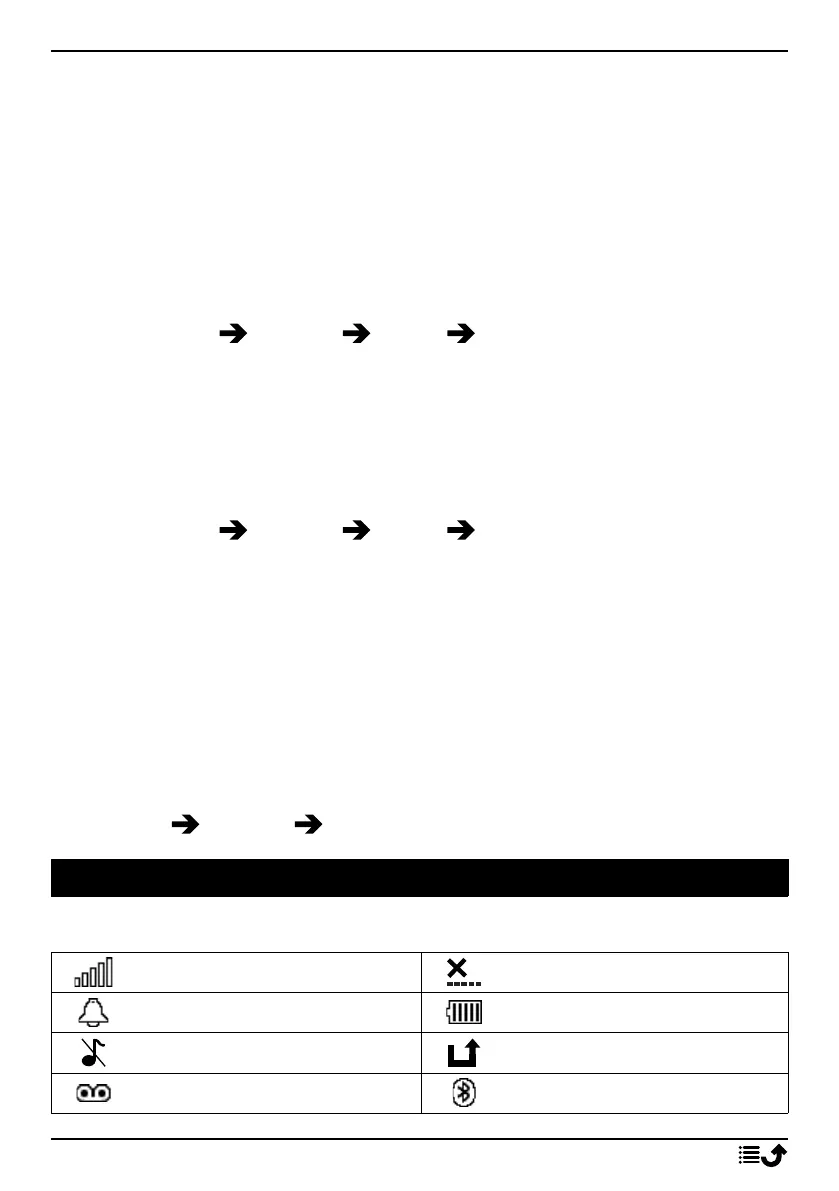
Display status symbols
Signal strength
No network coverage
Alarm active
Battery level
Silent Call divert activated
Voicemail message received
Bluetooth on
30



 To Next Page