English
Congratulations on your purchase
The Doro 6040 is a stylish clamshell phone that prevents accidental key
presses when folded, and lets you answer and end calls with a simple flip.
Easily call, message and share photos with family and friends thanks to
widely separated, high contrast keys and a large, 2.8" screen. The easy to
use 3MP camera is great for taking and sharing photos, and there is an as-
sistance button featuring support for Response by Doro™ with GPS posi-
tioning. Other features include HAC (Hearing Aid Compatibility) as well as
shortcut keys for the camera, favourite contacts and messages. For more
information about accessories or other Doro products please visit
www.doro.com.
IMPORTANT!
Your device may use data services and you may incur additional charges
for data services, such as messaging or using location services depending
on your data plan. We recommend that you check your data rates for
your subscription with your service provider.
Get started
Insert SIM card, memory card and battery
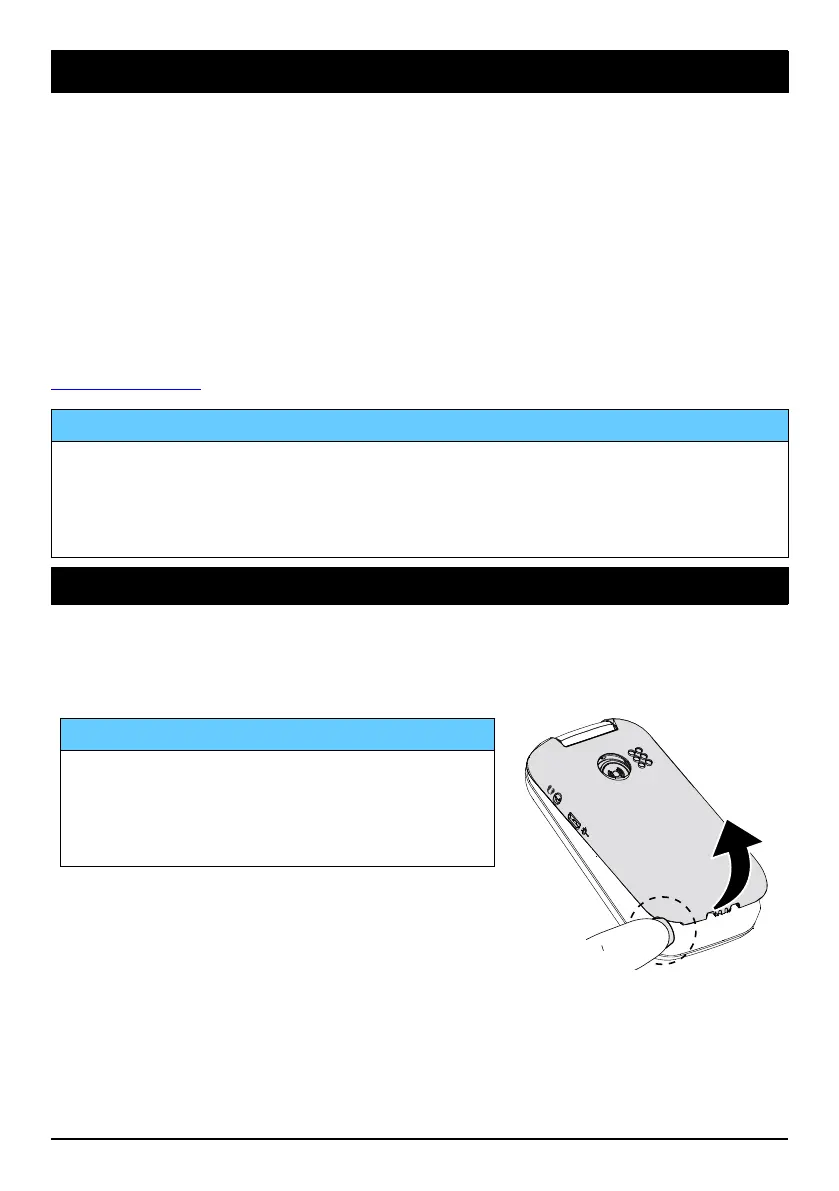
Remove the battery cover
IMPORTANT!
Be careful not to damage your fingernails
when you remove the battery cover. Do
not bend or twist the battery cover
excessively as it may be damaged.
1



 To Next Page